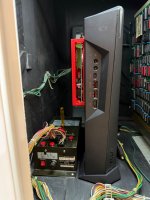
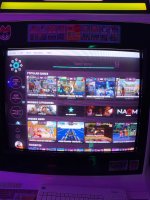
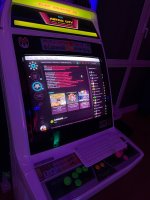
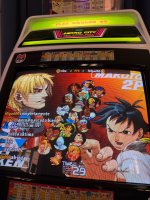
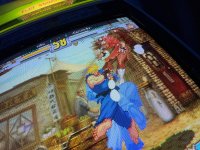
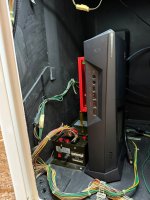
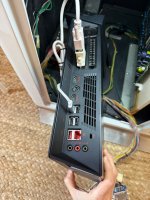
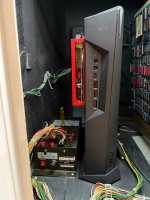
For sale: this awesome arcade PC already set to 15 kHz, in good condition. MSI TRIDENT 3 black version.
A compact and discreet setup, perfect for retro gaming on your arcade cabinet, Astro City, or CRT TV.
Specs:
PRICE: 700€
When I mention “frame delay 5” or “runahead 2”, I’m referring to settings inside the emulator. These are tools used to reduce input lag:
A compact and discreet setup, perfect for retro gaming on your arcade cabinet, Astro City, or CRT TV.
Specs:
- Intel i5-7400
- 16 GB RAM
- 256 GB SSD
- AMD Radeon R7
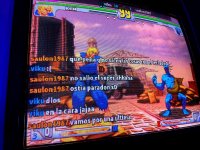
- You can use frame delay 5 or runahead 2 in FIGHTCADE
PRICE: 700€
- I can ship worldwide.
- Shipping cost NOT included
- JPAC JAMMA adapter NOT INCLUDED
When I mention “frame delay 5” or “runahead 2”, I’m referring to settings inside the emulator. These are tools used to reduce input lag:
- Frame delay: This setting reduces latency by delaying the emulator’s processing to stay closer to real-time input. Higher values = lower latency, but it requires a powerful PC to run smoothly.
- Runahead: This technique essentially “predicts” frames ahead of time and removes internal emulator lag. A value like 2 can significantly reduce delay and make controls feel very close to original hardware.
Attachments
-
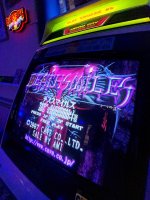 28b442c7-7b0c-4f6a-896c-0b28656ddefa.jpeg529.7 KB · Views: 275
 -
 317fd439-b493-4850-813f-49ea36cab054.jpeg549.7 KB · Views: 244
 -
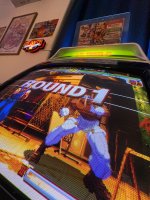 bce3d90569189a602c47d1bc8de2ec74.jpeg652.2 KB · Views: 244
 -
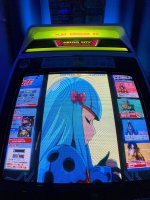 fc559ea643d91888ba1755dd577c63bf.jpeg547.5 KB · Views: 247
 -
 IMG_4337.jpeg338.1 KB · Views: 249
 -
 IMG_4327.jpeg710.9 KB · Views: 287
 -
 IMG_9632.jpg292.6 KB · Views: 156
 -
 IMG_9634.jpg302.1 KB · Views: 168
 -
 IMG_9633.jpg289.6 KB · Views: 165
Last edited: