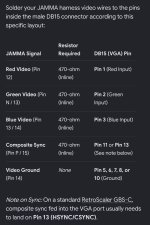
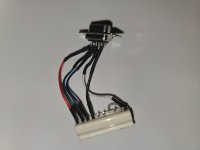
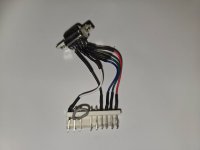
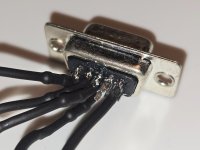
Hello! I want to be able to hook up a JAMMA PCB (namely Mortal Kombat 4 at the moment) to either a scaler (I have a pre-built GBS-C and a Morph 4K with RGB analog bridge) or to a Sony PVM. Either way SOG would be preferable since it would work for either setup (the analog bridge doesn't support ext sync). Does anyone know what I would need, hardware-wise to adapt the RGB signal to something that any of these setups would support? I can likely buy any of the needed components locally (cables, resistors, pots if needed). The end goal is to be able to capture crisp clear footage from the PCB (I have a capture device) so it can be used to compare the original hardware against the MK4 MiSTer core to help out the developer of said core. I do already have an HD VC-9900 so technically I can get footage, but that thing is basically trash and does a horrible job scaling. Thanks for any help! Also I have the power supply and all that good stuff, the only thing I need to do is fet the video signal properly formatted/attenuated/sync converted so I can use a scaler.

Connect JAMMA RGBS to RGB sync-on-green for Morph 4K scaler (or PVM)
- Thread starter brandogg
- Start date