
You are using an out of date browser. It may not display this or other websites correctly.
You should upgrade or use an alternative browser.
You should upgrade or use an alternative browser.
Fullset - Project Neon - SMUP for MVS and AES
- Thread starter Psnooky
- Start date


CoinFeeder
Professional
Thanks a lot for your support and trust mate; working night and day right now setting everything up for when our PCBs arrive in the next coming days!I've been cautiously following this, since I've been burned about preordering stuff before, but looks like this is getting close to the finish line, so ordered a MVS set today

santashiva
Enthusiast
I've ordered one MVS version since months.
So hurry to try it
So hurry to try it
Two infos i want to share here Fullset posted on X.
#1 Project Neon Batch #3 (MVS) is live and shipping this week!We just put a few more copies on the store. Please be aware that this will be our last batch before our final one (at least for the foreseeable future) in August.
-> Sold out in short amount of time
#2 Hey all! While things unfortunately still take longer than expected, we’re nearly done perfecting our over-the-air routine for a seamless, no-cartridge-opening install of the Project Neon’s v1.1 update.
-> I am really looking forward to have the new version in my hand to test how the OTA update works in real live.
#1 Project Neon Batch #3 (MVS) is live and shipping this week!We just put a few more copies on the store. Please be aware that this will be our last batch before our final one (at least for the foreseeable future) in August.
-> Sold out in short amount of time
#2 Hey all! While things unfortunately still take longer than expected, we’re nearly done perfecting our over-the-air routine for a seamless, no-cartridge-opening install of the Project Neon’s v1.1 update.
-> I am really looking forward to have the new version in my hand to test how the OTA update works in real live.
In case anyone missed it or hasn't heard yet, update V1.1 for Project NEON has been released.
I successfully installed it on my Slot-1 MVS and it works great. I think it's great that this game can be updated via WiFi.
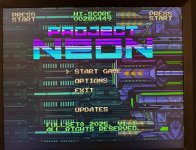
Here are all the changes and how the update works:
— CHANGELOG —
Cartridge FW Update 2.0
- Updated OTA routine with automatic retries and faster download speeds
- Fixes rare issue for some AES System + Cartridge combinations that previously required a reseat sometimes
Project Neon V1.1:
- Added new, subtle propulsion flames to player ship when accelerating/decelerating
- Increased volume of some SFX, including explosions
- Increased power text timeout from 1 to 2 seconds
- Improved visibility of segment dividers in stage-boss power bars
- Minimal adjustments to some BGM tracks
- Fixed beam sometimes didn’t trigger on button press during busy scenes
- Fixed SFX not playing when attract mode sound is disabled on either system or game level
- Fixed "x" of font not being very readable in TATE mode
- Fixed accidentally flipped combo timer in YOKO mode
- New update mode with % progress shown during future updates
— INSTRUCTIONS (IMPORTANT!) —
!!! Please read ALL instructions BEFORE you proceed with the first step of the update !!!
A REMINDER FOR MVS USERS: YOU’LL HAVE TO GO TO THE SOFT DIPS (BY PRESSING THE TEST BUTTON -> 3. SOFT DIPS -> PROJECT NEON -> UPDATE MODE = YES) TO PUT THE CARTRIDGE INTO UPDATE MODE. PLEASE LET US KNOW SHOULD YOU WANT TO UPDATE VIA A MULTI-SLOT MVS, AS AN AUTOMATED RESET AFTER THE UPDATE IS NOT POSSIBLE ON SOME OF THESE AND IT MIGHT BE HARD TO TELL WHEN THE UPDATE ACTUALLY FINISHED.
1. This first update involves a TWO STEP procedure, e.g. the first update you’ll see after connecting to your wifi will be for the cartridge firmware (e.g. Cartridge FW2.0), not the game itself!
2. After applying the cartridge firmware update via wifi, you will have to go to the update menu again and will then see Project Neon (v1.1)
3. During both updates there will be NO PROGRESS SHOWN on the screen. The only thing you will occasionally see is a static text and SOME FLICKER during the second step of the update. There will be no harm to your system or monitor, it’s just a side effect of the ROMs being rewritten while the cartridge is attached to the system. But if you’re sensitive to flicker, please reach out and we’ll provide you with an offline/USB-C update file for your specific cartridge.
4. Please stay patient and don’t interrupt system power during the update. After each update step the MVS/AES system will automatically reset.
5. Updates can take between 3-20 minutes depending on your internet connection. Again, there will be no progress shown.
6. If anything feels off, please don’t hesitate to reply to this email or DM us on Twitter. There will always be a way to recover via a USB-C in the unlikely event that your dog is pulling the power cord during the update
7. Future updates (Project Neon v1.2 and beyond) will only involve applying one update, and there will also be progress shown on the screen during the update as soon on the recently shared video on our YouTube channel! In fact, you can just run the second update (Project Neon v1.1) a second time to see how this will look like. Installing the update again won’t have any negative effect on your cartridge, but you’ll again have to wait until it’s fully finished.
Here’s a video of “Neogeoland” who documented the process while updating their AES cartridge.
View: https://www.youtube.com/watch?v=E8LFGEP1Mqk
. We’ll share a similar video for MVS users soon as well.
I successfully installed it on my Slot-1 MVS and it works great. I think it's great that this game can be updated via WiFi.
Here are all the changes and how the update works:
— CHANGELOG —
Cartridge FW Update 2.0
- Updated OTA routine with automatic retries and faster download speeds
- Fixes rare issue for some AES System + Cartridge combinations that previously required a reseat sometimes
Project Neon V1.1:
- Added new, subtle propulsion flames to player ship when accelerating/decelerating
- Increased volume of some SFX, including explosions
- Increased power text timeout from 1 to 2 seconds
- Improved visibility of segment dividers in stage-boss power bars
- Minimal adjustments to some BGM tracks
- Fixed beam sometimes didn’t trigger on button press during busy scenes
- Fixed SFX not playing when attract mode sound is disabled on either system or game level
- Fixed "x" of font not being very readable in TATE mode
- Fixed accidentally flipped combo timer in YOKO mode
- New update mode with % progress shown during future updates
— INSTRUCTIONS (IMPORTANT!) —
!!! Please read ALL instructions BEFORE you proceed with the first step of the update !!!
A REMINDER FOR MVS USERS: YOU’LL HAVE TO GO TO THE SOFT DIPS (BY PRESSING THE TEST BUTTON -> 3. SOFT DIPS -> PROJECT NEON -> UPDATE MODE = YES) TO PUT THE CARTRIDGE INTO UPDATE MODE. PLEASE LET US KNOW SHOULD YOU WANT TO UPDATE VIA A MULTI-SLOT MVS, AS AN AUTOMATED RESET AFTER THE UPDATE IS NOT POSSIBLE ON SOME OF THESE AND IT MIGHT BE HARD TO TELL WHEN THE UPDATE ACTUALLY FINISHED.
1. This first update involves a TWO STEP procedure, e.g. the first update you’ll see after connecting to your wifi will be for the cartridge firmware (e.g. Cartridge FW2.0), not the game itself!
2. After applying the cartridge firmware update via wifi, you will have to go to the update menu again and will then see Project Neon (v1.1)
3. During both updates there will be NO PROGRESS SHOWN on the screen. The only thing you will occasionally see is a static text and SOME FLICKER during the second step of the update. There will be no harm to your system or monitor, it’s just a side effect of the ROMs being rewritten while the cartridge is attached to the system. But if you’re sensitive to flicker, please reach out and we’ll provide you with an offline/USB-C update file for your specific cartridge.
4. Please stay patient and don’t interrupt system power during the update. After each update step the MVS/AES system will automatically reset.
5. Updates can take between 3-20 minutes depending on your internet connection. Again, there will be no progress shown.
6. If anything feels off, please don’t hesitate to reply to this email or DM us on Twitter. There will always be a way to recover via a USB-C in the unlikely event that your dog is pulling the power cord during the update
7. Future updates (Project Neon v1.2 and beyond) will only involve applying one update, and there will also be progress shown on the screen during the update as soon on the recently shared video on our YouTube channel! In fact, you can just run the second update (Project Neon v1.1) a second time to see how this will look like. Installing the update again won’t have any negative effect on your cartridge, but you’ll again have to wait until it’s fully finished.
Here’s a video of “Neogeoland” who documented the process while updating their AES cartridge.
. We’ll share a similar video for MVS users soon as well.
New infos to the upcoming V 1.2
Still hard at work on the next version of Project Neon. v1.2 brings
- a new course selection mode,
- trophies / achievements,
- and a few more cool things we'll share soon.
Hoping to have it ready in time for the initial multi-platform release at the end of July 26
Still hard at work on the next version of Project Neon. v1.2 brings
- a new course selection mode,
- trophies / achievements,
- and a few more cool things we'll share soon.
Hoping to have it ready in time for the initial multi-platform release at the end of July 26