Game settings won't save!

streetfighterken

Grand Master
Joined
Jul 21, 2015
Messages
761
Reaction score
474
Location
Sioux Falls, SD
I picked up a Rambo for a great price. Super stoked until realizing no settings save. The stokeness turned into sadness ;(

NOTHING saves. Main menu like coin assignments, nor in-game settings. It does not even save if I exit settings into the game without power off -- so I can't even set them every boot up.

Clock DOES keep time after power off.

I found two coin batteries. One on motherboard, the other on the JVS pci board. Replaced both with fresh batteries.

Still no saving. ;( ;( ;(
 
Sounds like a bad JVS card. My understanding after looking at Lindbergh game code, is settings are stored in the JVS card.
I would try switching the card with a known working one to see if things improve.
 
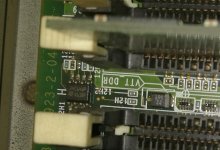
It seems that you have a malfunctioning EEPROM chip which stores region code on the mainboard
 
ok, I bought a replacement. We'll see how it works out. Interestingly, my suspected failed card is a revision that eliminated the supercap. The replacement is an original design with a supercap. I wonder if the revision is a flawed design or just coincidence.
 
Replacement JVS base board DOES NOT WORK.

A fellow on facebook made a comment "the base board is unique to this game." -- I don't know if he means "unique to Rambo". The seller mentioned replacing parts to get it to work. I'm wondering if he installed the wrong part number and I'm chasing my tail here. The part number I have is 837-14472R01. Does Lindbergh Red EX (or Rambo) use a different part number?

Super frustrating that this is the only problem with the game! So close yet so far!
 

Attachments

  • eeprom_cut.jpg
    eeprom_cut.jpg
    613.1 KB · Views: 420
Sorry to bump this but theres alot of weird information and incorrect information seemingly for this.

Had this same issue with my 2 spicy and I am confirming the JVS card is playing a role or fully responsible for saving test menu settings not the main mother board as mentioned.

It also stores credit history data in a volatile state in I can only assume the JVS cards system ram which is battery backed up. Removing the battery and letting it fully power off will clear the credit history.


Changing the card to the other system boards card allowed me to commit changes made in the system test menu.

Changing the mother board entirely did absolutely nothing to fix the issue and changing any of the system batteries did absolutely nothing either.

The system maybe storing regional code info on a eeprom on the main mother board but i think its safe to assume its not storing other information.

Now the real question is, is the flash chip on the jvs card I have now bad? Will simply replacing the flash chip with a new freshly flashed flash chip solve the issue?

As an aside also it seems there is not really anything preventing you from using the base mother board for other lindbergh models. I used a Lind Yellow mother board exchanged the operating system CF card, security pic chip, gpu and cpu. The main system boards are identical in hardware as is the pci audio and jvs card.
At least on Lind Yellow to Lind Red EX I assume it holds true for other hardware revisions.
 
Last edited:
I fixed this years ago. Rambo and Harley Davidson REQUIRE the (2007) 837-14472R01 JVS card for some reason. The (2004) JVS card is not compatible. What threw me off was my replacement card was also bad. A third one I tried worked -- I bought it from Mo Patel and had him test before sending. I assume this JVS card is unique to Red EX.
 
Last edited:
We should try to find a solution to repair the card im gonna spend some time to figure it out. Its possible that the JVS cards firmware on the flash IC had an update as well and thats the reason for incompatiblity with certain titles?
 
can you post pictures of the jvs card? google is showing some that have a coin cell battery holder and i would think replacing the battery would fix the saving settings issue, but google also shows some that dont have it and makes me wonder what it is saving settings to and how it is keeping those settings when powered off
 
Back
Top