dimitrevskiy
Beginner
Hello everyone!
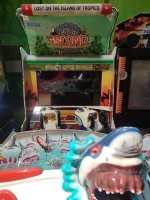
I'm restoring a Let's Go Island arcade machine on the SEGA RingWide platform.
Graphical artifacts started to appear — depending on the location, characters or objects disappear, and black polygons are displayed instead. At first I thought it was the processor and replaced it, but that didn't help.
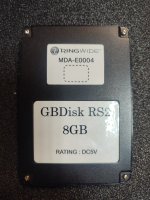
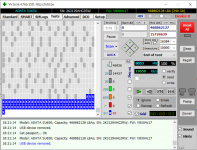
Then I started working on the drive. I don't have the original drive or the installation CD. I found an article on how to unlock the GBDisk RS2 SSD (MDA-E0004, 8 GB) and checked the drive with Victoria. It confirmed my suspicions — there are bad sectors.
I found information that it's possible to spoof the serial number on a new SSD so the system accepts it, but for that I need a working image of the original drive.
I would be very grateful for any advice or, if anyone has it, an image of the MDA-E0004 (8 GB) drive for Let's Go Island on RingWide.
Thanks in advance for your help!
I'm restoring a Let's Go Island arcade machine on the SEGA RingWide platform.
Graphical artifacts started to appear — depending on the location, characters or objects disappear, and black polygons are displayed instead. At first I thought it was the processor and replaced it, but that didn't help.
Then I started working on the drive. I don't have the original drive or the installation CD. I found an article on how to unlock the GBDisk RS2 SSD (MDA-E0004, 8 GB) and checked the drive with Victoria. It confirmed my suspicions — there are bad sectors.
I found information that it's possible to spoof the serial number on a new SSD so the system accepts it, but for that I need a working image of the original drive.
I would be very grateful for any advice or, if anyone has it, an image of the MDA-E0004 (8 GB) drive for Let's Go Island on RingWide.
Thanks in advance for your help!