Looking for help on first time Naomi 2 NetDIMM setup

DorianGray

Student
Joined
Apr 30, 2024
Messages
50
Reaction score
49
Location
USA
I finally pieced together all the main components of my setup and I am just waiting on some of the cables. I am new to the Naomi ecosystem and had a few questions before I started connecting things and running power. I am most concerned about what needs to be connected to what and what cable I need to do it. I have a Naomi 2 with a net dimm and rasberry pi with a td io running into a HAS supergun that outputs to a Sony PVM. It would be greatly appreciated if you could check over the wiring flowchart to make sure everything is connected correctly and answer the few questions below. Thanks in advance for the help!
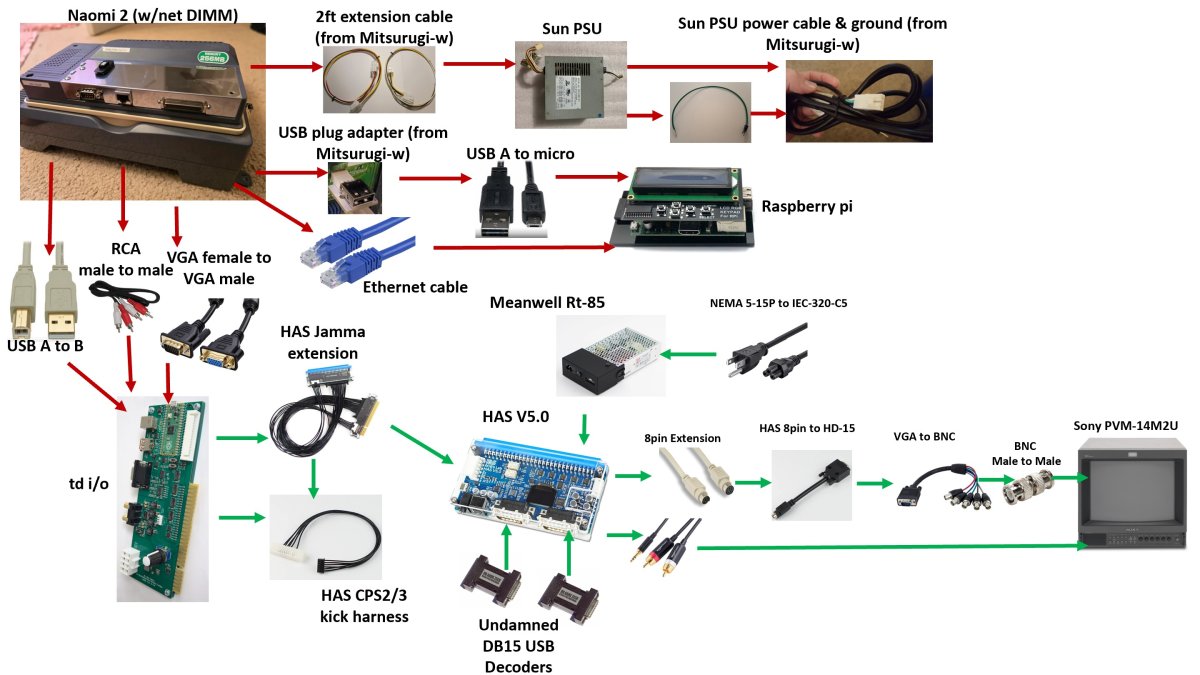
  • What voltage do I need going into the Supergun?
  • What is the correct dipswitch settings needed on the back (1-4). I plan on playing Capcom v SNK 2 on the pvm
  • Does the Sun PSU have a preset output voltage or is it something I need to adjust. If so, how do I check and adjust
  • Does it look like I am missing any cables
  • Do I need to adjust any Naomi menu settings to get all 6 buttons to work for CvS2

Wiring flowchart.jpg
 
Hey I'm no expert but this seems like a big first time task. So I would start small:
1. Does the naomi work? And by that I mean have you connected power and a monitor through VGA and actually got anything on the screen?
2. If yes have you checked the Netdimm? The naomi has service buttons on the board itself that you can use to get into the service menu.

After those two as far as missing pieces, I am not seeing a zero key for netbooting. And the ethernet cable between the pi and Naomi will not work, you need a crossover cable. Looks like an ethernet cable but is wired differently.
 
I've never used a crossover cable on any of my NetDIMM setups and they've worked just fine.

I think very early on you needed a crossover cable, but I believe that's no longer a requirement; I certainly haven't used anything but standard Ethernet cables.
 
@DorianGray if you are planning to use a USB controller then you can skip HAS, TD IO, Undamned USB encoder and Meanwell Power supply altogether. You could use a MP07-IONA-US JVS to USB board for controls and use Naomi's VGA port for video. My understanding is you would need a crossover cable otherwise RPI and netdimm wont connect unless you connect them through a network router.
 
You don't need a crossover cable. A regular ass cat5/5e/6 cable will work fine.

No, you don't. Unless you are using a laptop or computer from the 90's. Try it sometime, you'd be surprised.

I'll put it this way. I don't own a crossover cable in my house.

Word.

Been using a straight cable for years, without issues, with Pi-force tools loading on my NetDimm.

Crossover cable is not needed anymore

No longer needed right? RPi is auto-sensing so any regular patch cable should work as well

A crossover cable is NOT required.

For network? no need to use a crossover, any straight through cable is fine
 
The technology is called Auto MDI/MDIX.

MDI ports are on end devices like a PC or a network router, MDIX ports are on hubs/switches, the difference is how the port is wired w.r.t. Transmit and Receive pins; they're flipped on each type. Historically you needed to use a crossover cable when connecting two of the same ports together, MDI to MDI, or MDIX to MDIX in order to connect transmit on one end to receive on the other end and vice versa. The ports on a RPi and a NetDimm would both be assumed to be of type MDI hence a crossover cable is a sane suggestion.

Any reasonably modern device though these days has auto MDI/MDIX ports which figures out which wiring to use and reconfigures the Tx and Rx pins so a regular straight-wired cable will work. It might be that the NetDimm doesn't have auto MDI/MDIX ports, but the Pi almost certainly does, I can't remember if you only need one side for it to JFW.

Having said that, I still have crossover cables in my cable stash, (often coloured red), because you never know when you might need one...

HTH
 
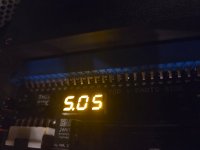
Thanks for the input everyone, sorry for the delayed response. I got my last few cables in and finally got around to setting everything up. The Naomi powers up but there are some problems
  • The Naomi turns on but it is very slow and choppy (video is to large to attach, here's a link to the file in google drive). The choppiness starts at the loading screen and continues once the game is loaded.
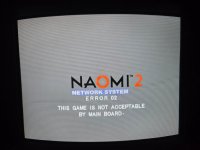
  • Not all games will load, specifically Capcom v SNK2 which is the primary game I want to play. Screen says "Error 02 this game is not acceptable by main board"
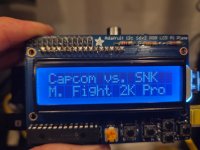
2026-04-15 22.04.42.jpg2026-04-15 22.02.14.jpg

Some info on the setup that might help troubleshoot
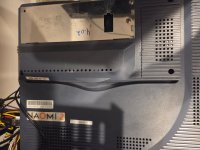
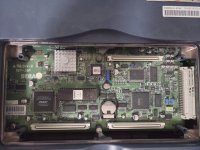
  • The Naomi and Netdimm look like this
2026-04-15 22.12.59.jpg
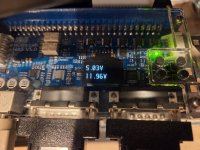
  • Voltage at the supergun and extension
2026-04-15 21.48.28.jpg2026-04-15 21.48.37.jpg

  • I tried skipping the supergun/td-io and went to a VGA monitor and the results were the same
  • I tried a different TD-IO and the results were the same
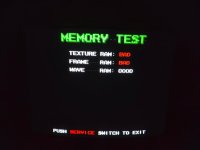
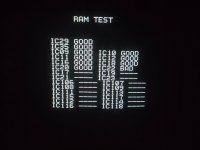
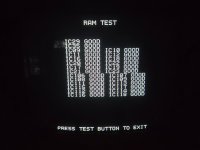
  • Memory test shows that Texture RAM and Frame RAM are bad. Seller said that it was working when I bought it.
20260415_224110.jpg
I did some research and it looks like the choppiness could be from the PSU not outputting the correct voltage, if that's the case which wires do I check, what is the correct voltage and how do I adjust it?

Any assistance is much appreciated!
 
That memory test looks like the Atomiswave memory test you get after booting an Atomiswave game hacked to run on Naomi. Don't use that, use the one in the native Naomi test menu.
 
Have you got the Multi Region BIOS installed?
How would I determine this?

That memory test looks like the Atomiswave memory test you get after booting an Atomiswave game hacked to run on Naomi. Don't use that, use the one in the native Naomi test menu.
That's correct. I entered the test menu while in the game. I tried bringing up the test menu before loading a game but the screen just stayed at the Naomi intro screen (white background with "Naomi" dropping in from the top). How/when/where do I access the native Naomi test menu? Is there a certain time you need to do it when using a Netdimm?
 
Regular BIOS chip will either be a Mask ROM or have the typical square SEGA label on the EPROM with EPR- prefix printed on.

Regular Naomi games will bring up the native test menu. AW converts will bring up the Atomiswave test menu.
 
Regular BIOS chip will either be a Mask ROM or have the typical square SEGA label on the EPROM with EPR- prefix printed on.

Regular Naomi games will bring up the native test menu. AW converts will bring up the Atomiswave test menu.
Based on the picture below it looks like the regular bios chip
20260417_010647.jpg
That memory test looks like the Atomiswave memory test you get after booting an Atomiswave game hacked to run on Naomi. Don't use that, use the one in the native Naomi test menu.
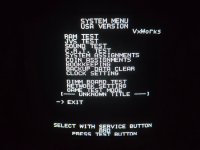
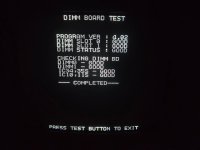
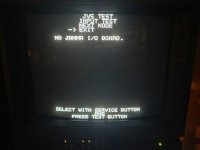
I used the native Naomi test menu and here is what I got. When I did the RAM test, it would stop about halfway through (see picture below)
20260416_202826.jpg20260416_203225.jpg20260416_204630.jpg20260416_204719.jpg

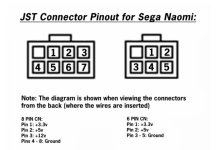
I also checked the PSU voltage under load and my voltages aligned with the diagram below. (3.31v, 5.0v, 12.23v)
tempFileForShare_20260417-012634.jpg
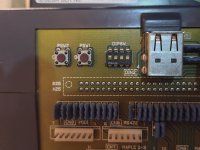
Not sure if it helps but these are the dip switches on the back, 1 on, 2-4 off (using a PVM).
2026-04-15 22.27.48.jpg
 
When I did the RAM test, it would stop about halfway through

There's your problem.

You need to replace the RAM chips:

 
There's your problem.

You need to replace the RAM chips:

Thanks for the tip. I brought my Naomi to @irepairsega and he replaced IC22, put in a new battery, a new supercap and went over the fans. Everything works now!
2026-04-17 19.40.10.jpg2026-04-17 19.43.28.jpg

I was doing all of this so I can play Capcom vs SNK 2 only to realize that the pi SD card only has CVS Pro on it. If I want to add CVS2, do I just download the file linked here (it's a link to a post on this site), unzip it and drag it on to the SD card or is it more in depth than that?

Thanks again for all the input/help everyone!
 
Back
Top