
You are using an out of date browser. It may not display this or other websites correctly.
You should upgrade or use an alternative browser.
You should upgrade or use an alternative browser.
MK2 - UB11 and UB13 failed, game stops
- Thread starter mawrick
- Start date

Asure
Grand Master
They are mask roms, from a photographic "mask" of the bits.
Does any of the working ones read ok? Don't leave us hanging like this.
Does any of the working ones read ok? Don't leave us hanging like this.
ahh, ok.They are mask roms, from a photographic "mask" of the bits.
Does any of the working ones read ok? Don't leave us hanging like this.
Haven't been home the last few days, so not an "intended" hang
hehe, going back tomorrow night so hopefully get to dump/test one of the other roms then or friday Pulled the UJ19 and tried to dump it, but still there seem to be error reading it, not sure why, it does check out good in the board when put back. The dumped files does not seem to check out on that site mentioned earlier either.
I'v ordered a few 27c801 (albeit from china, so crossing fingers they r genuine ) so will try to make a few new ones and test again before I proceed troubleshooting. If not I will pick up some OTP's from digikey.
I'v ordered a few 27c801 (albeit from china, so crossing fingers they r genuine
) so will try to make a few new ones and test again before I proceed troubleshooting. If not I will pick up some OTP's from digikey.Fiddled a bit more, and was able to read/verify uj20, uj20 I check with the earlier link as well and checks out ok, so I guess this might point to some problems on the board anyway - not really sure why it wasn't able to verify it earlier, might be something fishy with the zif socket on the programmer.......the roms still fails on the board though
uj22 seem to fail verification atm
EDIT:
Checked again with many reads/verification of a mvs unibios and that checks out fine all the time so starting to think the uj22 at least is bad
uj22 seem to fail verification atm
EDIT:
Checked again with many reads/verification of a mvs unibios and that checks out fine all the time so starting to think the uj22 at least is bad
Last edited:
Not really done any fix yet, but probing around with the scope I found some difference in the signal on pin 7 (A5 - IADDR05) of both UJ20 and UJ22 compared to the other roms, when measuring between pin 7 on UJ19 and UJ20 there seem to be a broken connection, crossing fingers this might at least be one of the culprits
just a small update for a reference on the troubleshooting so far
just a small update for a reference on the troubleshooting so far
Was able to do a very quick fix to test out my theory and at least it seem to go further and roms seem to check out.
Don't think all issues with the board it fixed though, but not sure. I had it crash one time when selecting sub zero, but another time it ran, so maybe just a glitch due to the jumper wire or something.......
But notice when I started a game, the game more or less is over when an opponent hits the other one 1 or 2 times - is there any settings maybe that does this intentionally ? - Also there seem to be something with the credits (not sure if this is normal behavior though)
At least a step in the right direction
Also haven't hooked up soundboard yet as I'm missing power harness and guess I'l get some parts to make one eventually, and guess it would be a good idea to recap that board anyway.
Is there any info any where that lists the connector types used on the MK2 board, with type/size etc?
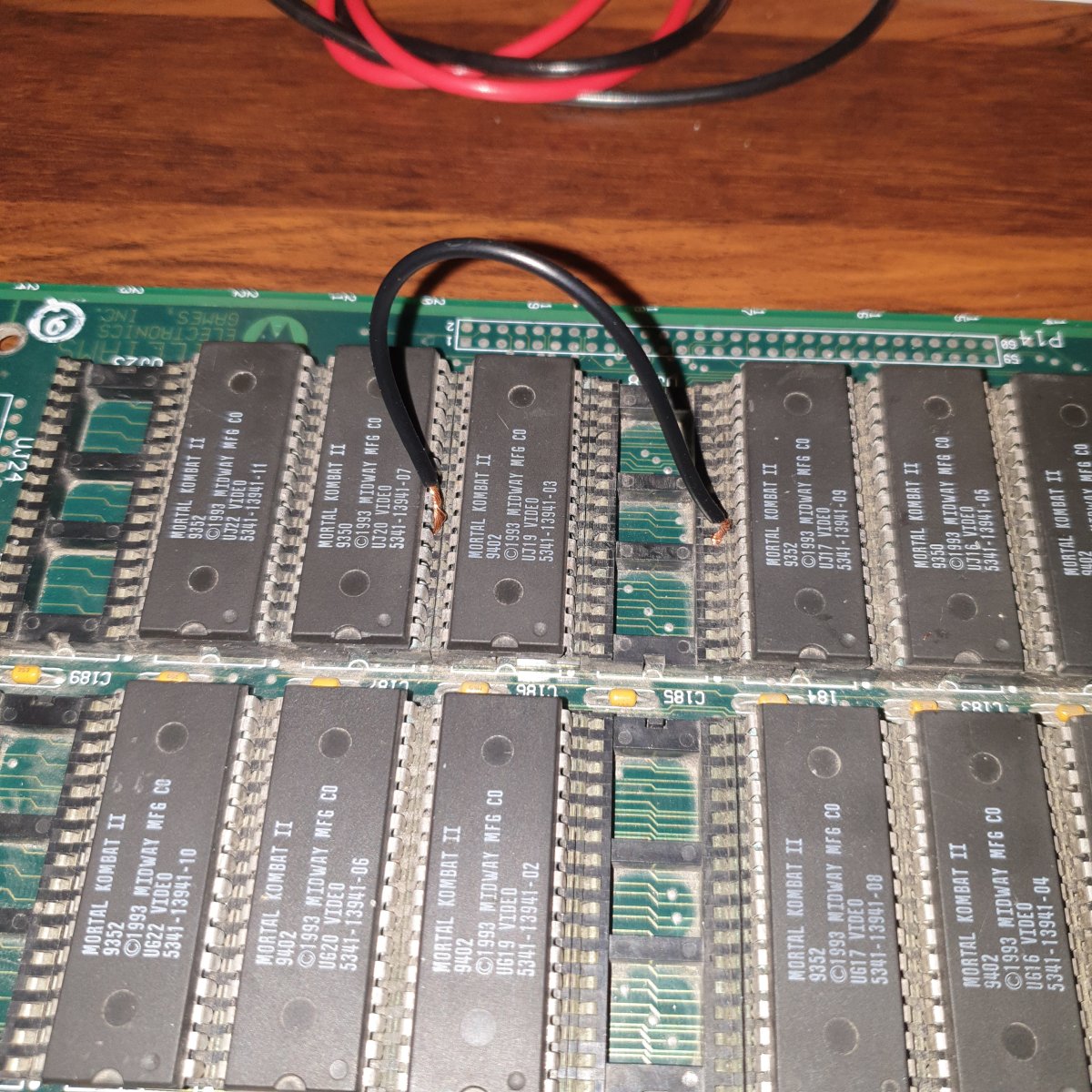
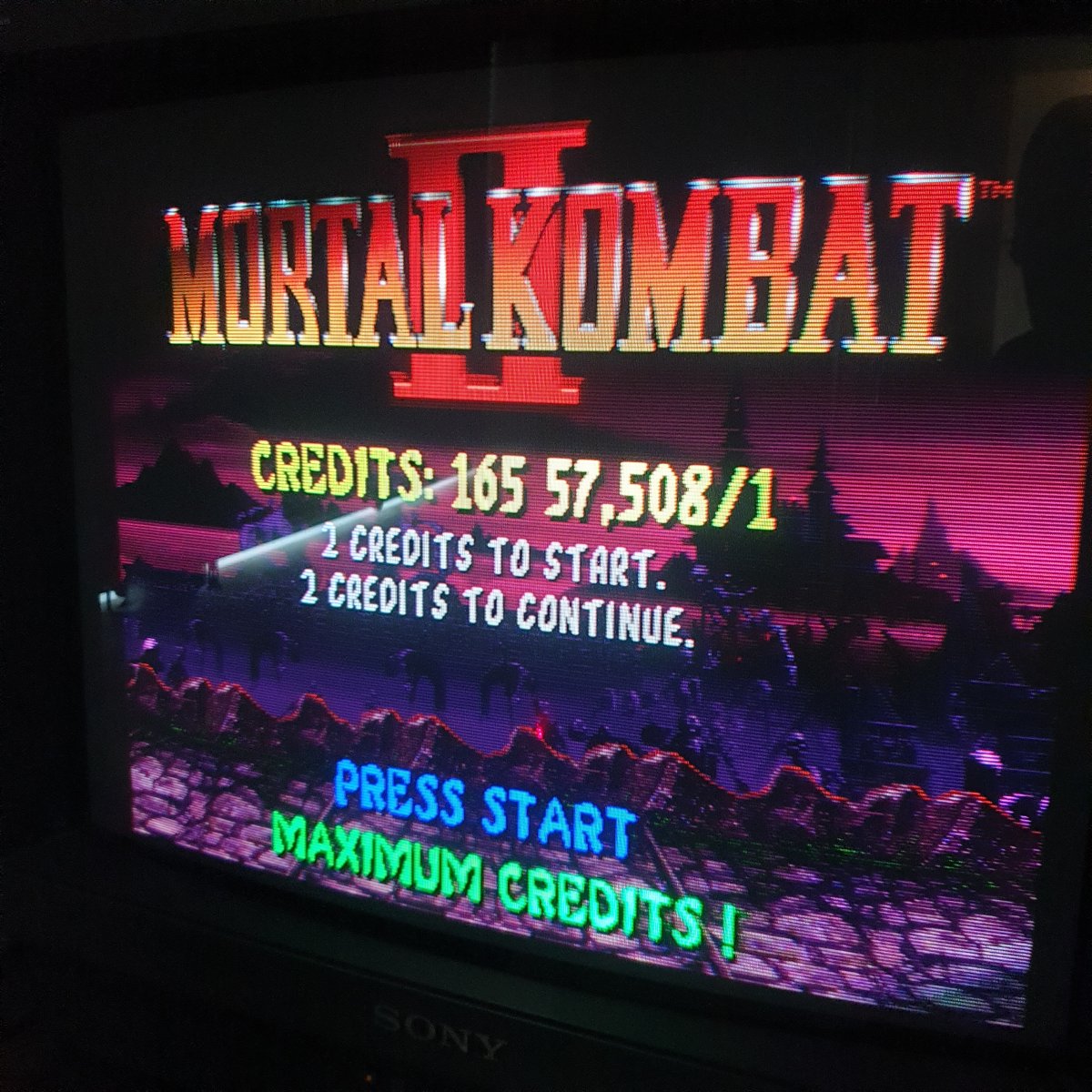
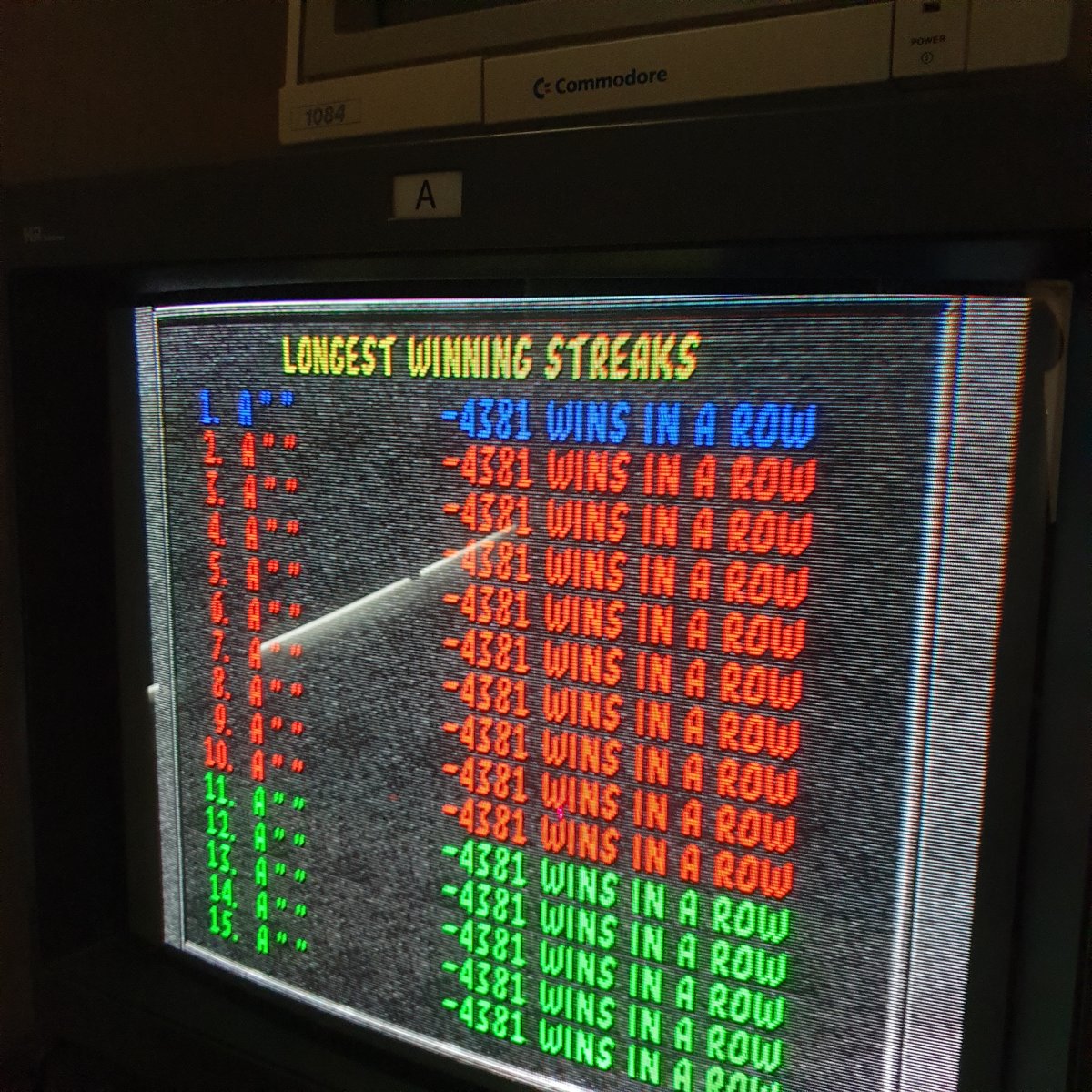
Don't think all issues with the board it fixed though, but not sure. I had it crash one time when selecting sub zero, but another time it ran, so maybe just a glitch due to the jumper wire or something.......
But notice when I started a game, the game more or less is over when an opponent hits the other one 1 or 2 times - is there any settings maybe that does this intentionally ? - Also there seem to be something with the credits (not sure if this is normal behavior though)
At least a step in the right direction
Also haven't hooked up soundboard yet as I'm missing power harness and guess I'l get some parts to make one eventually, and guess it would be a good idea to recap that board anyway.
Is there any info any where that lists the connector types used on the MK2 board, with type/size etc?
Attachments


Asure
Grand Master
When U49 is bad, it does this, and that's normal for a broken CMOS. You'll need to replace U49.
How does the area around U49 look? Because I wonder if there's maybe some battery damage as the the sockets/pins have a greenish tint to them, it could be just the way you took the photo though.
I'd suggest a good clean anyway. Try a q-tip with some white vinegar and see if the crud starts to bubble. If so, vinegar bath for all sockets+alcohol bath afterwards.
Running wires like that on a $300+ board set is unwise anyway.
How does the area around U49 look? Because I wonder if there's maybe some battery damage as the the sockets/pins have a greenish tint to them, it could be just the way you took the photo though.
I'd suggest a good clean anyway. Try a q-tip with some white vinegar and see if the crud starts to bubble. If so, vinegar bath for all sockets+alcohol bath afterwards.
Running wires like that on a $300+ board set is unwise anyway.
When U49 is bad, it does this, and that's normal for a broken CMOS. You'll need to replace U49.
How does the area around U49 look? Because I wonder if there's maybe some battery damage as the the sockets/pins have a greenish tint to them, it could be just the way you took the photo though.
I'd suggest a good clean anyway. Try a q-tip with some white vinegar and see if the crud starts to bubble. If so, vinegar bath for all sockets+alcohol bath afterwards.
Running wires like that on a $300+ board set is unwise anyway.
Alright, yea got some work to do up in that uj11 (U49) area I think as I haven't been able to find the trace going from Vout of the UH6 down to Vcc of the U11 as mentioned earlier, as I suspect a brake or something on that trace somewhere......though the area doesn't really look al that bad - is these boards prone to battery damage using the coin cell type ? (I got the battery that came with it and that looks fine (and think it's the original battery still). This board came from a cab that was in a *very* dirty/dusty place and had been staying there not in use for the last +/- 20 years afaik.
Much cleaning was done (isopropanol), but will still require more cleaning, I will be taking out all roms etc for a thorough clean now that I know it's not all "dead in the water"
Do you generally more or less "soak it" in vinegar or only "touch it up" in places before using isoprop ?. (I see some do clean them in the sink, but a bit afraid to do that method).....
yea, that wire isn't a really good way, but it's off again now (and proper care was taken to make sure no shorting etc
 ).....
I'v been seeing some talk about replacing the U49 with a nvram, is there any guides anywhere that show this process as I guess that might be a good idea instead of putting back the old chip ?
Some more "progress" have been made - but there is still some problems (maybe new ones).
After "jumping" Vout (pin2) of UH6 down to UJ11 (pin2 and put the cmos back into a socket the board seem now to boot up as expected:
(I'v replaced jumper wires with some temporary smaller soldered wires on underside of board now btw )
However when I try to play it it seem to be one hit and all health is gone , but it also seem that after the first play is finished I'm unable to control the player and it just stands there.
I removed the cmos again and tried to play again another character but then it looked like it just went thru some sort of cycle, announced a winner and some "firebombs" and the thex "I'm one of three" or similar......
I have had it playing the attract mode for quite some time without any issues,

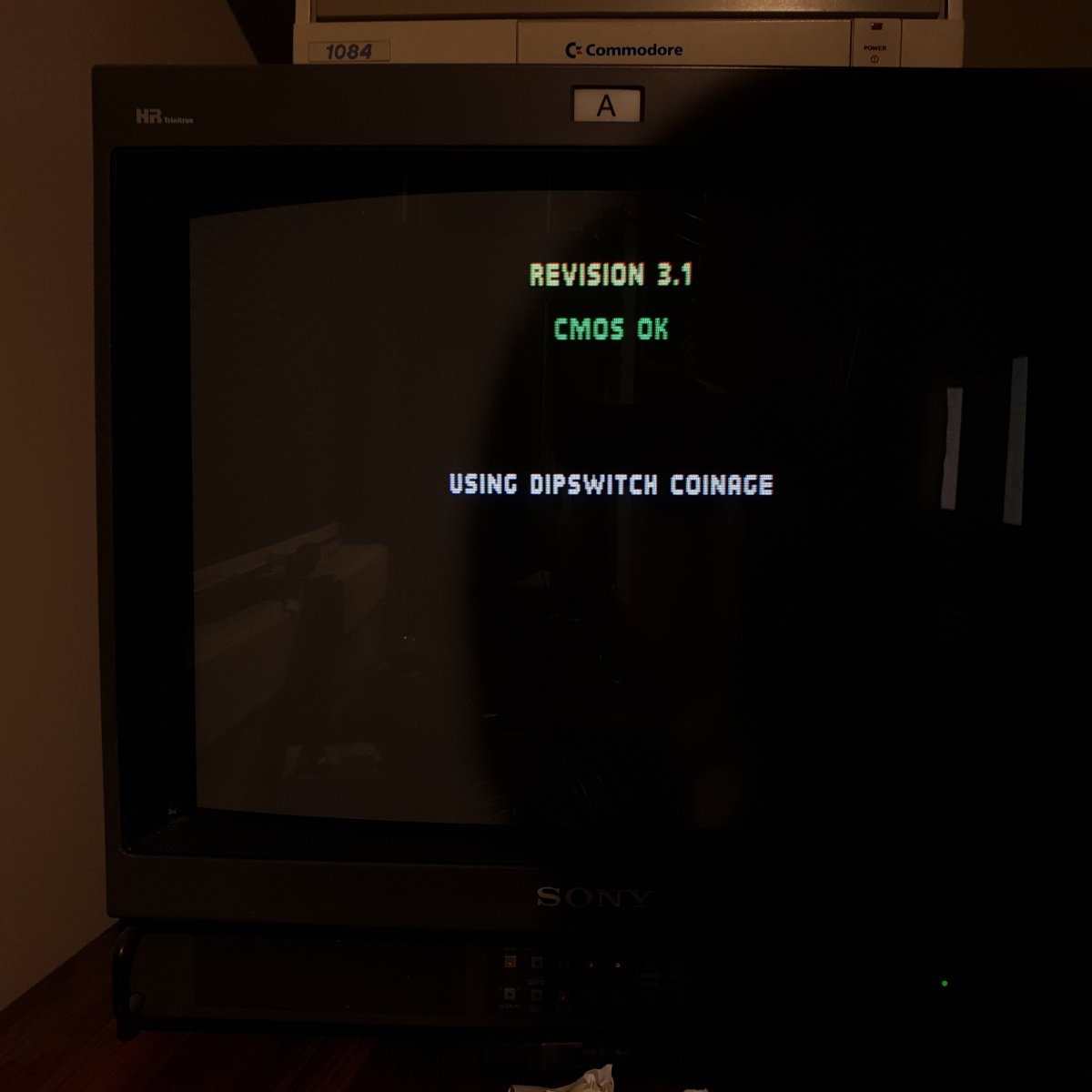
Also all the diagnostics seem to be ok, also the one for the controller (though I don't have a full 6 button controller but from what I'm able to test ok)
After "jumping" Vout (pin2) of UH6 down to UJ11 (pin2
and put the cmos back into a socket the board seem now to boot up as expected:(I'v replaced jumper wires with some temporary smaller soldered wires on underside of board now btw )
However when I try to play it it seem to be one hit and all health is gone , but it also seem that after the first play is finished I'm unable to control the player and it just stands there.
I removed the cmos again and tried to play again another character but then it looked like it just went thru some sort of cycle, announced a winner and some "firebombs" and the thex "I'm one of three" or similar......
I have had it playing the attract mode for quite some time without any issues,
Also all the diagnostics seem to be ok, also the one for the controller (though I don't have a full 6 button controller but from what I'm able to test ok)
Asure
Grand Master
It does this with bad CMOS issues. Can you do a full factory restore and set coinage to cmos, see if it keeps settings like free play and others?
Looks like it will choose cmos when cmos is selected on dip, and I can test a bit more in regards to if it keeps settings later, but I notice some other things as well.
it seem some player you are able to f.ex play 1 round in what seem ok, but when round 2 starts and you play some player against sub-zero the initial player you played will have changed to sub-zero. Sometimes you are able to play some in round 2 other times both you and cpu just stand there and nothing happens when pressing buttons, other times it will just complete round 2 by itselfe in a mere second, and then jump to round 3 where the cpu and you just stand there....
From what I understand from the schematic the pin 6 of UG6 shold go straight to pin 27 og UJ11 (R/W), here it seem to be a large resistance/brake, is my understanding correct of this trace, or is there something else on that line that would cause high resistance ?.
it seem some player you are able to f.ex play 1 round in what seem ok, but when round 2 starts and you play some player against sub-zero the initial player you played will have changed to sub-zero. Sometimes you are able to play some in round 2 other times both you and cpu just stand there and nothing happens when pressing buttons, other times it will just complete round 2 by itselfe in a mere second, and then jump to round 3 where the cpu and you just stand there....
From what I understand from the schematic the pin 6 of UG6 shold go straight to pin 27 og UJ11 (R/W), here it seem to be a large resistance/brake, is my understanding correct of this trace, or is there something else on that line that would cause high resistance ?.
xodaraP
Legendary
The schematic shows connections from the GPU going to UG6 then the outputs going through resistors
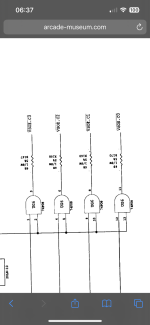
Looks like they’re clock signals. Pin 6 of UG6 is going to pin 35 of the Palette and Pixel VRAM
I assume VSC = Video Signal Clock
Looks like they’re clock signals. Pin 6 of UG6 is going to pin 35 of the Palette and Pixel VRAM
I assume VSC = Video Signal Clock
Last edited:
The schematic shows connections from the GPU going to UG6 then the outputs going through resistors
Looks like they’re clock signals. Pin 6 of UG6 is going to pin 35 of the Palette and Pixel VRAM
I assume VSC = Video Signal Clock
I did some more probing and the signal from UG7 to Cmos actually seem to be fine (must have been bad connection to my probes earlier on or something).
Shouldn't the board be able to play fine with the cmos completely removed - for some reason it seem to act up with/without the cmos installed,
I'v also seen sometime when starting a game a character says "I'm smoke" before it fails......
tempted to unsolder the jumper from max to cmos just to see if it makes any changes..........the symptoms just seem weired imho
Asure
Grand Master
With no cmos (or incorrect data in CMOS), the game gets very wierd values in RAM and acts as if it is a bootleg. What you are seeing are hidden traps, there's several checks to see if the game can r/w to specific areas including cmos. It's why i suggest to do a full factory reset from the TEST/DIAG menu.
Your picture show a 74F08 ic AND gate. I don't understand your jumper, and a battery should be present for the game to function correctly.
Your picture show a 74F08 ic AND gate. I don't understand your jumper, and a battery should be present for the game to function correctly.
xodaraP
Legendary
Wait - you jumpered the VCC_BAT line from the PMIC directly to the CMOS chip?
Which pin did you connect it to? It has 2 connections to the CMOS and 1 is via a resistor. If you’ve bypassed the resistor the voltage is going to be higher than expected
Please stop jumpering connections unless they are on the schematic - that can cause damage to ICs even if they were working and more importantly will cause weird issues with logic expecting a specific voltage
Which pin did you connect it to? It has 2 connections to the CMOS and 1 is via a resistor. If you’ve bypassed the resistor the voltage is going to be higher than expected
Please stop jumpering connections unless they are on the schematic - that can cause damage to ICs even if they were working and more importantly will cause weird issues with logic expecting a specific voltage
With no cmos (or incorrect data in CMOS), the game gets very wierd values in RAM and acts as if it is a bootleg. What you are seeing are hidden traps, there's several checks to see if the game can r/w to specific areas including cmos. It's why i suggest to do a full factory reset from the TEST/DIAG menu.
Your picture show a 74F08 ic AND gate. I don't understand your jumper, and a battery should be present for the game to function correctly.
The line I talked about was from UG7 down to UJ11 pin 27 - but upon reprobing the line it checked out fine so no jumper needed
ahh, ok so kinda some kind of "copy protection" then I recon or similar
Last edited:
Wait - you jumpered the VCC_BAT line from the PMIC directly to the CMOS chip?
Which pin did you connect it to? It has 2 connections to the CMOS and 1 is via a resistor. If you’ve bypassed the resistor the voltage is going to be higher than expected
Please stop jumpering connections unless they are on the schematic - that can cause damage to ICs even if they were working and more importantly will cause weird issues with logic expecting a specific voltage
The jumper goes from UH6 (MAX691) pin 2 (Vout) and down to UJ11 pin 28 (VCC) which from schematic seem to be a straight line - the line with the resistor on is pin 26 (CE2) so from what I understand this should not be a problem ?