youngmoney
Beginner
Hello AP!
Not sure if this should go in the Monitor forum or the CPS3 forum, but it feels like it's a monitor issue. Also, I generally have little knowledge of hardware and/or the terminology, so I'll try and explain as good as I can - bear with me please.
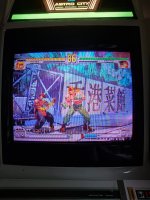
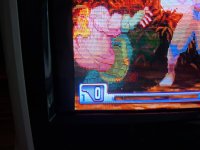
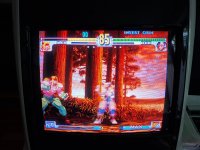
I recently purchased another Astro City in order to play some head-to-head Third Strike. Problem is, when I try to adjust the ratio on my old cabinet, it doesn't fill out the screen (but my new monitor does). I've only maxed out the width on the remote in my old cabinet, haven't checked anything else really (no other games have ever had this issue - MVS; F3, ST-V and original Raizing boards all play well).
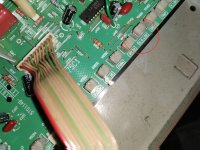
I've attached some photos for reference. Any ideas?
Thanks!
Not sure if this should go in the Monitor forum or the CPS3 forum, but it feels like it's a monitor issue. Also, I generally have little knowledge of hardware and/or the terminology, so I'll try and explain as good as I can - bear with me please.
I recently purchased another Astro City in order to play some head-to-head Third Strike. Problem is, when I try to adjust the ratio on my old cabinet, it doesn't fill out the screen (but my new monitor does). I've only maxed out the width on the remote in my old cabinet, haven't checked anything else really (no other games have ever had this issue - MVS; F3, ST-V and original Raizing boards all play well).
I've attached some photos for reference. Any ideas?
Thanks!