marcao_cfh
Student
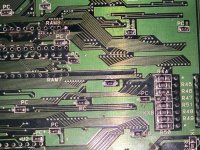
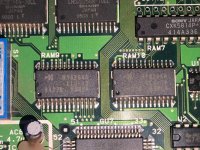
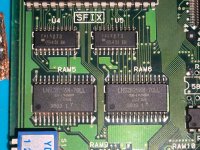
That's odd. I uploaded the photos but now it shows me a blank page too. I'll attach the photos here.I dont see any images on that page.
That's odd. I uploaded the photos but now it shows me a blank page too. I'll attach the photos here.I dont see any images on that page.
Ah my bad, I thought you wanted a photo of the board. Anyways, I went ahead and resoldered both 32K VRAMs and now image is back to normal!heh, I was after images of the screen when its showing the error message not the ram chips. The wrong tiles being displayed can provide info about what is wrong, but I can't make out what tiles they in your original screen shot of the error.
I checked the traces with a multimeter, and indeed the A1 line doesn't have continuity to the LSPC2 IC. That was amazing! I'll solder a jumper wire tomorrow and hope this finally brings this board back to life.So the address lines are shared between the 2x 2k ram chips and come from the LSPC chip. The error is indicating you have an issue with one of those address lines (likely A1 or A2). Its effecting both chips so you probably have a bridge to another pin/trace or a cut trace.
I replaced it with one of the exact brand/speed. It's a Sony CXK5814P-35L. The tile error was solved by resoldering the other RAMs around the one I replaced, it's likely I had a cold solder somewhere. Now for the new error, I checked and A1 trace have a cut somewhere, so I'll solder a jumper wire tomorrow.VRAM error at $8000 boundary is a fast VRAM error, not the standard VRAM
Usually Sony chips, 6264 slim type DIP ICs even on the 1FZ
Unless you’re replacing with the exact brand/speed, replace both
The tile error you’re getting is probably related to the RAM you removed/replaced. Check your soldering

 type and worked again!
So is it possible for the sync signal to be off and undetected by the gbs-c but still good enough to be detected by a small screen? That's what I found it's odd.If the gbs-c is saying there is no signal I would start by looking at the sync signal coming from the mvs board.
I've had MVS boards that don't get any picture on the Framemeister, due to the sync signal. It could just be an incompatibility with the GBS-C, and you'd need to use something else.So is it possible for the sync signal to be off and undetected by the gbs-c but still good enough to be detected by a small screen? That's what I found it's odd.

On the GBS-C, depending on the firmware its running I've had very mixed results. The one I built in the before times had to run an old firmware to work with a Neo Geo. Seems there's a bug in the code that keeps getting fixed and coming back. Most of the newer prebuilt ones seem OK (not great) but it's possible that the unit in question isn't compatible.I've had MVS boards that don't get any picture on the Framemeister, due to the sync signal. It could just be an incompatibility with the GBS-C, and you'd need to use something else.