MV4 woes (graphical issues, no sound)

SheepyChris

Student
Joined
Oct 3, 2024
Messages
37
Reaction score
29
Location
Canada
Hey y'all,

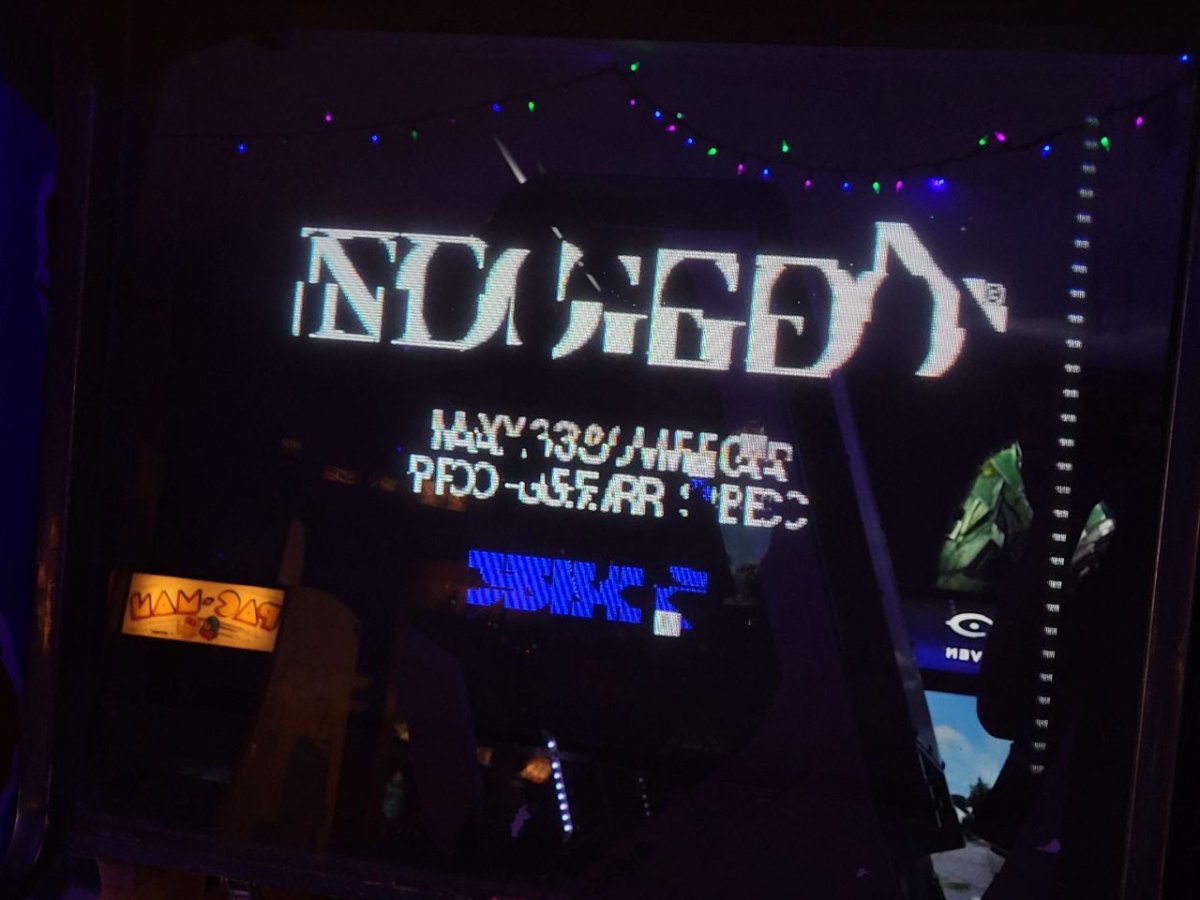
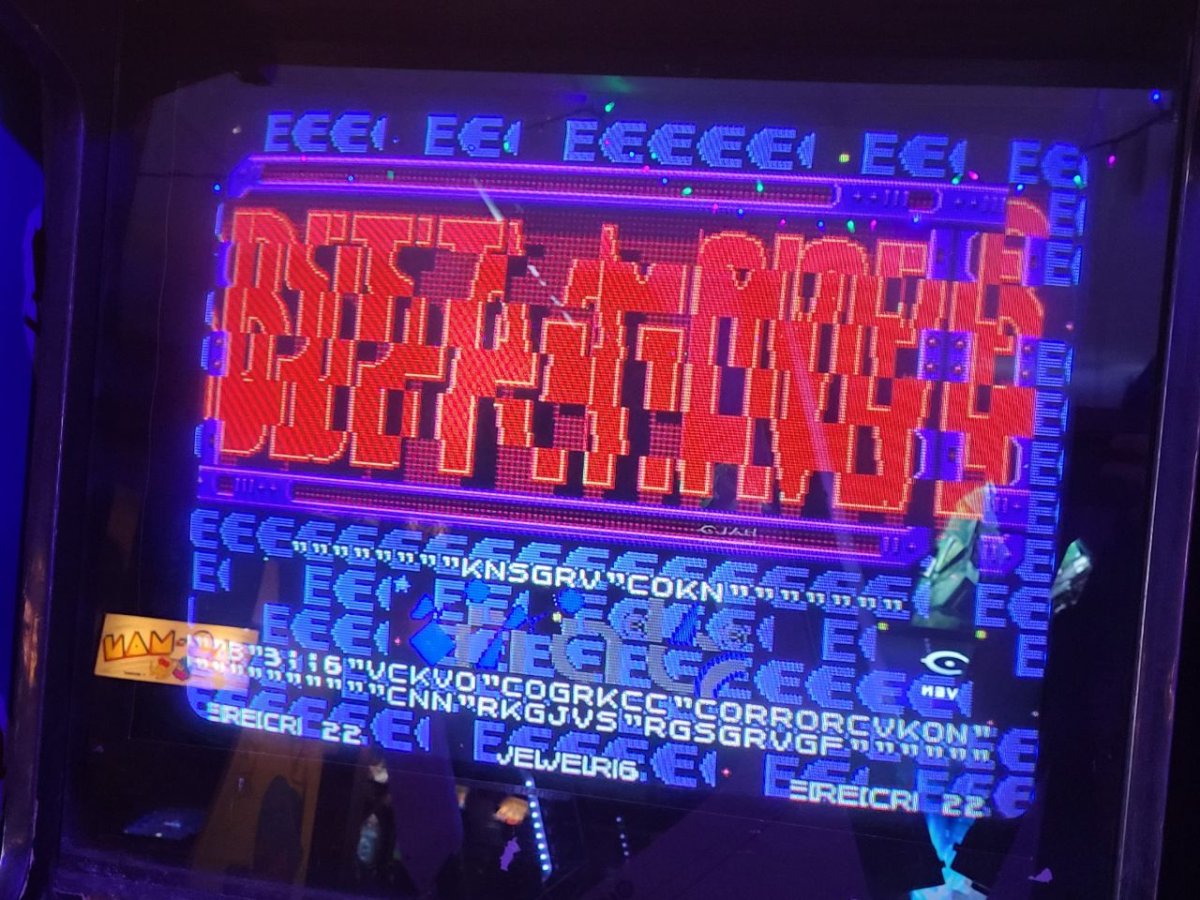
I've been on and off on this MV4 board for the past few months and I got it from failing to boot to somewhat running games. Spent a good while cleaning and reseating the cartridge slots and the top board connectors which got me to 3 out of 4 slots working from none, albeit with some heavy graphical issues persistent across them:
1000338991.jpg

1000338993.jpg


Funnily enough, the FBI screen is fully intact:

1000338992.jpg


Test menu displays fine and does not present any glitches. There is zero sound coming from the board, either via in game or the test menu, I've been told a recap could fix this but want to be sure to test other components first before going ahead.

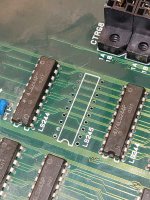
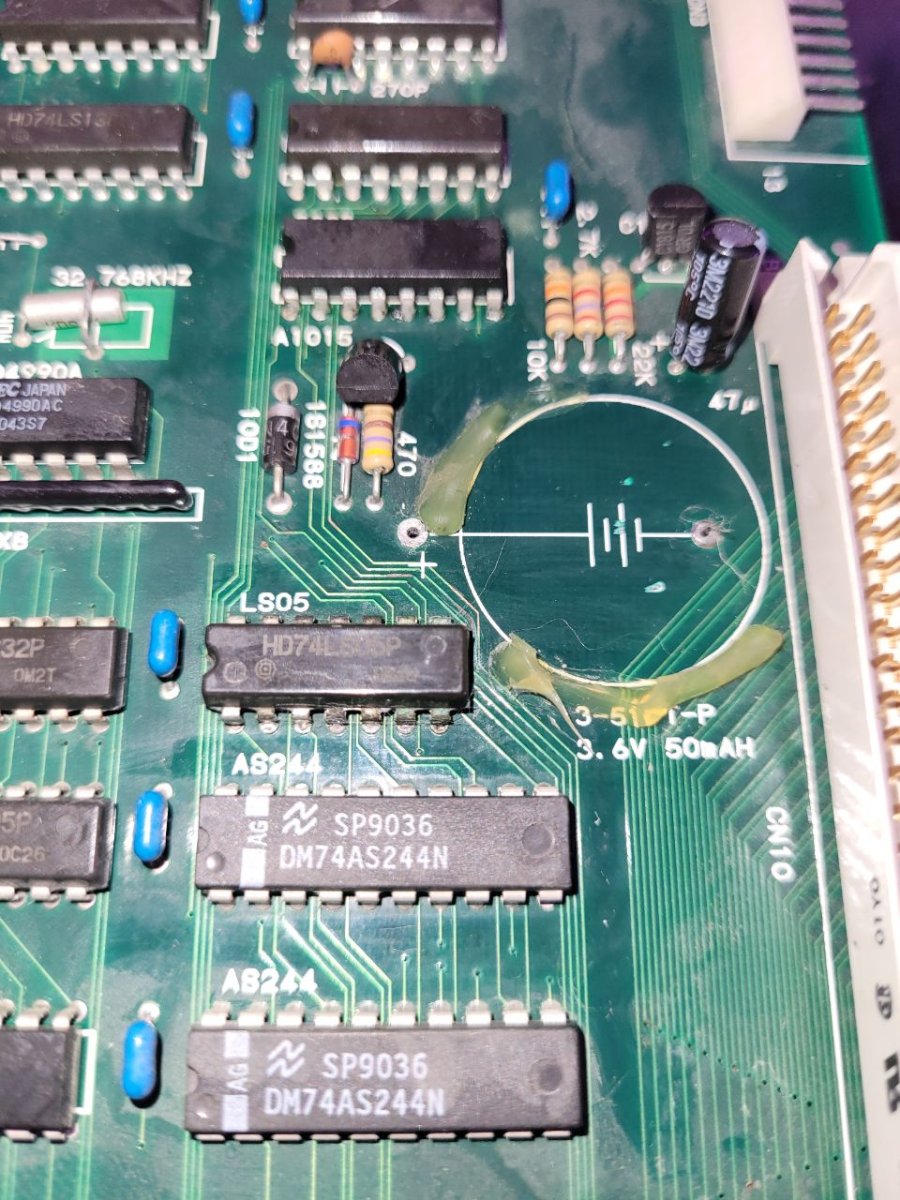
Main board has previously had its battery removed and some corrosion was built up on LS05, thankfully all traces in the area have tested fine.
1000339010.jpg


Following the Neo Geo wiki on graphical corruption I'm a little dumbfounded on the issues here, is this a C ROM issue, a bad trace elsewhere or a custom chip going bad? Thanks for any help.
 
Based on your bust-a-move screen shot it looks like you have some connectivity issue with the P bus going to the carts

https://wiki.neogeodev.org/index.php/P_bus

If you look at the text in the middle of the screen it kinda points to where to look

Code:
Actual Text:   KNSGRV"COKN
Expected Text: INSERT COIN

This is the srom/sfix data that all carts should have (at least)

https://wiki.neogeodev.org/images/archive/1/15/20170219113500!Fixref01.png

For the letters that are wrong they are +2 of the correct letter. So I + 2 = K. This is pointing to bit 1 in the tile number being stuck high. Based on the P_bus page about the "S address", this indicates its likely an issue with P1 of the P bus which goes to A6 of the S rom on the cart. If P1 is stuck high, it looks like you will also be having issues with wrong sprites (C roms). Be mindful it could also be floating and rom is just interpret that as a high.

You might try just wiggling the cart a little forward/back. If the glitch fixes itself then you have a bad connection, otherwise you may have a cut/damaged trace or a bad logic IC
 
Don't put all your hopes on a recap. The sound issue is more likely related to the Z80, sound chip or amp.
 
Logic probe... Check all the address lines going to the slots. Funny thing... Address lines are active to all the slots at once. Data lines are only active for the active slot. This means you can check the address line signals without a cart installed in the remaining slots on that 4-slot board.

Corroded traces and corroded slot connectors are common on the 4 slot. Too many rodents, too many liquid spills.
 
Thank you all for the directions so far, after a closer look I've spotted some additional corrosion on the top board's 4R IC (74F245) and surrounding traces. Will have to come back to this soon-ish, will also have to probe around the sound portion of the main board to tell what's going on there as well.
 
I’ve run into this issue too. One day I accidentally pulled the cartridge up a tiny bit, and it worked perfectly right away. You should give it a try.
 
Cartridge contacts should be deep cleaned by opening them, scrubbing the contacts on all 4 sides with a Pink Pearl (Papermate) brand pencil eraser and wiped with a lint-free rag and 91+% IPA.

Slots can be deep cleaned by folding poster board over and over until as thick as a cartridge PCB, putting 91+% IPA on it then repeatedly inserting/removing it tio/from the slot connectors. You'll see the poster board turn dark with gunk pulled from the slot contacts. If you see any green, you have corrosion problems on the slot contacts.

The eraser cleans deeper than IPA & Q-Tips but far less abrasive than a fiberglass pencil. It's also MUCH safer than sandpaper (DO NOT USE) or Brasso/Bar Keeper's Friend (again, DO NOT USE)... which can damage plating and the tiny traces connecting to the contact pads.
 
I repaired a 4 slot with very similar graphics glitching recently. Depending on whether the issue is on one or multiple slots

Only occurring on one slot: Beep out the CR lines on the cart slot. Pinout here:

https://wiki.neogeodev.org/index.php/MVS_cartridge_pinout

Occurring on all slots: Beep out connections to the LS244/245 chips

As @channelmaniac said everything is linked and the 4 matching chips will all be connected for graphics

Sound issue will be more difficult to diagnose if you don’t have another board to switch with to determine if it’s top or bottom board related. But if there is no sound across any slots, my money is on bottom board
 
Sound issue will be more difficult to diagnose if you don’t have another board to switch with to determine if it’s top or bottom board related. But if there is no sound across any slots, my money is on bottom board
+1 agreed.

Dirty slots can cause Z80 Errors, but if that's the case you'd have beep sounds when doing test mode checks.

No sound at all and no errors - usually caps HOWEVER, I have seen no sound issues with UniBIOS 4.0. If you have one of those, try to reset the Backup RAM.

I have a video out on YouTube on checking to see if the sound issues are in the analog or digital section using a logic probe with audio beep. You can do the same thing with an oscilloscope where you'd see a regular square wave for clocking then see pulses of data going across to the DAC if the digital section is working.

 
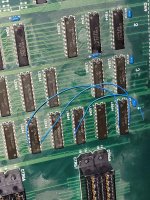
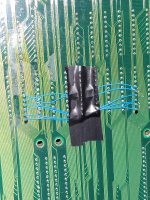
Pulled out 4R from the top board tonight, wasn't looking too good underneath lol. Ended up jumping 9 traces for good measure, not the cleanest job but will do the trick. Will report back once I'm able to test the board tomorrow.
 

Attachments

  • 20260415_001047.jpg
    20260415_001047.jpg
    245 KB · Views: 15
  • 20260415_013539.jpg
    20260415_013539.jpg
    294.2 KB · Views: 15
  • 20260415_013530.jpg
    20260415_013530.jpg
    331.9 KB · Views: 15
Why did you remove that particular chip? Did you beep out the traces to see if any were not connected? It looks like some of the through holes might be corroded but it could just need to be cleaned up
 
Why did you remove that particular chip? Did you beep out the traces to see if any were not connected? It looks like some of the through holes might be corroded but it could just need to be cleaned up
It had quite a bit of corrosion built around it, wasn't sure where exactly the traces below were going either. I had looked at the schematics before but it wasn't very clear where exactly things were connecting so pulling the chip out and probing the exposed remains of the traces did the trick for me.
 
Good news is that all four slots now work without any graphical corruption :)
Will give a shot at recapping the audio section of the board soon, hopefully that's all it takes to get this board fully working again. Are there any chances the 7805 voltage regulator could be bad in that section as well? Thank you all so far with helping out on the technical details!
 

Attachments

  • 20260415_134528.webp
    20260415_134528.webp
    28.9 KB · Views: 10
  • 20260415_134546.webp
    20260415_134546.webp
    48.3 KB · Views: 11
Last edited:
Nice work!

The 7805 are often ok but I’ve started replacing them purely due to age increasing the risk of failure

It can also be removed, bypassed and the sound section run off the 5v rail (this is popular when consolizing MVS systems)

tl;dr if you have a spare new 7805 replace it. Otherwise leave it
 
Back
Top