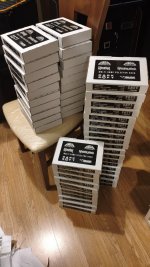
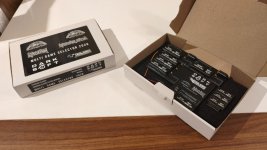
My multi kit arrived very quickly once shipped, and everything was well presented and clearly labelled. Actual installation was straightforward and took me around 10 minutes. It worked first time without any issues.

Before starting, I checked that my Rastan PCB was working properly. After desoldering IC11 and fitting a socket for the replacement PAL, I also took the opportunity to check the capacitors.
All six 220µF 16V capacitors measured around half their rated capacitance or less, with high ESR when tested out of circuit. Both 10µF 16V capacitors also had high ESR out of circuit. Fortunately, none had leaked externally, so I suspect they had dried out with age. All the other capacitors tested good.
After replacing those eight capacitors, the audio seemed to have a little less background noise. That’s only a subjective observation, but they’re worth checking while you are desoldering IC11.
One minor change I made during the installation of the multi was to use the via below leg 7 of IC 23, rather than soldering directly to the leg itself. I applied some fresh solder to the via and inserted the stripped end of the wire while the solder was molten. I found that a little easier than soldering to the IC leg.
A couple of small Rainbow Islands fixes
All the Rainbow Islands versions on my kit initially displayed Japanese text. Setting DIP switch B7 to ON selects English, as described in the Taito manual.
However, switching back to Rastan revealed a small clash: B7 ON also disables continues in Rastan and I definitely need continues because I suck at it!

I made a small patch to reverse Rainbow Islands’ language selection so that I wouldn't have to continually change the DIP switch each time:
| B7 | Rainbow Islands | Rastan |
| OFF | English | Continues enabled |
| ON | Japanese | Continues disabled |
I also noticed a missing space in the English instruction text displayed during the attract sequence:
“THE RAINBOWS ABOVE THEIRHEAD!”
I’ve corrected this to:
“THE RAINBOWS ABOVE THEIR HEAD!”
In case anyone else would like these changes, I’ve attached an IPS patch containing both fixes. Darksoft has kindly said he’s happy for me to share it.
Only the EEPROM labelled
MAIN CPU1 needs updating. MAIN CPU2 and MAIN CPU3 remain unchanged, as do the other DIP settings. The B7 and text change have been tested successfully on my board.
How to apply the patch
1. With the PCB powered off, remove the EEPROM labelled
MAIN CPU1, noting its orientation.
2. Select the device type as
MX29F1615 in your programmer software, read the complete chip and save a backup. Read it again and compare the files to confirm a consistent dump. The file should be 2,097,152 bytes.
3. Browse to
PatchMyROM . Under
Original ROM file, select your
MAIN CPU1 dump. Under
Patch file, select `Rastan-Rainbow-B7-English-Text.ips`.
4. Click
Apply Patch, then
Download Patched File. Save the result separately from your original backup.
5. With MX29F1615 selected in your programmer software, erase the chip and run a blank check. Load the patched file, program it and run a full verify.
6. Refit
MAIN CPU1 to the multi PCB with the PCB powered off, observing its original orientation.
7. Set
B7 OFF and test. Rainbow Islands should display English text, including the corrected sentence, while Rastan should retain its continue option.
Keep your original dump safely so you can restore it if needed.
Big thanks to Darksoft, Tailsnic Retroworks and everyone else involved. Another great multi kit!



 great work!!