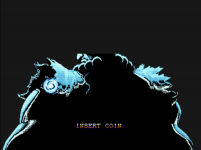
Super Street Fighter II EX (Enhanced version)

is possible repair the glitches in intro? and glitches randomly appears in scenaries. i think is caused by turbos speeds (frameskips)
not are problems from the mod, are problems of the game originally

i can't found any bug in rc13 for now. is impresive
Can you send screenshots? I'm not aware of any, but will fix them.
 
Can you send screenshots? I'm not aware of any, but will fix them.
if you can see the intro frame by frame, you can see the bad frames along full intro. this pics are in secuencial order:

Screenshot_1.png
Screenshot_2.png
Screenshot_3.png
Screenshot_4.png
Screenshot_5.png
Screenshot_6.png
Screenshot_7.png
Screenshot_8.png
Screenshot_9.png
Screenshot_10.png
 
Regarding the glitches in the scenarios, I believe they are caused by turbo speeds—the higher the turbo speed, the more likely they are to occur.

are glitches from original arcade game
 
mame 289 core retroarch
Thanks for the screenshots. I reproduced the scrambled background tiles and split Ryu portrait in unmodified Super Turbo under standalone MAME 0.288 and HBMAME, and confirmed the split portrait in EX too. So these symptoms aren’t specific to EX or RetroArch’s 0.289 core.

The final split portrait lasts only one frame, which explains why it’s easy to miss during normal playback. I haven’t established whether it also occurs on real CPS-2 hardware or is an emulation issue, or whether Turbo speed affects it.

For the stage glitches, could you send a clip showing the fighters, stage and speed setting so I can investigate those separately?
 
yeah, the intro problems not are from your mod, are from original roms originally. That’s why I didn’t know if it could be fixed.

about glitches in scenaries, i will try to catch it, in max turbo speed It’s more common to see them. They’re like the ones in the intro—just a single frame that looks as if the image has gone out of sync; it’s only one frame, and it happens very quickly.
 
yeah, the intro problems not are from your mod, are from original roms originally.

about glitches in scenaries, i will try to catch it, in max turbo speed It’s more common to see them. They’re like the ones in the intro—just a single frame that looks as if the image has gone out of sync; it’s only one frame, and it happens very quickly.
Do you happen to know if the intro problems occur on actual hardware?
 
i don't know if in original hardware appears the bad frames, in all "arcade" videos i can see, all have bad frames....

pc version and 3do version dont have bad frames, but maybe the intro are reprogramed. i dont know.....

this video is the most near to arcade (or same), is from the ps1 version, and dont have any bad frame

View: https://www.youtube.com/watch?v=66q3T2xkg6M
 
Last edited:
i don't know if in original hardware appears the bad frames, in all "arcade" videos i can see, all have bad frames....

pc version and 3do version dont have bad frames, but maybe the intro are reprogramed. i dont know.....

this video is the most near to arcade (or same), is from the ps1 version, and dont have any bad frame

View: https://www.youtube.com/watch?v=66q3T2xkg6M
It's a legit bug. I was able to figure it out. The game is out of sync slightly (by 1 frame) when copying the tiles vs. the palettes. It will be fixed in the next update.
 
hi, very cool projects, i was having some issues with this patch on cps2 hardware with darksoft, i got chatgpt to get it working and this is what we found

SSF2 EX — Darksoft / Real CPS-2 Fix Report​

These fixes address issues observed on real CPS-2 hardware using the Darksoft loader. The affected build displayed correctly on MiSTer. All three fixes have been tested successfully on the Darksoft board.

1. Cammy stage graphics​

Issue: Corrupted graphics appeared on Cammy’s stage.

Change: Restored 22 bytes from stock graphics, targeting the transparent final row of Scroll2 tiles 0xFF4A, 0xFF4B and 0xFF4C. Changes are distributed across flash.05, .07, .09 and .11. All custom EX graphics are preserved.

2. Training and Console Versus character-select palettes​

Issue: Both character-select screens were dim, with incorrect portrait colors.

Change: Moved the palette upload ahead of the expensive custom scene update, to scanline 240, and suppressed subsequent late uploads. The original sequence allowed the scene update to cross a frame boundary before uploading the palette.

Program hooks are at 0x1FB428, 0x21B1C6 and 0x21B1E4, using routines at 0x203600, 0x203700 and 0x203800. The guards check the shared custom-selection flag at $FFFC00, along with selection-state and pause checks, to cover both modes.

No palette colors or brightness values were changed. Both screens now display correctly, while Arcade selection retains its original upload timing.

3. Uneven music tempo​

Issue: Music tempo fluctuated on Darksoft hardware, including while fighters stood idle. Pitch remained unchanged.

Change: Added a fast path around the EX sound driver’s pause filter during normal, unpaused playback. The jump at Z80 address 0x0AC8 now enters a wrapper at 0x6D00. It checks the sound-pause flag at $CFFB, then uses either the normal writer at 0x6FC0 or the original EX pause filter at 0x6F8C.

This changes 18 bytes in flash.01. Music data, tempo constants, pitch, samples and DSP-ready waiting remain unchanged. The change reduces per-write processing overhead; hardware retesting reports steady music.

Latest tested build: EX SELECT FIX — includes all three fixes.

 
hi, very cool projects, i was having some issues with this patch on cps2 hardware with darksoft, i got chatgpt to get it working and this is what we found

SSF2 EX — Darksoft / Real CPS-2 Fix Report​

These fixes address issues observed on real CPS-2 hardware using the Darksoft loader. The affected build displayed correctly on MiSTer. All three fixes have been tested successfully on the Darksoft board.

1. Cammy stage graphics​

Issue: Corrupted graphics appeared on Cammy’s stage.

Change: Restored 22 bytes from stock graphics, targeting the transparent final row of Scroll2 tiles 0xFF4A, 0xFF4B and 0xFF4C. Changes are distributed across flash.05, .07, .09 and .11. All custom EX graphics are preserved.

2. Training and Console Versus character-select palettes​

Issue: Both character-select screens were dim, with incorrect portrait colors.

Change: Moved the palette upload ahead of the expensive custom scene update, to scanline 240, and suppressed subsequent late uploads. The original sequence allowed the scene update to cross a frame boundary before uploading the palette.

Program hooks are at 0x1FB428, 0x21B1C6 and 0x21B1E4, using routines at 0x203600, 0x203700 and 0x203800. The guards check the shared custom-selection flag at $FFFC00, along with selection-state and pause checks, to cover both modes.

No palette colors or brightness values were changed. Both screens now display correctly, while Arcade selection retains its original upload timing.

3. Uneven music tempo​

Issue: Music tempo fluctuated on Darksoft hardware, including while fighters stood idle. Pitch remained unchanged.

Change: Added a fast path around the EX sound driver’s pause filter during normal, unpaused playback. The jump at Z80 address 0x0AC8 now enters a wrapper at 0x6D00. It checks the sound-pause flag at $CFFB, then uses either the normal writer at 0x6FC0 or the original EX pause filter at 0x6F8C.

This changes 18 bytes in flash.01. Music data, tempo constants, pitch, samples and DSP-ready waiting remain unchanged. The change reduces per-write processing overhead; hardware retesting reports steady music.

Latest tested build: EX SELECT FIX — includes all three fixes.
Thanks for digging into this and testing the fixes on real hardware! Those findings are very helpful, especially the selection palette timing and music issue that weren’t apparent on MiSTer. Could you share your patch or the script ChatGPT used to make the changes? I’d like to bring these fixes into the main project and check them across the other modes.
 
Thanks for digging into this and testing the fixes on real hardware! Those findings are very helpful, especially the selection palette timing and music issue that weren’t apparent on MiSTer. Could you share your patch or the script ChatGPT used to make the changes? I’d like to bring these fixes into the main project and check them across the other modes.
sure np, i found some other timing issues with sfa ex and sfa2 ex as well but havent looked into them yet, heres what chatgpt put together for you for ssf2 ex
 

Attachments

It's a legit bug. I was able to figure it out. The game is out of sync slightly (by 1 frame) when copying the tiles vs. the palettes. It will be fixed in the next update.
Regarding the glitches in the stages that I mentioned to you, I think it’s the same issue: it happens for just 1 frame and looks like a desync. I can’t manage to catch them because I’m busy playing, and I don’t have time to pause on the exact frame. What I am certain of is that these glitches never appear at "normal" speed (like in SS2 or SF2CE). That’s why I suspect it has to do with the frameskip used for the "turbo" speeds—there’s some kind of jump or desynchronization. It’s completely random.
 
Regarding the glitches in the stages that I mentioned to you, I think it’s the same issue: it happens for just 1 frame and looks like a desync. I can’t manage to catch them because I’m busy playing, and I don’t have time to pause on the exact frame. What I am certain of is that these glitches never appear at "normal" speed (like in SS2 or SF2CE). That’s why I suspect it has to do with the frameskip used for the "turbo" speeds—there’s some kind of jump or desynchronization. It’s completely random.
Which stages?
 
It can happen at any stage—sometimes it’s more visible, sometimes less—but since it’s completely random, you never know when it might occur.
I managed to catch it happening in Dee Jay’s stage; similar effects have also appeared in T. Hawk’s and Cammy’s stages (but similar effects can occur at other stages as well). Those lines also appear in Cammy's sky.

Screenshot_2.png

Screenshot_3.png


other thing, in versus mode, if push lk or coin for back, the game hangs

Screenshot_1.png
 
It can happen at any stage—sometimes it’s more visible, sometimes less—but since it’s completely random, you never know when it might occur.
I managed to catch it happening in Dee Jay’s stage; similar effects have also appeared in T. Hawk’s and Cammy’s stages (but similar effects can occur at other stages as well). Those lines also appear in Cammy's sky.

Screenshot_2.png

Screenshot_3.png


other thing, in versus mode, if push lk or coin for back, the game hangs

Screenshot_1.png
I've fixed the northern lights issue and a bunch of other similar small ones in that level and others, but I am sure others still remain. Capcom was sloppy with how parallax worked, especially when the scene moves up or down (often during an impact during jump or a ground throw that causes it to shake).

I haven't seen the scrambled display, but I'll see if I can find a possible cause.
 
Back
Top