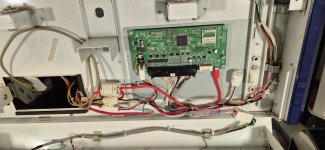
The result of feeding an AI firmware, drivers, binaries, schematics, pictures and various other information. Not tested, all my hardware is in storage.
Download tx4io 0.1.1
Download tx4io 0.1.2
tx4io
Open tools for Taito arcade I/O on ordinary PCs: the
Type X4 USB IO board and the
Type X2 / X3 Fast I/O PCI card. One self-contained binary turns either board into a keyboard, Xbox 360 pads or a JVS I/O board, and can flash the USB IO board's firmware. No Taito DLLs are needed, and Fast I/O works natively on Linux.
Status: everything has been tested against simulated boards and unit tests, not yet on real hardware. Reports from real cabinets are very welcome.
Features
Type X4 USB IO board (Taito "USB IO P.C.B.", VID 0AE4 / PID 0901)
- Reads all 56 digital inputs, 8 analog channels, 4 encoders and 2 coin counters; drives 44 outputs and 12 PWM channels.
- Bridge modes: keyboard (MAME keys), Xbox 360 pads (XInput, works with Steam/SDL/Wine/Proton) and an emulated JVS I/O board on a serial port, at the same time if you like.
- Per-game profiles for Street Fighter V, Magician's Dead, Love Live! School idol festival AC and Densha de Go!!, and learn to map any wiring by pressing each control once.
- Full G1/P1 connector pinout from Taito's wiring diagrams, including which output drives which lamp pin, and out --walk to check it.
- Firmware flashing over USB, the same way Taito's game DLL does it, plus .dat inspection and building. An interrupted flash can be rerun over USB.
- Speaks both known firmware layouts: SFV's 0102 and Love Live's 0032 (detected automatically).
- No driver to install on Windows (the board asks for WinUSB itself).
Type X2 / X3 Fast I/O (Oki "iDMAC" PCIe card, PCI 1021:0F10)
- Replaces FastIO2KB: up to 4 players to keyboard, Xbox pads or JVS.
- No iDmacDrv64.dll needed. On Windows tx4io talks to Taito's kernel driver directly.
- Native Linux support with no driver at all: tx4io maps the card's PCI registers through sysfs.
- Register tools (fastio dump --watch, read, write) to finish mapping analog inputs, coins and lamps.
Both
- One static binary for Linux x86_64, Linux ARM64 (Raspberry Pi), Windows 64-bit and Windows 32-bit.
- Hold Test + P1 Start for 2 s to switch modes; a TCP/FIFO control channel for outputs and lamps.
- A --sim mode that replaces the board with an editable JSON file, for testing without hardware.
Quick start
# Linux
sudo cp 99-tx4-usbio.rules /etc/udev/rules.d/ && sudo udevadm control --reload && sudo modprobe uinput
./tx4io-linux-x86_64 info
./tx4io-linux-x86_64 run --mode xinput
# Linux, Fast I/O card
sudo ./tx4io-linux-x86_64 --board fastio run --mode keyboard
# Windows
tx4io-windows-x86_64.exe info
tx4io-windows-x86_64.exe run --mode keyboard
tx4io-windows-x86_64.exe --board fastio run --mode keyboard
Full usage, setup and config:
docs/integration/tx4io.md.
Binaries
| File | Platform |
|---|
| tx4io-windows-x86_64.exe | Windows 10/11, 64-bit |
| tx4io-windows-x86.exe | Windows, 32-bit (for 32-bit Type X2/X3 installs and the 32-bit Fast I/O driver) |
| tx4io-linux-x86_64 | Linux x86_64, static, any distro |
| tx4io-linux-aarch64 | Linux ARM64 (Raspberry Pi 4/5), static |
Current version:
0.1.2 (
CHANGELOG.md). Rebuild them with sh build.sh (see
Building).
Repository layout
tx4io-* prebuilt binaries
src/ tx4io source (Rust)
docs/
hardware/ the boards: parts, pinouts, registers
integration/ protocols, driver access, game maps, using tx4io
design/ proposals (custom JVS firmware)
firmware/sfv-0102/ stock USB IO firmware 0102 (uio_up.dat) from Street Fighter V
windows-drivers/
32bit/ Taito iDmacDrv32 (Fast I/O) driver, DLL and INF
64bit/ Taito iDmacDrv64 (Fast I/O) driver, DLL and INF
tools/
python/ original Python prototypes of the USB IO tool and bridge
analysis/ scripts used to decode the firmware
99-tx4-usbio.rules Linux udev rule (USB IO board, Fast I/O card, uinput)
build.sh builds all four binaries
Documentation
Start at
docs/README.md.
Building
Needs Rust (rustup). build.sh runs the tests and cross-builds all four binaries into the repository root. The Windows builds need mingw-w64 (apt install gcc-mingw-w64-x86-64 gcc-mingw-w64-i686) and the Linux x86_64 build needs musl-to ols. For a quick local build: cargo build --release.
Credits
- FastIO2KB by Joseph Howse: the Fast I/O switch layout, port rules and MAME key map, confirmed on real hardware.
- OpenParrot FastIoEmu: Fast I/O register values games accept.
- JConfig and the community MAGIDEIO.dll: how Street Fighter V and Magician's Dead read the USB IO board.
- 641i130/ttx4-usbio: Love Live button tests and firmware 0032 descriptors.
- BocuD/TTX4IOFlasher: confirmed the USB flash sequence and timeouts on real boards.
- BocuD/LLACIODriver and dinsfire64/ttx4-rp2040: the firmware 0032 packet layout and Love Live lamp bytes.
- Arcade Projects members who scanned and posted Taito's Love Live and Densha de Go wiring diagrams (thread 20614); the G1/P1 p inout here is transcribed and redrawn from them.
Legal
Everything in this repository is released into the
public domain (
Unlicense), except the files below.
The files in firmware/ and windows-drivers/ are
proprietary software by Taito Corporation and Oki Information Systems, included unmodified for preservation and so owners of the hardware can restore or run their own machines. They a re not covered by the public-domain dedication; all rights remain with their owners. Taito and Oki are trademarks of their owners; this project is not affiliated with them.


 ?
?