

Hi!
I’m trying to back up my Time Crisis 4 version that works on my Namco System Super 256, but I haven’t been successful.
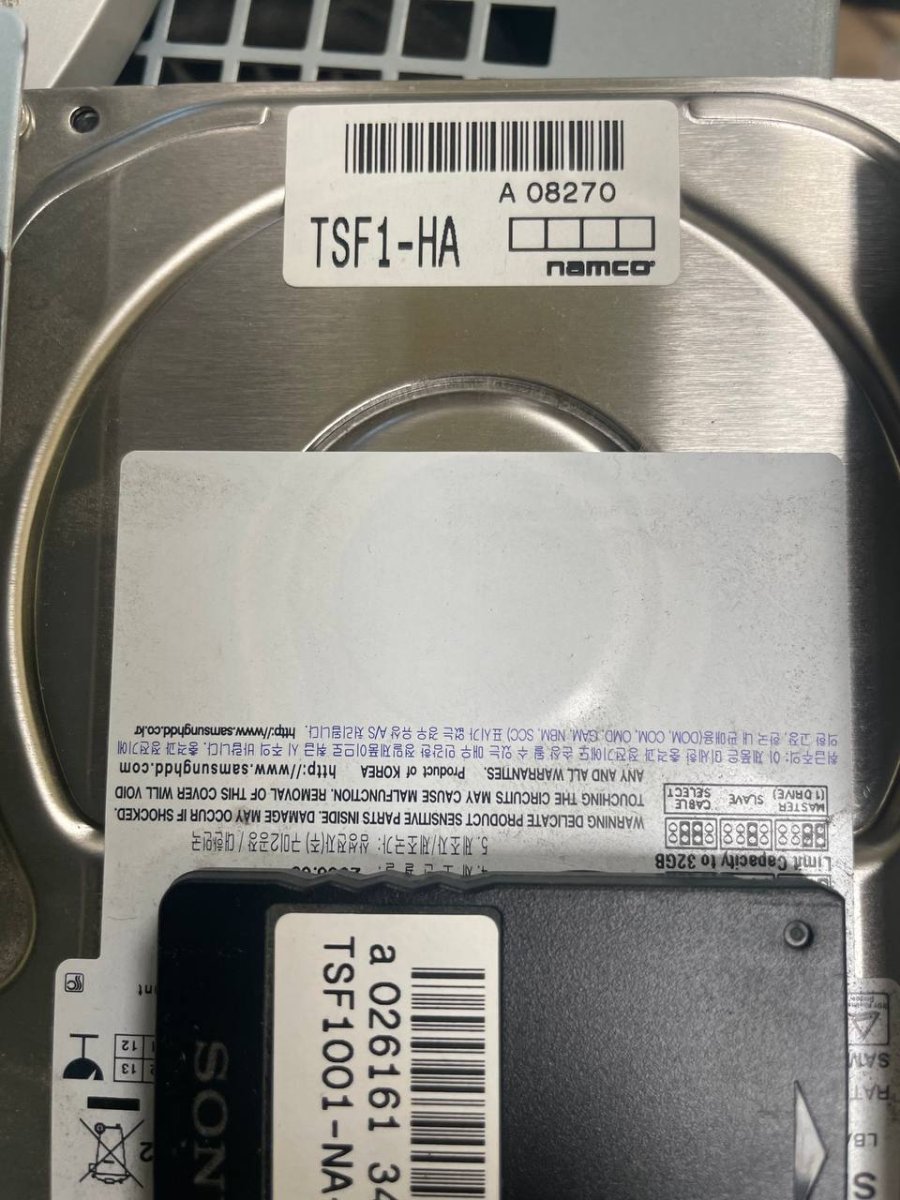
The first thing I did was remove the hard drive and create an image from Linux using the dd command.
Once I had the image, I bought an IDE-to-CF adapter and wrote the image to two CF cards that I purchased specifically for this. In both cases it didn’t work, and I tested with three different adapters.

Since I wasn’t sure whether my image had some issue, I downloaded a copy of the hard drive image from the internet and performed a binary diff between my dump and the downloaded one. Surprisingly, both images were identical, so I ruled out an error on my side.
Because I wasn’t sure whether a hard drive would work, I also tried using a 2.5" HDD I had at home and wrote the image to it. In this case, the image boots and works fine.
Does anyone know what I can do? I’d really like to have a copy of my Time Crisis on a CF card and keep the original hard drive safely stored.
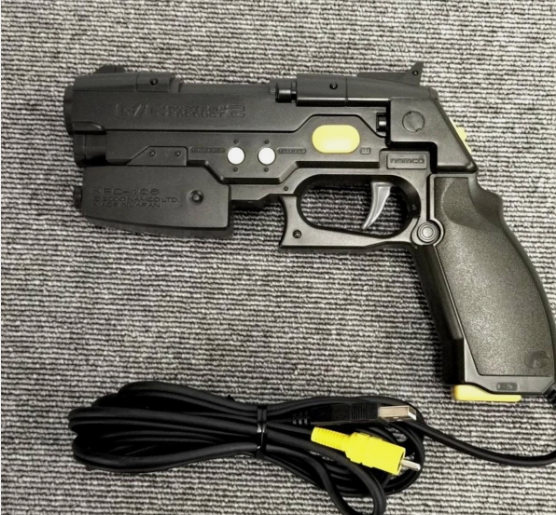
Also, I have the gun board on my Namco System, but I don't have the guns. Will the Guncon 2/2 Gun Controllers Sony Playstation 2 guns work on it?
I’m trying to back up my Time Crisis 4 version that works on my Namco System Super 256, but I haven’t been successful.
The first thing I did was remove the hard drive and create an image from Linux using the dd command.
Once I had the image, I bought an IDE-to-CF adapter and wrote the image to two CF cards that I purchased specifically for this. In both cases it didn’t work, and I tested with three different adapters.
Since I wasn’t sure whether my image had some issue, I downloaded a copy of the hard drive image from the internet and performed a binary diff between my dump and the downloaded one. Surprisingly, both images were identical, so I ruled out an error on my side.
Because I wasn’t sure whether a hard drive would work, I also tried using a 2.5" HDD I had at home and wrote the image to it. In this case, the image boots and works fine.
Does anyone know what I can do? I’d really like to have a copy of my Time Crisis on a CF card and keep the original hard drive safely stored.
Also, I have the gun board on my Namco System, but I don't have the guns. Will the Guncon 2/2 Gun Controllers Sony Playstation 2 guns work on it?

