You are using an out of date browser. It may not display this or other websites correctly.
You should upgrade or use an alternative browser.
You should upgrade or use an alternative browser.
Toshiba PD1843 15khz dim image/low brightness
- Thread starter chriszhxi
- Start date


chacal231077
Grand Master
Hi!It's pretty much exactly as it sounds. Desolder the EEPROM, put it in your chip programmer, overwrite all bytes with a value of 80, flash it, solder it back on. It's a surface mount chip on the back of the board with the model L01A.

BR24L01AF-WE2 screen printing L01A on Aliexpress
Can I install it blank on the PCB ?
Will the Principal MCU Bios be able to write on it or not ?
Otherwise I have an xgecu t56 programmer.
To use your method could you tell me what parameter to configure to overwrite all bytes with a value of 80 -
THANKS Again :thumbup :


JohnRambo'sKnife
Champion
I apparently can't read.It's surface mount.

playero
Enthusiast
The MCU on the Toshiba PF is responsible for controlling the I2C bus and changing the settings in the
All the settings in the OSD are just the MCU configuring either the video amp IC or the Deflection IC via I2C. The MCU saves the settings in a serial EPROM, that is also on the I2C bus. I have seen several cases where the serial EPROM gets corrupted and the MCU is unable to change the setting. Often times its the Brightness or Contrast that gets corrupt and set to a really low value, resulting in a very dim picture that is unable to be corrected.
- Video Amp-LM1269NA
- Deflection IC - NEC C1888FCT (NEC uPC 1888 )
What you can do is take the serial EPROM off the I2C bus and the MCU will load default settings. You can then put the serial EPROM back on the I2C bus, and go through all the settings in the OSD. By changing each setting, the MCU will be writing out the new value to the EEPROM. You can esentially re-write all the saved settings to the serial EPROM and overwrite any corrupt values.
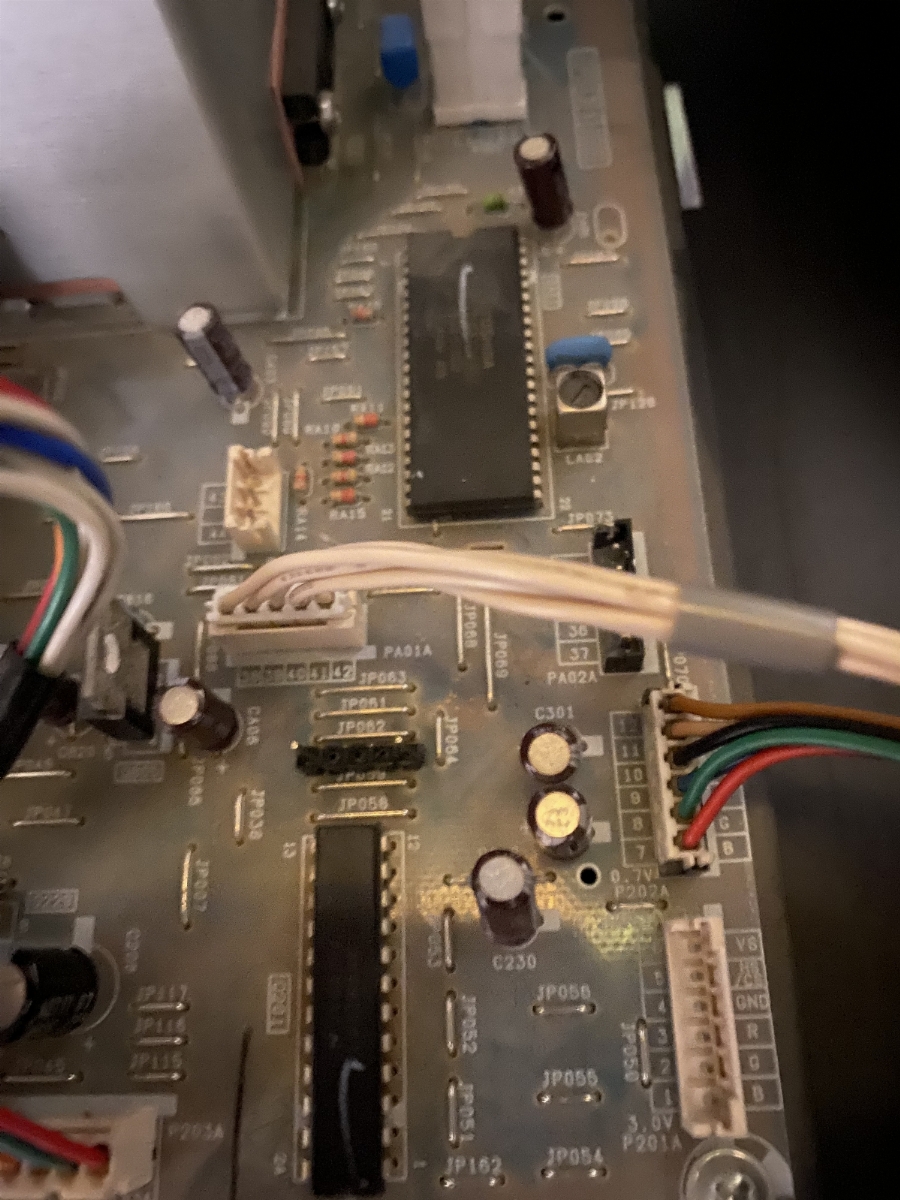
In the photo below I have replaced the wire jump link with a pin header. I have no jumper on the pin header, so the serial EPROM is removed from the I2C bus.
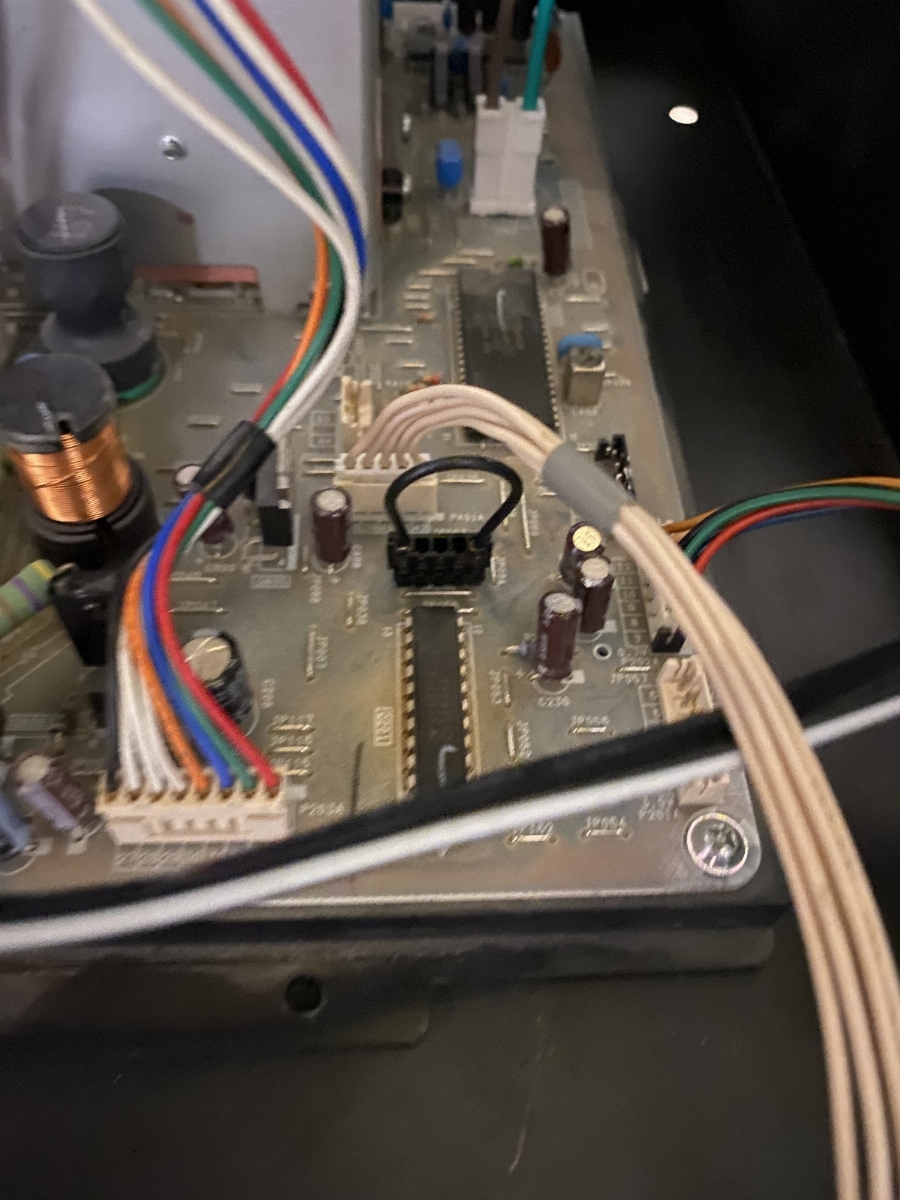
With the monitor still powered on, re-install the jumper. This will put the serial EPROM back on the I2C bus. Once you re-install the jumper, go through all the OSD settings and change each value by 1, you can change it back to the original setting, but by at least toggling the value, the MCU will write it to the serial EPROM and should fix the corruption.
I have seen about a dozen Toshiba chassis where the contrast value gets corrupted and once its corrupted you cant change it with the MCU. The corrupt contrast value makes the monitor super dim and the OSD is unable to change the value. The steps I outlined above have seemed to fix the corruption in the chassis that I have come across.
Thank you!!
I want to do the same work on my pb9929 classis as you did on pd1843.
I want to know which jumper I have to cut to disconnect EEPROM from the I2C bus.
Would you let me know?