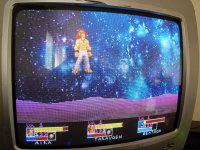
For the past while, I've been chipping away at my own custom CPS1 SDK inspired by the work of Fabian Sanglard (read The Book of CP System, love that thing!)
I'm ware of CCPS, and while that thing is cool as hell and I have a ton of respect and admiration for the guy who made it, Python is what I'm comfortable with, and far as I can tell it's somewhat incomplete, both in example code to use and sound stuff. Plus I didn't want to deal with Linux stuff at the time, anyway the point is I made something I'm personally more comfortable with!
It uses Python alongside the ASMX assembler to make creating stuff as painless as possible. There's a newproject.py script for generating new projects, and you can specify a MAME path in python/config.py so that when you do make new projects, it automatically spits out a run_[game]-debug.bat ya can run, so once MAME is setup to point to the SDKs ROMs, ya can essentially forget about it.
Atm there are 3 main python scripts
--- assemble68k ---
The main object of this script is twofold, generate CPSB register addresses based on our projects B-Board, and split up our assembled data into the proper ROMs
assembleGFX
Takes src/gfx/GFX_RES.py and allocates tiles, extracts palletes and generates draw_calls that can be easily used by the SDK based on what's in the GFX var. NOTE: It's because of this that it's best to run this first, then assemble68k. I'll probably make a script to automate this at some point
assembleZ80
Exactly what it says on the tin. ATM all it does is assemble Z80 code then chuck it into ROMs, but the functionality of this is liable to drastically shift as Music and SFX gets incorporated
Projects come with example code in src/68k/z80 respectively, and src/gfx/GFX_RES.py is where you'd declare all ya GFX files + how GFX are mapped out. There's planned to be plenty of docs to make programming stuff more approachable, and I even have a friend of mine chipping away at a sound driver, while I chip away at a Furnace convertor (both of which may be a while)
Anyway, it's not QUITE release worthy yet, least in my opinion. There's some refactoring to do with GFX, especially so SCR layers optimize tile usage, but the idea is there.
As for sprites, atm ya just chuck in BMPs and ya can write the draw_call as ya like. Sprites are stored in horizontal strips akin to how Capcom eventually did, but this could also use optimizing both to save space and for actual drawing
Main purpose of this thread is to both track progress and maybe get suggestions for stuff to add and the like. If all goes well I'd like to release some kind of demo soon enough, but of course the holidays are coming up so I make no promises. Anyway, stay tuned, and any suggestions are welcome! I'll update this post with builds/demos as they release
TO-DO (in order of priority/likelihood to be added)
- Finalize template code
- Debug info (How much PRG/GF Z80/OKI ROM has been used, maybe something to extract var names to make writing LUA scripts easier, that type of thing)
- Optimize Tile assignment
- Music+SFX
- Refactor scripts
- Additional GFX Formats (mainly PNG)
- More game configurations
- Kabuki support??
- SCR Quantization (the online tool is sick as hell, but it'd be ideal if the SDK handled that too)
- Maybe a custom MAME build with additional tools to help with debugging, like a visualizer for OBJ Draw_calls, displaying cycle counts for instructions ala MESEN, etc), alongside maybe a Software List to make custom CPS1 games much easier similar to how ya can with Neogeo.xml. The CPS Changer exists, I don't see why not! I'd seriously love this one so if anybody knows how to go about that, please let me know!
- Darksoft/CPS1.net ROM output, that way you'd have a version that works with another emulator + a mega simple way of testing out ya project on real hardware...I just need to actually get a multi eventually to test that
- The dream would be custom tools for stuff like SCR design or Meta-Sprite creation, but for the most part I think the scr
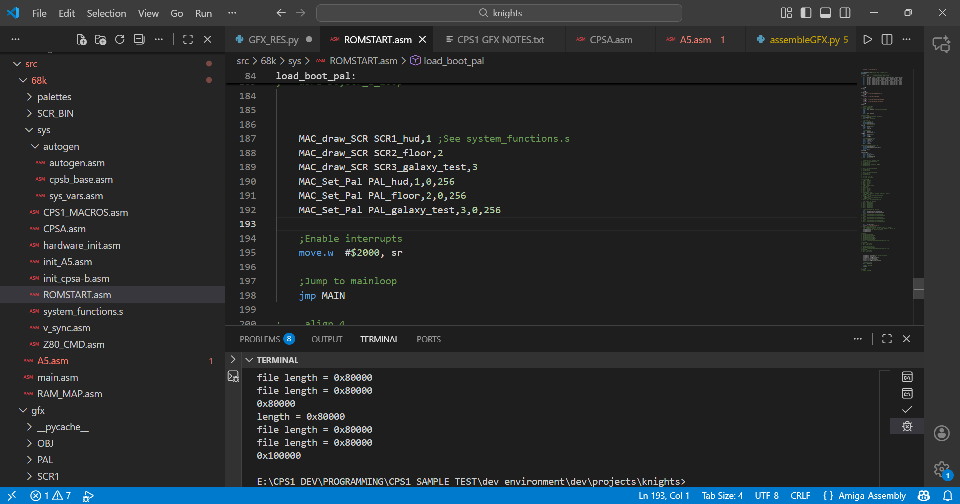
- Some sort of VSCode extension would be sick, that way ya could work on a project and just press a shortcut to run one of the assemble scripts, but that's for later
Demo Scene using a double buffered sprite + all 3 SCR layers
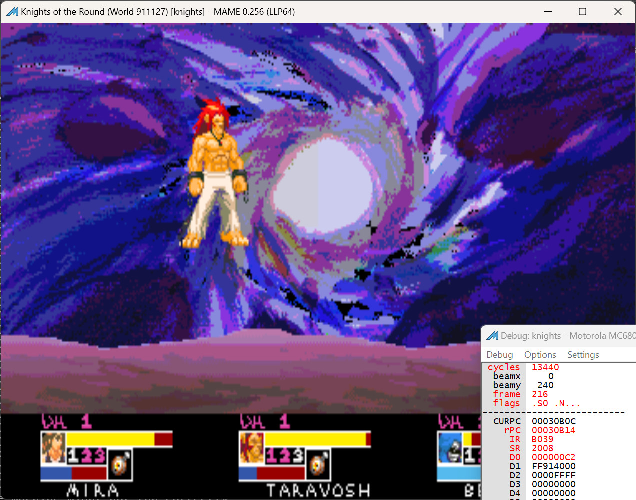
Big SCR3 Test (Basically just to show that ya can with this thing)
View: https://bsky.app/profile/yoshinpixels.bsky.social/post/3m7r64lwbhk2j
I'm ware of CCPS, and while that thing is cool as hell and I have a ton of respect and admiration for the guy who made it, Python is what I'm comfortable with, and far as I can tell it's somewhat incomplete, both in example code to use and sound stuff. Plus I didn't want to deal with Linux stuff at the time, anyway the point is I made something I'm personally more comfortable with!
It uses Python alongside the ASMX assembler to make creating stuff as painless as possible. There's a newproject.py script for generating new projects, and you can specify a MAME path in python/config.py so that when you do make new projects, it automatically spits out a run_[game]-debug.bat ya can run, so once MAME is setup to point to the SDKs ROMs, ya can essentially forget about it.
Atm there are 3 main python scripts
--- assemble68k ---
The main object of this script is twofold, generate CPSB register addresses based on our projects B-Board, and split up our assembled data into the proper ROMs
assembleGFX
Takes src/gfx/GFX_RES.py and allocates tiles, extracts palletes and generates draw_calls that can be easily used by the SDK based on what's in the GFX var. NOTE: It's because of this that it's best to run this first, then assemble68k. I'll probably make a script to automate this at some point
assembleZ80
Exactly what it says on the tin. ATM all it does is assemble Z80 code then chuck it into ROMs, but the functionality of this is liable to drastically shift as Music and SFX gets incorporated
Projects come with example code in src/68k/z80 respectively, and src/gfx/GFX_RES.py is where you'd declare all ya GFX files + how GFX are mapped out. There's planned to be plenty of docs to make programming stuff more approachable, and I even have a friend of mine chipping away at a sound driver, while I chip away at a Furnace convertor (both of which may be a while)
Anyway, it's not QUITE release worthy yet, least in my opinion. There's some refactoring to do with GFX, especially so SCR layers optimize tile usage, but the idea is there.
As for sprites, atm ya just chuck in BMPs and ya can write the draw_call as ya like. Sprites are stored in horizontal strips akin to how Capcom eventually did, but this could also use optimizing both to save space and for actual drawing
Main purpose of this thread is to both track progress and maybe get suggestions for stuff to add and the like. If all goes well I'd like to release some kind of demo soon enough, but of course the holidays are coming up so I make no promises. Anyway, stay tuned, and any suggestions are welcome! I'll update this post with builds/demos as they release
TO-DO (in order of priority/likelihood to be added)
- Finalize template code
- Debug info (How much PRG/GF
Z80/OKI ROM has been used, maybe something to extract var names to make writing LUA scripts easier, that type of thing)- Optimize Tile assignment
- Music+SFX
- Refactor scripts
- Additional GFX Formats (mainly PNG)
- More game configurations
- Kabuki support??
- SCR Quantization (the online tool is sick as hell, but it'd be ideal if the SDK handled that too)
- Maybe a custom MAME build with additional tools to help with debugging, like a visualizer for OBJ Draw_calls, displaying cycle counts for instructions ala MESEN, etc), alongside maybe a Software List to make custom CPS1 games much easier similar to how ya can with Neogeo.xml. The CPS Changer exists, I don't see why not! I'd seriously love this one so if anybody knows how to go about that, please let me know!
- Darksoft/CPS1.net ROM output, that way you'd have a version that works with another emulator + a mega simple way of testing out ya project on real hardware...I just need to actually get a multi eventually to test that
- The dream would be custom tools for stuff like SCR design or Meta-Sprite creation, but for the most part I think the scr
- Some sort of VSCode extension would be sick, that way ya could work on a project and just press a shortcut to run one of the assemble scripts, but that's for later
Demo Scene using a double buffered sprite + all 3 SCR layers
Big SCR3 Test (Basically just to show that ya can with this thing)
View: https://bsky.app/profile/yoshinpixels.bsky.social/post/3m7r64lwbhk2j