DARKSOFT CPS1 Multi - Support thread

I adjusted the power supply to 5V, but the 12V rail ended up at 13.13V. Could this 13.13V reading cause any problems for the MultiCPS1?
 
I think most power supplies only allow for the 5V rail (and 3.3V, if present for JVS) to be adjusted and it seems 12V is dependent on how 5V is set?
 
WhatsApp Image 2026-10-01 at 19.31.34 (1).jpeg


Hi everyone.

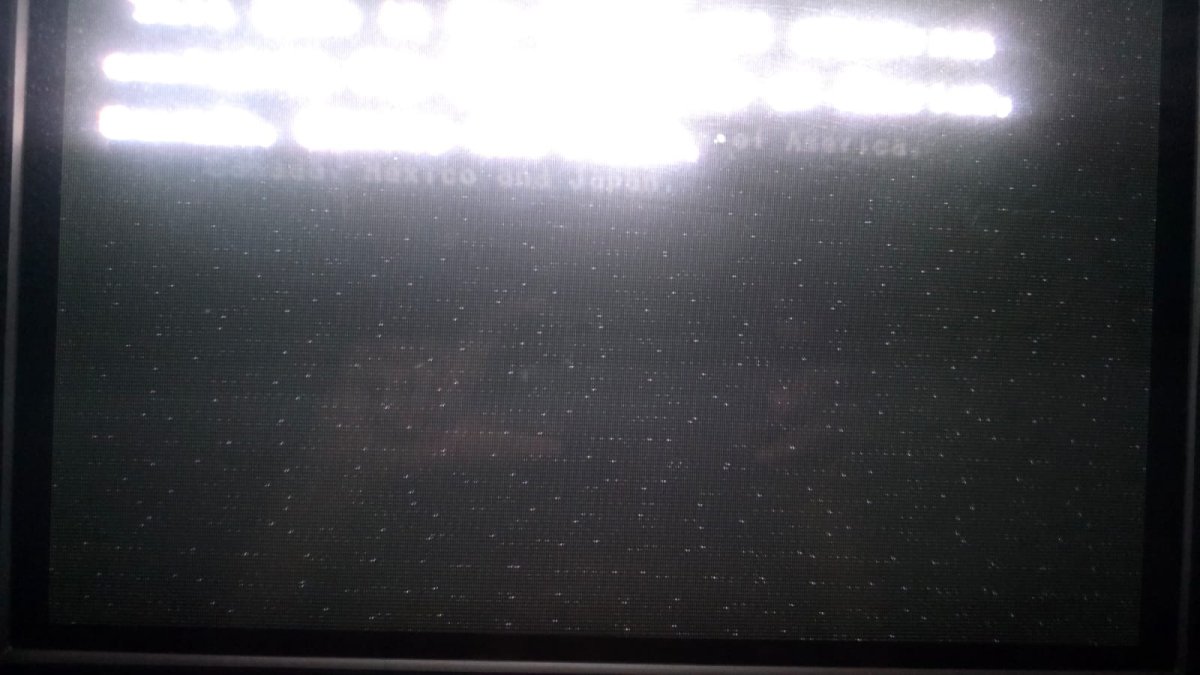
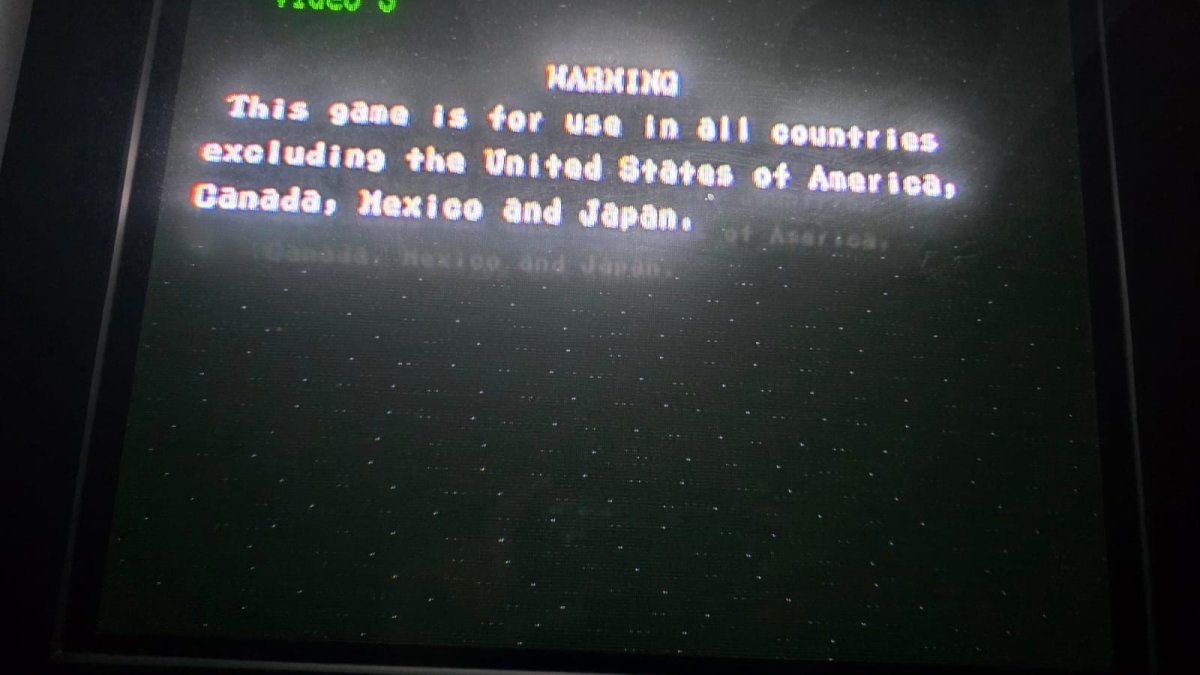
I have a Darksoft CPS1 Multi that is showing an abnormality in the video signal, and I’d like to get the opinion of anyone experienced with this hardware.

The issue is most noticeable on dark screens or areas with large amounts of black, where numerous small dots/visual noise appear across the image, similar to interference or “snow.” During normal gameplay, with more colors and brightness on screen, the interference becomes almost imperceptible.

I am using two independent Mean Well power supplies:

  • 5 V: dedicated power supply
  • 12 V: dedicated power supply
The voltages were measured directly at the JAMMA connector power pins while the board was running, and I obtained:

  • +5 V = 5.01 V
  • +12 V = 12.1 V
I also performed an important test to help isolate the source of the problem: I installed an original Street Fighter II: Champion Edition CPS1 board in the same cabinet, using the same power supplies, JAMMA harness, monitor, and the rest of the setup. With the original board, the image was perfect, with no interference or noise visible in dark areas.

This test seems to greatly reduce the likelihood that the issue is related to the monitor, JAMMA harness, or power supplies, and instead points toward the Darksoft CPS1 Multi setup, the CPS1 motherboard being used with it, or some condition specific to this configuration.

I’m attaching a few photos where the issue is easier to see, especially on black screens and warning screens.

Has anyone experienced similar behavior with the Darksoft CPS1 Multi? If so, which areas or components would you recommend checking?

Thank you!
WhatsApp Image 2026-10-01 at 19.31.33.jpeg
 
WhatsApp Image 2026-10-01 at 19.31.34 (1).jpeg


Hi everyone.

I have a Darksoft CPS1 Multi that is showing an abnormality in the video signal, and I’d like to get the opinion of anyone experienced with this hardware.

The issue is most noticeable on dark screens or areas with large amounts of black, where numerous small dots/visual noise appear across the image, similar to interference or “snow.” During normal gameplay, with more colors and brightness on screen, the interference becomes almost imperceptible.

I am using two independent Mean Well power supplies:

  • 5 V: dedicated power supply
  • 12 V: dedicated power supply
The voltages were measured directly at the JAMMA connector power pins while the board was running, and I obtained:

  • +5 V = 5.01 V
  • +12 V = 12.1 V
I also performed an important test to help isolate the source of the problem: I installed an original Street Fighter II: Champion Edition CPS1 board in the same cabinet, using the same power supplies, JAMMA harness, monitor, and the rest of the setup. With the original board, the image was perfect, with no interference or noise visible in dark areas.

This test seems to greatly reduce the likelihood that the issue is related to the monitor, JAMMA harness, or power supplies, and instead points toward the Darksoft CPS1 Multi setup, the CPS1 motherboard being used with it, or some condition specific to this configuration.

I’m attaching a few photos where the issue is easier to see, especially on black screens and warning screens.

Has anyone experienced similar behavior with the Darksoft CPS1 Multi? If so, which areas or components would you recommend checking?

Thank you!
WhatsApp Image 2026-10-01 at 19.31.33.jpeg

Hi,
I will still try to find the source of the issue.

First, when did you first notice this issue with your Multi setup? Was it working normally before, and did the issue suddenly appear?

Did you test Street Fighter II using the same A board that you are using with the Multi setup? If not, it would be helpful to test the Multi with a known-working A board.

Did you try using a different SD card?

Do you have another setup you could use to test your Multi, such as a Supergun with a different PSU?

In any case, I would also recommend disassembling and reassembling your Multi setup, making sure that all the connectors are properly seated and securely connected. I know it may sound silly, but many issues can be caused by a poor connection.
 
It sure looks like ground interference.

To expand on this: https://en.wikipedia.org/wiki/Ground_loop_(electricity)

Basic idea is that when there are multiple paths to ground you can get a 60-50hz "hum" on the line. This is a big problem with audio equipment and electric musical instruments and can cause visible interference in arcade (and older home consoles) systems. In my case I have an old 1950s house where the ground wires are a tangled mess, luckily there are solutions from various companies, including Furman, that isolate the ground. Example: https://www.ebay.com/itm/290903782327
 
Hey guys sorry if I am interrupting anyones thread on here. I got a weird one, a multi was sent to me for install along with an A and C board. When I first tried to test I got nothing but a black screen. I had noticed before ever powering it on that one of the pals was backwards, I corrected that situation and went on to test but still nothing. The multi does the programming ect but I only get a black screen after reset. I have so far burnt a new pal, tried a known working C board but still black screen. Last thing I did was take a known working World Warrior's A board and swapped it in, this gave me some life but only a frozen screen after programming the game with glitched graphics. In one of the games I was able to read Scroll Ram Error but as I don't know where in the 4 mating connectors is that the Scroll Ram signals go to. I fixed CPS2 multis before by swapping bad buffers but in that case the CPS2 has better documentation and I was able to pinpoint what buffers corresponded to and swap them. I will be taking Videos of both A boards so I can post on here tonight or at latest tomorrow night, If anyone knows what connector carries the scroll ram stuff please let me know and thanks in advance guys.
 
Hi everyone,
Just a quick update, and I’d also like to thank everyone who replied and helped me troubleshoot this issue.
I was able to eliminate the video noise/interference.
My setup uses two separate Mean Well power supplies, one dedicated to +5 V and another dedicated to +12 V.
During troubleshooting, I disconnected the protective earth connection from the 12 V power supply, while keeping the 5 V power supply connected to protective earth.
After doing this, the interference completely disappeared. The image is now clean, including on dark and black screens, and the Darksoft CPS1 Multi is working perfectly.
Based on this test, it appears that my original setup was creating some kind of ground loop or grounding interaction between the two power supplies, which was introducing noise into the video signal.
So the problem was not related to the Darksoft Multi, A-board or C-board, but rather to the grounding configuration of the two independent power supplies.
I will still review the grounding configuration to make sure the final installation remains electrically safe and avoids creating another ground loop.
Thank you again to everyone for the suggestions and assistance!
 
I had noticed before ever powering it on that one of the pals was backwards,
What could go wrong with a reversed PAL? ;)
My guess is that some chip has gone south, hopefully it's just a buffer not one of the A-01 or B-21.

I would try to troubleshoot this using another CPS1 A and C PCB, change the A board and C board, so you will know if the problem is in any of those or something broke in the multi. In any case, I always provide information about the buffers/level shifters in my multi. You can check it here in the 1st post: https://www.arcade-projects.com/threads/cps1-multi-support-thread.21550/
 
What could go wrong with a reversed PAL? ;)
My guess is that some chip has gone south, hopefully it's just a buffer not one of the A-01 or B-21.

I would try to troubleshoot this using another CPS1 A and C PCB, change the A board and C board, so you will know if the problem is in any of those or something broke in the multi. In any case, I always provide information about the buffers/level shifters in my multi. You can check it here in the 1st post: https://www.arcade-projects.com/threads/cps1-multi-support-thread.21550/
That's exactly what I did, I put in a new pal and also tried a known working A and C, and got some signs of life but not working yet.
 
That's exactly what I did, I put in a new pal and also tried a known working A and C, and got some signs of life but not working yet.
some signs of life is not very precise. did you try the A board from this user, the one with the PAL backwards with your CPS1 game? Is it working well? The same for the C board. If the C board of the game that you are trying is not B-21, you can try one of those converted to default versions, which will work with that B-21.

You need to find out what is precisely broken. From your commment it could be more than one PCB or not.
 
Back
Top