Home Arcade System

I suggest 32" Freesync QHD Monitors (like the AOC Q3279VWFD8) set up on a desk behind your sticks with a decent 2.1 speaker system for a pseudo-arcade experience. 1440p is the optimal resolution for arcade gaming. Integer scaling for the big arcade resolutions: 240p, 480p, 720p.

Optimal chain is HAS -> OSSC -> QHD Monitor.

You can sub in the RetroTink 2x for the OSSC if you really don't like fiddling with settings.
 
I'm still sitting on many HAS units and accessories, I haven't completed dealing with the March/April pre-orders.

The problem is with the pre-order system I decided to use. I should've expected that people wouldn't wait that long or they would pre-order "just in case". So what happens is, people don't respond now, have tons of questions I don't have time to respond to or are slow to pay. The amount of HAS units and accessories is limited, so I can't just contact another batch of people while still dealing with the current batch.

There won't be another pre-order list this year. I'm working on a webshop and I'll basically put everything on sale there once ready.

does that mean that we can buy unit that were not claimed now???
 
Is there anybody here who use Retrotink 2x with OSSC ?
What is the possibilities about connections ?
Should I use a HD video converter with Retrotink 2x and OSSC ?
Which cables should I use (some internet links would be great) ??
Thank you
 
I don't do it... but I guess you could go composite/s-video out > Retrotink 2x > component cable out > OSSC component input > HDMI output.
I have no use for composite/s-video. :whistling:

Also none of this is HAS related, as HAS outputs RGBs NOT composite/s-video.
 
Last edited by a moderator:
Thank you Jassin, but with all respect for you, I think you say wrong as Retrotink 2x dont propose component cable out.
It should be :
- composite/s-video out > Retrotink 2x > mini HDMI-HDMI adapter > HD Video converter > OSSC component input > HDMI output > LCD
or
- composite/s-video out > Retrotink 2x > mini HDMI-HDMI adapter > HDMI-VGA adapter > OSSC VGA adapter > HDMI output > LCD

To connect with HAS, is there a component like :
- 8 pin mini DIN to component cables ?
or
- 8 pin mini DIN to composite/s-video ?

Is there anyone on this forum who has tried connection with HAS + Retrotink x2 + OSSC ?
Thank you all !
 
Thank you Jassin, but with all respect for you, I think you say wrong as Retrotink 2x dont propose component cable out.
It should be :
- composite/s-video out > Retrotink 2x > mini HDMI-HDMI adapter > HD Video converter > OSSC component input > HDMI output > LCD
or
- composite/s-video out > Retrotink 2x > mini HDMI-HDMI adapter > HDMI-VGA adapter > OSSC VGA adapter > HDMI output > LCD

To connect with HAS, is there a component like :
- 8 pin mini DIN to component cables ?
or
- 8 pin mini DIN to composite/s-video ?

Is there anyone on this forum who has tried connection with HAS + Retrotink x2 + OSSC ?
Thank you all !
  • HAS outputs RGBS
  • OSSC inputs RGBS
  • Don't use Retrotink 2x
  • Please, stop this line of conversation because it is off topic
 
Is there anyone on this forum who has tried connection with HAS + Retrotink x2 + OSSC ?
No why the fuck would they
HAS outputs RGBS

OSSC inputs RGBS
Where does a Retrotink x2 fit into this?
- 8 pin mini DIN to component cables ?
or
- 8 pin mini DIN to composite/s-video ?
8 pin mini DIN to (Euro) SCART

HAS 8 pin mini din out > SCART cable > OSSC SCART in (AV1)
Normally I recommend sending the audio from the HAS separately (via 3.5mm stereo cable)...
Whoa, we need to get thru the basics first I guess (you are confused enough already).
 
Last edited by a moderator:
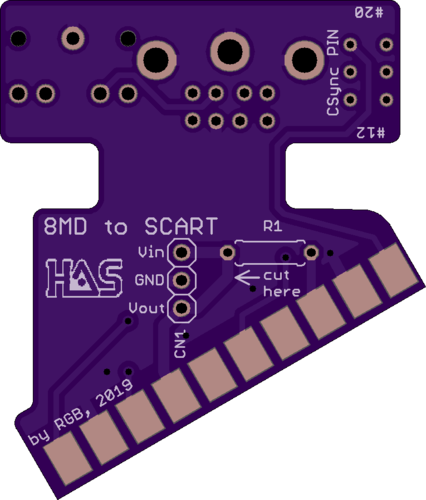
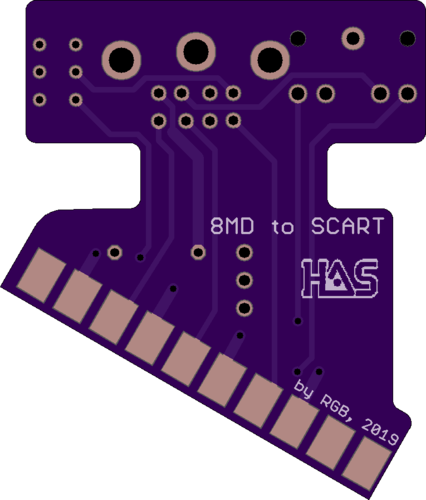
I get many questions about the video cables, whether XYZ user should use a Scart or HD-15. This, combined with the recent project by @Frank_fjs that tackles the problem by using an 8pin mini DIN to Scart adapter, gave me an idea to give my own take at it. My adapter version re-purposes the Scart shell instead of replacing it with a 3D printed one, you just need to cut the shell.

84e6a49c5ce267dbad2e1e07839d082c.png
b7cc0cbb53a9a9f2ca60f5c1c5d7fbf4.png


This one's got a switch to select CSync output (either pin #20 or #12 of the Scart to cover the newest OSSC mod - it will allow the Taito F3 to work via the Scart). There's also a spot for a 5V to 12V step-up voltage regulator (Pololu U3V12F12). The step-up voltage regulator is only needed for people in Europe/Australia with widescreen CRT TV's to force the 4:3 aspect ratio.

Link to the project - https://oshpark.com/shared_projects/E08Jw50C

====================================================================================

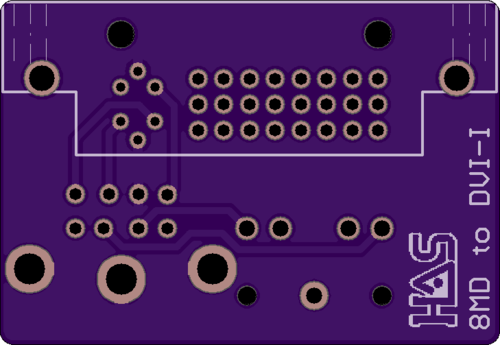
I also went ahead and refreshed my 8pin mini din to HD-15 adapter. Added a 3.5mm jack audio output - https://oshpark.com/shared_projects/0cxFBsHW
 
Last edited:
Adding a switched 3.5mm adapter to your MDIN 2 HD adapter is a great idea. Besides the obvious benefits / usage it also permits one to feed in stereo audio from systems with external stereo audio output such as CPS2.
 
Adding a switched 3.5mm adapter to your MDIN 2 HD adapter is a great idea. Besides the obvious benefits / usage it also permits one to feed in stereo audio from systems with external stereo audio output such as CPS2.
Isn’t the HAS’s 3.5mm stereo “in” the same as this?
 
3.5mm jack on the HAS is an audio output, don't try to feed it stereo audio! The same goes for the 3.5mm jack on the 8MD to HD-15 adapter, it's the audio output.
 
This, combined with the recent project by @Frank_fjs that tackles the problem by using an 8pin mini DIN to Scart adapter, gave me an idea to give my own take at it.
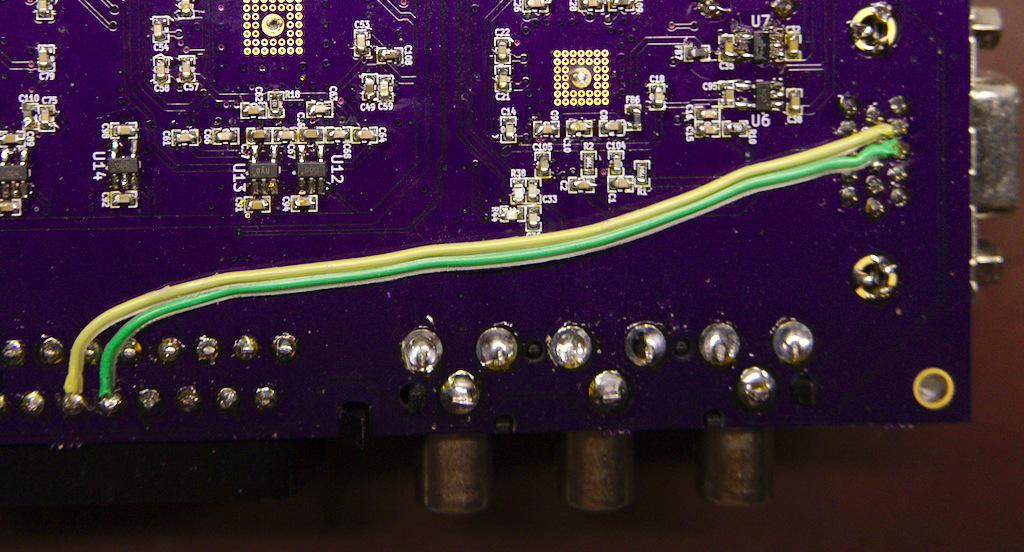
Sync pin 20 to 12 switch was my idea, I suggested it to @Frank_fjs for the adapter I asked him to design, just saying... :whistling:
b5uXw2M.jpg


The main reason why I did, I was so sick of everyone asking for HD15 hats to use with a OSSC (now they have ZERO reason)! ;)

This will also aid in the mod becoming part of any future OSSC hardware design (1.7?) revisions.
Ossc_av3_av1_sync.jpg


I mean its clear with firmware support its seen as "cannon" so to speak...
But things like this help to reinforce it, and F3 support just switch flips/dips away (not special cables and connectors plus flips/dips).
 
Last edited by a moderator:
  • Like
Reactions: RGB
Adding a switched 3.5mm adapter to your MDIN 2 HD adapter is a great idea. Besides the obvious benefits / usage it also permits one to feed in stereo audio from systems with external stereo audio output such as CPS2.
Isn’t the HAS’s 3.5mm stereo “in” the same as this?
3.5mm jack on the HAS is an audio output, don't try to feed it stereo audio! The same goes for the 3.5mm jack on the 8MD to HD-15 adapter, it's the audio output.
A stereo audio input that overrode the JAMMA audio and routed to the 8 pin mini din output would be a great feature though.
 
Back
Top