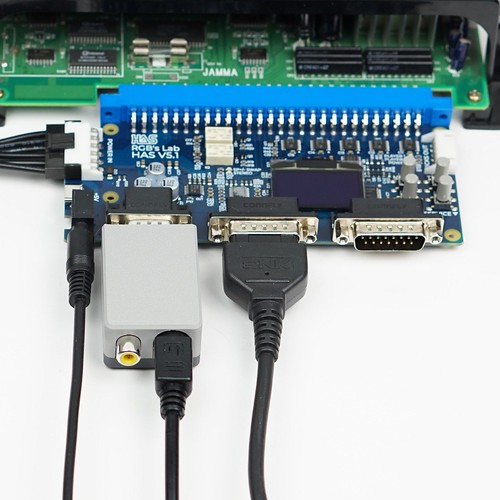
GoldenGlover
Champion
Update: a HAS reset (P1 & P2 start on startup) did the trick & allowed me to reset buttons 1-6 with ease after entering the button config (START + 2 buttons). Thanks again @XtraSmiley for the help!

From the Scart Sense Injector description:Hi @RGB,
Hope you are well. My SCI arrived and I gave it a go with my Switch 2 charger but I still can't get an image. I'm wondering if you have any ideas what might be the issue, please. And if anyone else has any idea, please feel free to chime in. Retro Upgrades said that the creator of the SCI recommends this charger:
https://www.ikea.com/gb/en/p/sjoess-45w-2-port-usb-charger-fast-charging-80574457/
I asked a fellow forum member and mentor beforehand to make sure it was safe to try the Switch 2 charger and he said that it has all voltages from the USB-C basic spec. He went on to explain that, most likely, if the sense injector works with USB-C spec, it will request 15V and regulate to 12. Otherwise, it will just get 5V, so any charger will work. And if the injector has the chip and it requests 12V (which is out of spec) the charger will just reject it and give 5V. And that USB-C specification for standard Power Delivery allows for 5V, 9V, 15V, and 20V.
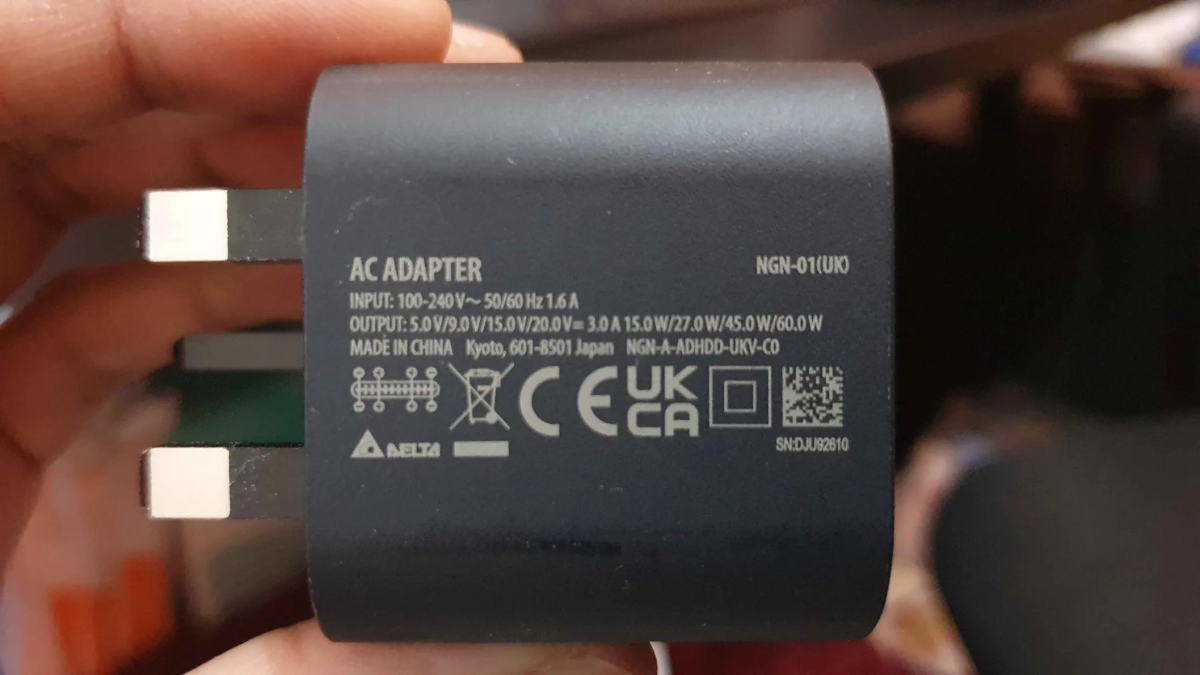
Switch 2 ChargerI had shared your diagrams with Retro Gaming Cables and they replied and said that their VGA to scart cable is wired the same. Having taken a look at your mod guide above, I don't feel confident modding my TINK cable. So, I think I will give RGC's cable a go next. Or, if you think I need a different charger for the SCI, I could also try that next.
Kind thanks

I finally got some time to start arcading again and i to can confirm this mod on RGBs SNES adapter works for the HD Retrovision cables! Picture looks absolutely awesome on my Sony Wega. Thank you so much !!!The fix was tested and confirmed to work perfectly with the HD Retrovision SNES cable

It requires a bodge wire between the CSync and the Composite Video pins, as shown in red. Set the CSync on the HAS to 75R (deselect "TTL CSync Level").

There are a few things to check here:Hey @RGB! I hope you're doing well. I'm reaching out because I noticed some odd behavior with my HAS V5 and JAMMA Extension Harness and was hoping you might be able to help me.
I'm trying to use the HAS with my Atomiswave. I have enabled the "JAMMA Button 4 & 5 Out" option, and disabled the "JAMMA Button 6 Out" option. I have your JAMMA harness extension connected to the HAS unit and to the Atomiswave. When I attempt to use Button 5, it does not work, although the Atomiswave correctly registers buttons 1-4.
I connected up a multimeter to see what was happening, and observed no activity on Pin 26 of the harness at the Atomiswave end when depressing button 5 on my stick. I connected the multimeter up to the HAS side, though, and did observe a signal. I subsequently removed the harness, and plugged the HAS unit directly onto the Atomiswave and tested once more, which resulted in it successfully detecting button 5 inputs.
Is this expected behavior? Have I missed a setting I need to adjust, perhaps? My HAS unit is Firmware v1.1. I'm using a stick with a Brook Universal Fusion board going through an Undamned USB>DB-15 dongle.
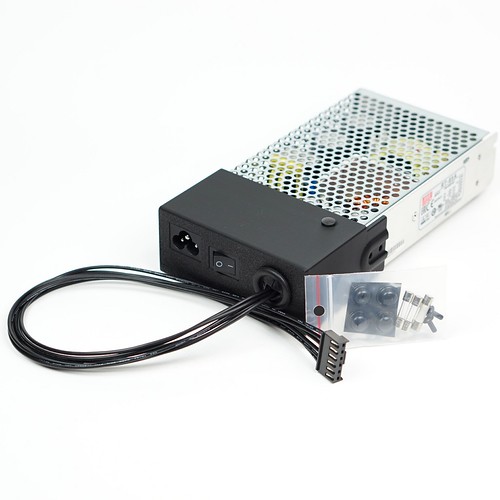
I haven't tested the Capcom I/O in such a setup. Personally, I'd power the Naomi separately and just use the HAS for the controls. You would need to power the HAS using the same power supply (just +5V/GND).I've got another question.
I've got a NAOMI NetDIMM setup with Capcom I/O and Sun PSU. I want to connect it to my HAS.
I would normally run the NAOMI with a standard cart off my HAS power (RT-125A) through the JAMMA edge.
I've been made to understand, though, that the NetDIMM can be a bit more power hungry, and should not be run in that manner.
So, my question then is- with regards to power- how should I go about setting it up?
Is it OK to just carry on using the HAS like normal? I just want to verify that having the HAS powered by its own PSU won't interfere with powering the NAOMI via it's own PSU.
Or is the HAS' power delivery sufficient that the use of the NAOMI PSU is not needed while operating a NetDIMM?


I would recommend you use SUN powersupply to power netDIMM naomi setup, use naomi's VGA output for video and for control you can use CAPCOM IO plugged to HAS or if you have other ways to get JVS inputs that could work too e.g Sega IO board, JVS to USB (MP07-IONA-US) etc.I've got another question.
I've got a NAOMI NetDIMM setup with Capcom I/O and Sun PSU. I want to connect it to my HAS.
I would normally run the NAOMI with a standard cart off my HAS power (RT-125A) through the JAMMA edge.
I've been made to understand, though, that the NetDIMM can be a bit more power hungry, and should not be run in that manner.
So, my question then is- with regards to power- how should I go about setting it up?
Is it OK to just carry on using the HAS like normal? I just want to verify that having the HAS powered by its own PSU won't interfere with powering the NAOMI via it's own PSU.
Or is the HAS' power delivery sufficient that the use of the NAOMI PSU is not needed while operating a NetDIMM?
I appreciate the advice! That's basically exactly what I'm doing.I would recommend you use SUN powersupply to power netDIMM naomi setup, use naomi's VGA output for video and for control you can use CAPCOM IO plugged to HAS or if you have other ways to get JVS inputs that could work too e.g Sega IO board, JVS to USB (MP07-IONA-US) etc.