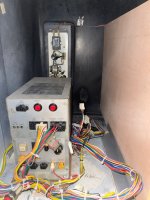
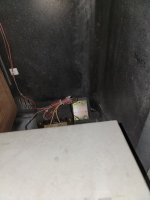
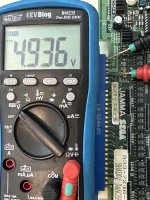
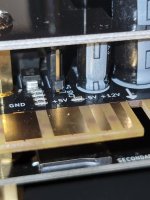
Looks like you have a NVS-4000 PSU, so your adjustment pots are the "V. Adj." section on the middle-left of the power supply. You have two on yours, labeled 3.3V (used by JVS boards like Naomi), and 5.0V (used by JAMMA boards). "POW" is the power LED that lights up when the power is on.
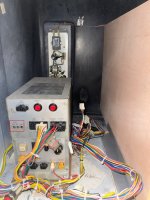
Don't go adjusting the power yet though - since you can see the MiSTer's "snow" background rolling your MiSTer is booting up fine. Your problem is video configuration, not MiSTer power.
Let's step through a few things:
- Your "MiSTer.ini" file looks to be named correctly on the SD card, so you're good there.
- Can you open up the MiSTer.ini file and confirm that line 3 has the scan doubler set to 0, and line 5 has composite sync set to 1?
Code:
forced_scandoubler=0   ; set to 1 to run scandoubler on VGA output always (depends on core).
composite_sync=1       ; set to 1 for composite sync on HSync signal of VGA output.
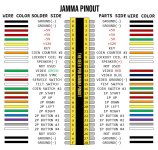
- Make sure you don't have the AC adapter connected to the MiSTercade. The MiSTercade should only receive its power from the JAMMA harness in the cabinet.
- Do you have access to a regular JAMMA game board so you can be assured that this cabinet's monitor is operating correctly? All you need is to borrow one that you can plug into the cab for a few minutes.
- You're using a Mac to setup your card which can sometimes cause weird problems since they like to sprinkle hidden files all over the card. If you have access to a Windows computer, I'd try reformatting and setting up the card again with that.