Suzuki_Bison
Student
I have two Astro Cities that are side by side, up against a wall. Recently moved my game room around (with everything revolving around the placement of my cabinets) and SUPRISE- my P2 monitor does not like where it's placed. I did some troubleshooting by turning the cabinet 90 degrees clockwise, and the issue seemingly went away- but I need the cabinet to stay where it currently is. Any recommendations for a fix? I've read about EMI blocking sheets made of copper or similar material, lots are available on Amazon, just not sure if this is my best option?
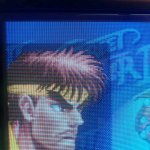
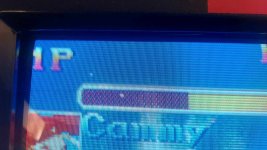
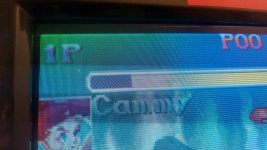
Despite the cabinets being next to each other, the P1 cab has no issues from what I can tell. There are no speakers or anything below/next to either cab, other than a wall outlet behind it, about 1 foot off the floor. Pics below comparing P1 and P2.
Despite the cabinets being next to each other, the P1 cab has no issues from what I can tell. There are no speakers or anything below/next to either cab, other than a wall outlet behind it, about 1 foot off the floor. Pics below comparing P1 and P2.



 Whoa... The more you know! In that case, would it be worth buying a Degaussing Wand? Looks like new OS Astro PSUs are selling for around $2-300, which is fine but not sure if that's necessary, considering otherwise everything is working how it should be... (?) Appreciate the responses!
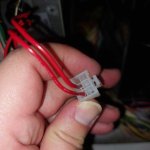
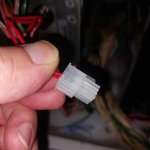
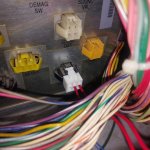
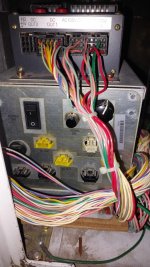
 I'll include some pics below so you can see how I hooked up the wires (I tried both wires in positions 5 and 6 just to make sure I didn't have anything crossed) and still nothing. Not sure if I'm missing something right in front of my face, or if perhaps the PSU never had the DEMAG button hooked up to begin with? Or if maybe I don't have the wires deep enough into the Molex or something? When I give them a tug, they don't budge, so I assume I have them in correctly.