Heatermania
Student
I can't get this working to save my life. Followed all the instructions to the letter, updated the firmware, deployed the CIV.Bin.... all I get is a black screen, even when using my original Tekken 5 disc.....

You loaded the correct dongle image and it got stuck on black screen? Not even the blue screen noise?I can't get this working to save my life. Followed all the instructions to the letter, updated the firmware, deployed the CIV.Bin.... all I get is a black screen, even when using my original Tekken 5 disc.....
I guess I'm going to have to redo them from scratch again because they were all extracted from scratch and given to me unsigned by krHACKen and then I ran your script on them so they should be all signed properly but apparently not I'll have to go through them and check them outSeems to me like not all the dongle images have the correct binding to their boot file
Please, take the problematic dongle images and process them with this script
It can batch rebind the boot.bin files to SD2PSPSXMemCard
https://github.com/israpps/israpps/raw/refs/heads/main/dongle_rebind.7z
Just to be sure, you may check with KELFtoolI guess I'm going to have to redo them from scratch again because they were all extracted from scratch and given to me unsigned by krHACKen and then I ran your script on them so they should be all signed properly but apparently not I'll have to go through them and check them out
Correct and I thought I had made sure every last image was rebuilt from scratch not just resigning the dongle images that were already online that were already a problemJust to be sure, you may check with KELFtool
For a boot.bin file to be valid, it needs to have the dongle user header (program will tell)
As well as 0x3 (Usa and Japan) Regional Whitelist and application type 7 (Wich means DVD player
Arcade Mechacon expects a fixed decrypted value for the kbit and KC vectors, thanks to that, rebinding/unbinding with my script doesn't need any extra work, you can pass that script Into, let's say, a freshly dumped image from a real dongle, and it will work.Correct and I thought I had made sure every last image was rebuilt from scratch not just resigning the dongle images that were already online that were already a problem
 i'm using a beasty naomi 2 power supply, and have to go to 5,3 on power supply edge to be corretly supplying 5 to 5,05 on board. And all games work like that. @El_isra is flawless i would say, and there is no need rebind anything.

Sorry, but is there a way to add files from a real dongle to psxmemcard? I'd like to add taiko 14 files with keyboard patchThis is pre-built sd card structure for 1.0.0-RC1 for SD2PS/PSXMemcardGen2 and will display the dongle name and version on the screen for easy identification.
- Instructions
_______________________________________
1. Flash sd2psxtd-1.0.0-RC1.
2. Drag and drop [MemoryCards] folder from the drag and drop package to a MicroSD card.
3. Put MicroSD into a SD2PS/PSXMemcardGen2.
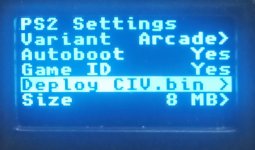
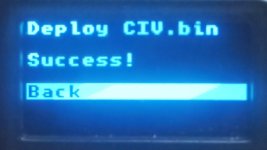
4. Deploy CIV in the menu under PS2.
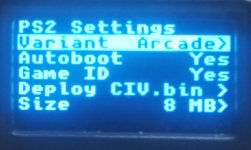
5. Change the variant to arcade in the menu under PS2.
6. Use as you would like.
!!!! Remember to check the compatibility and I/O requirements of the game you are trying to boot. !!!!
!!!! All dongles are pre-signed/bound to SD2PSX / PSXMemcardGen2 !!!!
!!!! Remember SD2PSX is not a micro SD card reader for PC so when deploying the civ.bin do not drag and drop the civ.bin where you drag and drop the firmware!!!!
- How to use
_______________________________________
1 . Power externally
2. Turn autoboot off in the PS2 settings menu
3. select the dongle you want to boot
3. Remove external power
4. Put it in your namco and Boot it like a real dongle
This should be possible because of "https://www.arcade-projects.com/thr...th-arcade-magicgate-support.32371/post-451920"
!!! I have a report of this not working through a third party multitap hooked to 256, so this warning will stay here until someone who has a PSXMemcardGen2 that is sanded down and doesn't use a multi-tap on a 256 confirms it working or broken!!!
- Link to sd2psXtd 1.0.0-beta12
_______________________________________
https://github.com/sd2psXtd/firmware/releases/download/1.0.0-beta12/sd2psx.uf2
- Link to pre-built MicroSD drag and drop package.
_______________________________________
https://archive.org/download/sd-2-psx-psxmemcardgen-2-pre-built-micros-sd.-7z/SD2PSX - PSXMEMCARDGen2 - Pre-built MicrosSD.7z
NOW INCLUDES PATCHED GAMES ON CHANNEL 12 CARDS 2-4
- Source for original dumps
_______________________________________
https://archive.org/details/system2x6
TO USE A REAL DONGLE
1. download https://archive.org/download/bound-sd-2-psx-by-name.-7z/UnBound.7z
2.Extract the files of the dongle you want using isobuster to a flash drive
3. Load the special version of wle attached
4. Copy extracted dongle files to the dongle of your choice
5. Use donglebinder atttached to bind boot.bin to the dongle or device of you choice
6. Use it