[REQUEST]: SoulCalibur2 Conquest card dumps request!

I have reversed all the relevant code for handling Conquest cards from the built-in DONGLEMAN driver found on SoulCalibur2 PS2AC05 binary

And also, I have ported all that code into the homebrew MCMAN module we have on PS2SDK, so far, I have only tested if the code for reading card pages works, and it does.

Since this subject is pretty much cooked, I've began building the program that will be in charge of converting normal card to conquest cards, as well as dumping conquest cards. From a normal PS2 (and eventually, from a system2x6 too).

Making PS3MCA capable of also creating conquest cards should be easier and faster to do, but I don't have mine at hand currently to test. So it will be done later

As I've said before, there will be an intentional delay on the release of methods for making original cards into conquest cards (~1 month), the SD2PSX firmware update that supports conquest cards will be released before this, but it requires some ironing out first.

To contribute to the intentional release delay being even more effective, spread the word, make sure everyone that might be interested on this knows that making clone conquest cards will be possible soon
 
There you go guys, the cardmaterial.bin inside you must use it as the .mcd file

Please remember to put the SD2PSX in conquest mode first, you will find it on the same menu where you chose security dongle mode

The conquest images go to the SC2 folder

One final request

When you get this working, please send me a picture of the card's conquest ID shown on the game screen

https://www.mediafire.com/folder/0sijt7zr93bhy/Conquest
 
Last edited:
Hello,
I'm really new to this system and i try to understand some basic things here:
the conquer card work as a dongle or need also dongle to boot game ?
sd2psXtd can emulate ps2 mem card but since dongle is a different format, it cant be used to emulate other dongle correct ?

Thanks
 
can this be done with a single sd2psx ? or should i get a second one just for conquest mode ?
You have 3 options
  • Buy an SD2PSX/PSXMemCard Gen2
  • Buy an PSXMemCard Gen1 (no display, no buttons. but less than half the price than gen 2)
  • Wait approximately 20 days until the programs to convert SCPH-10020 original memory cards into Conquest card is available
Note: Any licensed memory card can work: what matters is that they support arcade Magicgate so the card will work on the system 246. To test this you can use the PS3 memory card adapter, or you may also use my wLaunchELF 4.43x_isr_coh on your system246, plug the card into the second port and see if the program can browse it
 
There you go guys, the cardmaterial.bin inside you must use it as the .mcd file

Please remember to put the SD2PSX in conquest mode first, you will find it on the same menu where you chose security dongle mode

The conquest images go to the SC2 folder

One final request

When you get this working, please send me a picture of the card's conquest ID shown on the game screen

https://www.mediafire.com/folder/0sijt7zr93bhy/Conquest
I downloaded conquestcard.zip, extracted it, placed 'BootCard-1.mcd' in the 'SC2/BOOT' path, and set the PS2 mode to 'conquest', but the SC2 logo did not appear. What else do I need to do?
 
I downloaded conquestcard.zip, extracted it, placed 'BootCard-1.mcd' in the 'SC2/BOOT' path, and set the PS2 mode to 'conquest', but the SC2 logo did not appear. What else do I need to do?
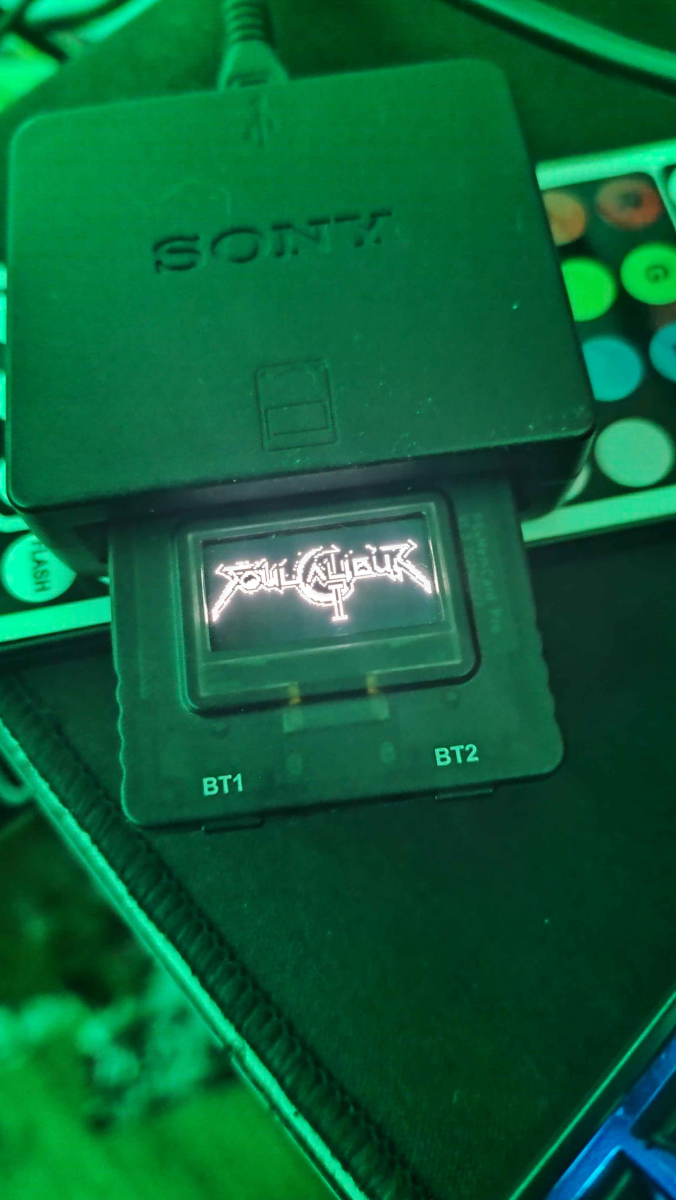
you mean this?
1758824549341.png


For that, you need the latest beta firmware, and place the contents of this ZIP file inside MemoryCards/SC2/BOOT/
 

Attachments

This is the splash i use
IMG_20250923_103450_617.jpg

Thanks to tips from me and others in the community and the hard work of isra this is now possible
 
Last edited:
Great work @El_isra!

Also wanted to confirm with owners here that the PSxMemCard Gen. 2 fits ok on the Namco 246/256 without any need for extension?
 
246: no issues
256: the plastic protecting the screen edges will be on the way of the metal plate around the card ports
Cheers for confirming.

Are there any other options or 3D printable solutions to prevent this for the 256?
 
Back
Top