

Kujako
Champion
Se seems I have a Ringedge 1, with an unknown game (seems to need a special IO to boot) and I'm wondering if there's a setup guide out there for a multi-boot? I see them for the Ringedge 2, but I assume that's not applicable to the older model. Found a "re1multi32gb" image, but for the 2's a specific drive was needed etc.
Related: Anyone know how to ID a game from the drive and key?
Bonus question: This here would seem to indicate that the RE2 multi can be made to run on a RE1... anyone have any experience with that? It may be that I'm tired, but I can't make sense of it.
Update after some sleep: OK, so what I think I can do is setup the Ringedge 2 multi system on this 120GB PNY drive and then drop in the contents of this other zip file which will overwrite the Windows setup and drivers with the Ringedge 1 stuff... I seem to recall needing to lock the boot partition or something, will have to look into it more. Also think I need to "soft mod" the RE1 to not need the dongles.
More: Found this helpful check-list.
Step 1: Use HDD Raw Copy Tool (http://www.hddguru.com/software/HDD-Raw-Copy-Tool/) to write the image to an appropriate ssd from the approved ssd list
Step 2: Copy the RE1 patch to the main os partition (windows file permissions are a bitch use linux, delete the files being replaced first to make room if necessary)
Step 3: Decrypt the game partition using the key file stored at C:\RE2Multi\RE2Multi.key and add games
Step 4: Use victoria 4.76b (http://hdd.by/Victoria/Victoria476b.zip) to lock the drive using the proper key for your drive
Step 5: Ready to play
PNY CS900 120GB SSD - (SSD7CS900-120-RB) Key: 0242826a1253ca5bf242ea78d263524ab213d22a0a460be66a467f865c8a5a86
Inland Professional 120GB SSD - (4335233676) Key: 324152498a530248ea42fa4aca42da4a2a223a2a0a221a2a6a027a0a4a025a0a
Crucial BX500 120GB SSD - (CT120BX500SSD1) Key: 3250aa589242b259f273627b2273da4a2a223a2a0a221a2a6a026b6e5bce4b86
TDK RS2, RS3 SSD - (OEM Sega) Key: 7242525ABA526A5AEA726278CA42DA4A2A223A2A0A221A2A6A027A0A5CCE4A0A
Still fuzzy on step 3, and I think I need to remove the key fob dependency.
Related: Anyone know how to ID a game from the drive and key?
Bonus question: This here would seem to indicate that the RE2 multi can be made to run on a RE1... anyone have any experience with that? It may be that I'm tired, but I can't make sense of it.
Update after some sleep: OK, so what I think I can do is setup the Ringedge 2 multi system on this 120GB PNY drive and then drop in the contents of this other zip file which will overwrite the Windows setup and drivers with the Ringedge 1 stuff... I seem to recall needing to lock the boot partition or something, will have to look into it more. Also think I need to "soft mod" the RE1 to not need the dongles.
More: Found this helpful check-list.
Step 1: Use HDD Raw Copy Tool (http://www.hddguru.com/software/HDD-Raw-Copy-Tool/) to write the image to an appropriate ssd from the approved ssd list
Step 2: Copy the RE1 patch to the main os partition (windows file permissions are a bitch use linux, delete the files being replaced first to make room if necessary)
Step 3: Decrypt the game partition using the key file stored at C:\RE2Multi\RE2Multi.key and add games
Step 4: Use victoria 4.76b (http://hdd.by/Victoria/Victoria476b.zip) to lock the drive using the proper key for your drive
Step 5: Ready to play
PNY CS900 120GB SSD - (SSD7CS900-120-RB) Key: 0242826a1253ca5bf242ea78d263524ab213d22a0a460be66a467f865c8a5a86
Inland Professional 120GB SSD - (4335233676) Key: 324152498a530248ea42fa4aca42da4a2a223a2a0a221a2a6a027a0a4a025a0a
Crucial BX500 120GB SSD - (CT120BX500SSD1) Key: 3250aa589242b259f273627b2273da4a2a223a2a0a221a2a6a026b6e5bce4b86
TDK RS2, RS3 SSD - (OEM Sega) Key: 7242525ABA526A5AEA726278CA42DA4A2A223A2A0A221A2A6A027A0A5CCE4A0A
Still fuzzy on step 3, and I think I need to remove the key fob dependency.
Last edited:


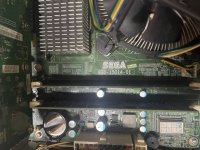
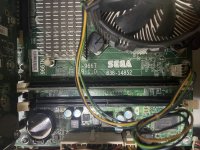
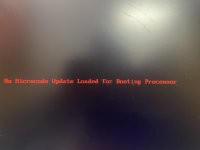
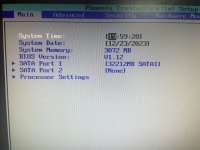
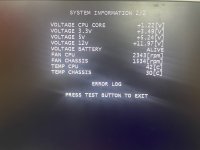
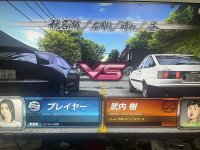


 ...can anyone tell me, if there is a way to add and run Ringedge/ringwide shooters or racers?