Super street Fighter 2 garbled sprites

The results you are seeing points to an address line issue to the ram chip at A3.

ignoring the top byte of the address
Code:
0x80A0 = 1000 0000 1010 0000
0x80B0 = 1000 0000 1011 0000

0x8264 = 1000 0010 0110 0010
0x8274 = 1000 0010 0111 0010

When you wrote the data to the lower address it ended up at both locations. The difference between the 2 address locations is bit 4, this is indicating that bit 4 of the address is likely stuck. I believe that should correspond to pin 6 on the ram chip. I would check that pin and see if its stuck high or low or maybe its just floating.
 
It's certainly is an address issue.

But the ram addresses share the same bus. If a pin was stuck, wouldn't both rams be affected?

And why is not adress 0x8294 affected?
0x8294 = 1000 0010 1001 0010

I can also see that pin 6 (A4) is pulsing on both chips. (And so are the rest of the address pins as well.) So either the adress pulses are not accurate or the ram is corrupt.

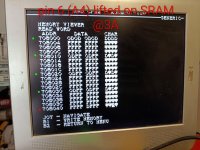
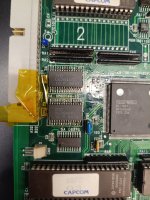
To investigate this I lifted pin 6 (a4) on the upper ram at 3A.

IMG_20260724_124322~2.jpg
The green dots indicate that data is adding up as I increase the value. Address pin 6 (A4) is lifted (always low) but even adress 8020 is affected. But not address 708040 (red dot). That adress has been FFFF DFFF all the time.

Address hex. Address bin.
8000. 1000 0000 0000 0000
8010. 1000 0000 0001 0000
8020. 1000 0000 0010 0000
8030. 1000 0000 0011 0000
8040. 1000 0000 0100 0000

(Sorry for writing all this. LOL! I guess it is a way for me to explain for myself.)

Address 8040 has bit 3 and 4 low - therefore it does 't change as the others.

This indicates that a3 is also corrupt somehow. So I lifted a3 on upper ram and this led to that some of the characters that had been blinkning previously stopped doing so.

Long story short: I need to change ram. If that doesn't help I'll need to check what dl1827 does.
 
Last edited:
  • Like
Reactions: ack
Today I got the RAM-chips. Ordered from ebay and chose ZMD instead of fujitsu. Swapped only the upper RAM @3A.

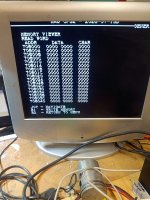
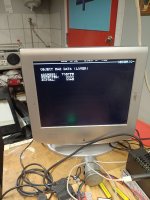
Ran the memory viewer which now looks like this:
IMG_20260730_001733.jpg

Did a RAM-test which passed and then put in the original program-Rom and soldered back pin 1 and 7 on the PIC-chip (I desoldered these by trial and error since the diagrom refused to boot with the PIC. First I did pin 1 (power) but that didn't suffice so desoldered pin 7 which did the trick). Edit: I bet that desoldering pin 1 is enough - but you have to short the capacitor in the battery area - otherwise the decryption key lingers.

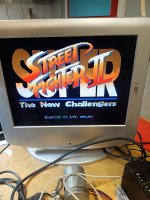
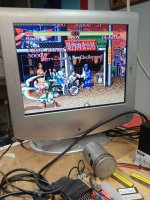
Booted to a perfectly running game.
IMG_20260730_002247.jpg

Big thanks go to @ack for his support and awesome MAD-ROM!
 
Last edited:
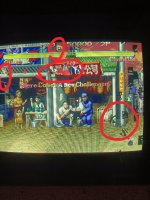
Oh crap. Ran the game for maybe one hour and then new glitches appeared in the object layer.

Will run the memory viewer and probably change the other RAM at 4A.
 

Attachments

  • IMG_20260730_011927.jpg
    IMG_20260730_011927.jpg
    225.4 KB · Views: 13
Last edited:
Back again.

IMG_20260730_013446.jpgIMG_20260730_015725.jpgIMG_20260730_015927.jpg

Game just booted up. Runs fine on test bench.

I wonder why it suddenly broke in the first place. Checked the 5V supply in my Capcom q-sound cabinet, a Hantarex us150 psu. It looked really clean, even under load, no ripple or anything like that.

Perhaps this is/was just a case of Fujitsu?
 
Back
Top