Unified Namco246/Namco 256 'multi' setup - SYS2X6, SD2PSX, ODE v1-3

Maybe adopt the SD2PSX variant? (but you have 3 buttons not just two)

- Both buttons = configuration menu (if one is required somewhen)
- the select button can be a "enter a directory"
- long press on the upper button / lower button = back
- or add a ".." item which needs to be selected to go back

Besides "only files on the usb drive" ... maybe add some filter in the webfrontend which is reflected to the OLED. f.e. not everybody wants to see games which require special hardware (f.r. driving games)
 
Btw if possible add a update function in the web gui. That way we dont need to reflash the image everytime and it should be easier to deploy for you (i guess)

And maybe an idea is to add openjvs to the image to add other external controllers (wheels, lightgun etc) ... but i am not that deep into the games yet - i am familiar with sega noami stuff ... will write to you some stuff in detail in PM regarding this. (somewhen tomorrow)
 
Btw if possible add a update function in the web gui. That way we dont need to reflash the image everytime and it should be easier to deploy for you (i guess)

And maybe an idea is to add openjvs to the image to add other external controllers (wheels, lightgun etc) ... but i am not that deep into the games yet - i am familiar with sega noami stuff ... will write to you some stuff in detail in PM regarding this. (somewhen tomorrow)
I thought about the auto refresh - and it would be easy to do as I can put this out in github - but i was thinking that most people only run this in hotspot mode, and won't have it connected to the internet (which I would recommend, its running a very old version of dietpi). Maybe I can have an "update" package that you can upload to it - and it can update itself.... that will be more complicated, but I will add it to the list.

Once everything is nailed down - it really shouldn't be changing much.

Good idea on openJVS - haven't messed around at all with that (but have on the Naomi side).
 
OpenJVS might be somewhat difficult the way it is setup now - because you need to plug a) the rpi into the Namco246/256 and b) a joystick, etc. into the rpi - with just 4 ports, and already 2 taken up (one for security dongle, one for the ODE communication) you would almost need a usb hub or something.... I will keep thinking about it.
 
I dont know if is anoying to always provide two images?

I would -always- provide one current 2x6 image which is default set to 246. Add a setting menu (on maybe long press? two button press?) to the OLED Display where i simply can toggle it to 256).

I would add an github and update logic (which can be selected by the OLED too). If on hotspot only output an error info. This should be optional and i wouldnt update the image files right away, but in regular intervals (the git project could contain minor updates until the image is updated again)

I think for you it takes time and upload time/space to always build an image and for me / the user it means opening the 2x6, pulling out the SD card (which most the time sucks because of the position), write the image, put the card back in, wait for resize) ... takes a lot of time

I prefer the OLED menu, since it is direct and fast, but don't mind the webui, which can be a bit more detailed and fancy. Depends purly on the own taste and setup. Both should be kept.

Openjvs: After early shower thoughts today i would NOT move it into the image:
  • space in the 2x6 is limited and adding another 2x USB cables = no way.
  • openjvs and the other stuff which is required needs 64bit and a more later linux version. : I would adopt a single pi with the work currently happening in the noami project to provide a standalone variant. Will test this out in the future, but openjvs shouldnt be part of this)
Regarding DietPi : in the noami project - chunkins work has been forked and overhauled to a current version (i think debian was choosen) which provides much more flexibility - If you want i can connect you to the guy who did all the work and maybe you can adapt anything. Not sure if this would provide anything "better" to this project since i dont see any problem right now with the old dietpi version.
 
2 more updates - now off to bed.

Version 2.10
  • Added the ability to check for an OTA update and apply from the OLED panel.
Version 2.13
  • Added the feature of saving the last successful home wifi SSID joined - after that, you can switch between hotspot mode, and joining that wifi SSID from the panel with just a push. There is also the option to just turn wi-fi off as well - some folks might just want to leave wi-fi off if they don't use the webUI and only turn on wi-fi when looking for OTA udpates. This means that you only ever really have to go into the webUI once to join your home network (as trying to enter a SSID password on the little oled panel would be way too difficult).
 
Awesome work!
  • Direct Update is working nicely! Love it!
  • I just love the OLED selector now ... it is just so much better than before.
  • My 2x6 are running now and i will go into game testing, i noticed some games behave weird (error messages) but will load after a reboot (havent tested reset yet). Since this may not be new knowledge it should be collected in a place. I would recommend the installed website on the pi to add this information like "if you see error xy / game does not load and you see xy do a reboot". just additional information to the game people can read. Or MAYBE an overview of games which either need special JVS hardware or behave strange on hot boot. (i think i like a single overview page better, but not sure). Anyhow i will write down some of that stuff and add it to this forum thread.
I tested 2.08 and 2.13 update. Some stuff may be already fixed by 2.13:

## OLED
  • I like the display of the back button but somehow i feel it can be done better. Not sure how. I only mean the graphic/text which is displayed. If you dont feel this: Leave it as it is :D
  • There should be a "new update!" info on the OLED (an icon or something which is not annoying) and if i press it (Update yes/no) and it updates it. My main selector will be the OLED not the Website
  • There should be a "Favorites" menu on top, if favorites are selected
## Website:

Using an Old Ipad Mini with an old safari version (not tested on other devices yet):

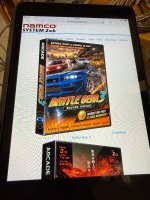
IMG_1418.JPGIMG_1417.JPG
  • The images of the games are way too large
  • On some images the link into the submenu (multi item) is not beneath the image, but besides
  • There is no "back" to main menu link on the top of the sub list
  • Maybe add a grid view to the current images? or add an alternative "logos" view
  • the "Are you sure" dialogs are too small and hard to click
  • The website content itself scrolls into the top menu (top menu does not have a background)
  • On some submenus there is a 3-dot menu (in the upper right) instead of the upper menu.
  • The Game page should contain which controller type the game requires (not sure if i missed it and it is already there, just crossed my mind)
## Website && Update:
  • The update page shows a long long long text of i dont know what - There should be only the changelog of the changes between the installed and last version or maybe nothing
  • After Update there is a "reboot" button which reboots the pi. The website should not stay on reboot.php - After page refresh i rebooted the pi again :D (same with some settings f.e. wifi)
  • There should be a "changelog" wegpage which lists all changes - I love to read those
## Website & Wifi:
  • Wifi page scans for SSIDs but cant find any (i guess because of the hotspot mode). Should be an manual scan logic anyway.
  • On the 256 i -think- i accidently set the wrong password. There is no warning and there is no fallback on wrong settings. I even don't know how to reset this (havent tested if i can reset it with the OLED).
  • On the 246 i had to boot 3 times to get my own SSID setting working, but i am not sure if i caused this by reloading the wifi page (after the wifi setting it should go back to the main back and reboot then)
  • the basis hostname should be not that long. i would change it to "2x6.internal (.local is not really "valid" for that purpose, ICANN set the real "local" TLD to .internal a couple months ago - see https://en.wikipedia.org/wiki/.local)
  • i would love to see that i could configure the hostname (since i run multiple 2x6)
 
Thanks for the all the feedback - I will dig into some of this later today. I don't use the webui much at all - so I think we can make that better and more mirror the design patterns of the OLED.

Right off - yes - if you are testing and swapping games around - sometimes you run into a game that just won't load, but will with a reboot. The current theory on this is that some games use the FPGA onboard, and program it - and very few of them clear the FPGA (because in the arcade, these are always starting from a power off position (not soft reset)). Sometimes the FPGA messes with the game, if it doesn't use it, or doesn't expect it to be running, etc. A clean hard reboot solves these issues.

Wifi - let me work on the webui for that a little bit more - the scan does happen, but I think it needs to listen longer - sometimes when I hit it, that list doesn't populate, and sometimes it does.

Hostname - will beef up the webUI a bit for that, should be simple.

Update page should show changes - but it shows all changes from your version to the latest - let me see if I can make that less verbose - and a changelog is a good idea.

reboot webui page - YES, that has bitten me many times - I will change that.

Matt
 
On my 256 i got following problem:

  • I wanted to load tekken 5.1
  • game boots, but after the JVS testing i get "invalid 256 mode" (dont have the exakt error message right now)
  • The 246/256 of the motherboard is connected to the 246/256 pinout of the I/O with dupon wires. Even changed those to rule out connection issue
  • If i set the jumper on the 256 directly on the motherboard the game loads , so it must be either an I/O or software issue
  • How do i debug this?
  • the Pi image is set to 256 mode.
  • Is it correct that the Pins on the I/O dont need a manual jumper and the mode is set by the pi?
  • how do i debug this? (if it is a software or hardware issue)
  • (right now i am looking if i got all components here to build another I/O to rule out that is something wrong with the I/O)
  • something is "wrong" with the rest too (maybe because something is not set correctly to the 256 mode):
    • On the first boot up the 256 hang after the fs resize, while the 256 rebooted fine
    • after pushing the reset button on the I/O the running game freezes (the image freezes, still image of the game) and nothing resets)
 
that is interesting - yes, that has worked consistently for a while - are you sure you have the wires hooked up in the correct order - 246 wire on the mobo goes to 246 side of the 3 pins, etc?

I also just use 3 dupont wires from that jumper block over to the back part of the control board - send me some pics?
 
Yes it is wired up correctly. Checked it like 10 times, tested with different dupon wires, changed even the romchips between 246 and 256. and yes i even tested it in reverse :)

Does it still work for you in 2.13? - if so i have an I/O issue best guess is that both chips on both of my i/o s are faulty. Since the logic on the i/o is not rocket science :D (gpio connect to the chip, chip is kind of relaise/multi switch)
 
Yes it is wired up correctly. Checked it like 10 times, tested with different dupon wires, changed even the romchips between 246 and 256. and yes i even tested it in reverse :)

Does it still work for you in 2.13? - if so i have an I/O issue best guess is that both chips on both of my i/o s are faulty. Since the logic on the i/o is not rocket science :D (gpio connect to the chip, chip is kind of relaise/multi switch)
did you change the mode to 256 mode in the UI - yeah, you must have, since you are seeing 256 games.

Send me a photo of your OLED control board - both front and back?
 
Yes it is wired up correctly. Checked it like 10 times, tested with different dupon wires, changed even the romchips between 246 and 256. and yes i even tested it in reverse :)

Does it still work for you in 2.13? - if so i have an I/O issue best guess is that both chips on both of my i/o s are faulty. Since the logic on the i/o is not rocket science :D (gpio connect to the chip, chip is kind of relaise/multi switch)
I am on a newer version now - but yes, 2.13 def was working fine - all my testing right now is on my 256 - no 256 game will boot if that jumper isn't set one way or the other correctly.
 
If i remove the dupon wire and set a jumper on the mobo:

- if i set it to 256 it boots all 256 games
- if i set it to 246 it boots to 246 games, but displays error on 256 (wrong mode)
- if i remove the jumper it behaves like the 246.

Since it works for you i will test my hardware if anything is wrong with it. Thanks for the feedback that it is not the software
 
Yes - sounds like a hardware issue on the oled board you have. I assume you built the same one BladeZX put out there - so it has the small IC, a cap, a resistor and the switches - other than a cold solder joint, not much really that can go wrong on that guy.
 
@Orakelschaf when you get a chance, do an update - the webUI looks much better - and I changed the "sub-menu" look and feel - working with just a monochrome 128x64 screen only gives you so much room!

Version 2.14
  • A bunch of webUI changes - should look good on anything now (computer, ipad, iphone) - also under options is dark/light mode, better help page.
Version 2.15
  • Rebuilt the WiFi webUI and all the scan functions - should be much more functional - changing wifi modes/SSID's, turning wifi on/off - none of that triggers a reboot anymore.
Version 2.16
  • Changed the way you can tell if you are in a sub menu - now, the top bar shows what the submenu is. The top bar also shows you if the network connectivity is off, or if an update is available.
  • You can now select to view just your favorites from the OLED - the banner at the top changes to show "Favoirtes"
 
My 256 is running now. The I/O had some missing solder pads (my fault) - rebuild it and swithing modes is working. Afterwards my 246 stopped working and wasted a couple of hours debugging. Rebuild the I/O, reflashed the pi, changed to a differnt by, checked everything ... unti l checked the ODE3 FW. : 509 ... had a facepalm moment. Flashed back to 508 (which took like 5 tries) and everything started working.

It was already really late yesterday. I only had a fast look at the webui which looks much bettert now!

I checked it again on my old ipad (some issue may not relevant since i dont use a current browser), will do a proper webgui check later:

- the 3 dot menu wont close after opening (clicking on the menu icon again)
- in the Grid view the images are still full page size images. (maybe the grid is not working on that old ipad?)
- in the list view the image is right next to the image. It needs space

- right now the favorites seem to be a toggle. Either full list or favorites. I want both ... just a favorites folder above the list.

- ON the OLED menu in the settings i really get confused about the selection stuff. Sometimes you have to select 2 times and sometimes the selection is white backgrounded
- There should be a "hey there is a new update" somewhere ... can be even just a dot in the upper corner of the Display. Just something which lets me know that i should update (without checking this thread)
 
Back
Top