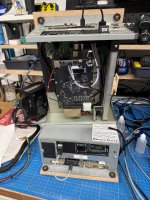
Unified Namco246/Namco 256 'multi' setup - SYS2X6, SD2PSX, ODE v1-3

mathewbeall

Enlightened
Joined
Nov 6, 2017
Messages
2,376
Reaction score
2,030
Location
Mission Viejo, CA, USA
Hi Folks!

Lots of fun work this weekend. I have built a huge new version of the Namco Multi config that works on both the 246 and the 256. You *do* need an ODE from @electric_monk (v1/2 or v3 (fw version .508 )) and you DO need either a SYS2X6 security dongle from @brizzo (this would have to be found used) or a SD2PSX this is the one I got and tested with: https://www.amazon.com/dp/B0F1V55SRM?ref=ppx_yo2ov_dt_b_fed_asin_title). The important part is that the SD2PSX card has a usb serial connection on the front (this one does). The SD2PSX is likely the preferred method going forward because it's faster (dongle files are on the sd card - very quick), its available, and its fairly inexpensive.

What are the new features of V2.0?

  • AUTODETECTS if you have a V3 ODE, or a V1/V2 ode (will need more folks to test this) - and what USB/SD port the images are loaded on!
  • AUTODETECTS what security dongle you are using!
  • Go to the Options sections on the webUI to see what was autoselected, and that is also where you can change hardware models
  • Options sections - there is a download button for logs - if you are having issues - please download the logs and send them over to me - so I can try and figure out what is going on. Obviously I only have my hardware here that I can test on, and hopefully I covered most of the bases
  • V1/V2 ODE auto filters out the hard drive based games
  • Now monitors the ODE via serial after commands are entered, as well as the progress of the SYS2x6 dongle load to give feedback on both interfaces (LCD/Web) if one of those loads errors out you will see an error message and it will keep the system in hold mode.
  • Visual progress on the dongle load on both interfaces (lcd/web)
  • Reduced load time as much as possible so that it holds the system at reset now about 6-8 seconds into boot
  • Reduced time across the board (aside from sys2x6 dongle load) to load new games
  • Some games weren't showing in the web interface, now ALL games are showing in the web interface
  • Added graphics for all games in the webUI - sorry, this isn't my area - some of them are ps2 game covers - if anyone wants to really go through that and curate a better list, send em over, and I will get them on it - but at least for now, everything has a graphic (web UI)
  • WebUI is more streamlined - when you pick a game like Soul Calibur - you can see that it has 7 versions, and when you select it, you then pick which version
  • Lots of little changes to make it more robust

Here are some links to the earlier threads with 3d files depending on the ODE you have.


For the images:

You will need to get the DVD ISO/HDD images from either of the below links - these are put on the 256GB thumb drive

If you have the SYS2X6 - nothing needed, those dongle images are already on the rpi images (below).
If you have the SD2PSX you will need to get this prebuilt card image here and put onto an SD card and insert into the SD2PSX


Raspberry Pi Image:

https://mega.nz/file/QqIWTQpC#TREeMIWOHGbCsC3yqSSuciekHAooLzA_Yt_tB2IMZmA (Ver 2.25)

These are pi-shrunk - you will need at least a 16GB (maybe as low as 8GB?) card to image these onto - first boot will take longer (about 2-3 minutes) as it expands the filesystem to the entire SD card - the larger the card, the longer this takes. If you have the LCD hooked up to the Rpi via the helper board, you will see updates on status there. Once its rebooted - select a game so that it can write/select the dongle and select the disc, and you should be in business!

Quick Reminder: Remember that some of the games program FPGA chips on the board, and not every game clears those FPGA's on boot (the soft reset doesn't clear them either) so as you are flipping around between games - if a game won't load - turn the system off for 10 seconds and back on - it will likely load at that point.

WIFI hotspot SSID - Namco2x6-Pi, password: 2x6multi
local hostname: rpi-namco2x6.local

@Franco23444, @twistedsymphony, @ShootTheCore and a host of others will want to check this out - even if you are just running the old setup - ODE_v2/SYS2X6 - this is much more stable and robust. Thanks @El_isra for your work on the SD2PSX!

UPDATE: V2.5-V2.8.

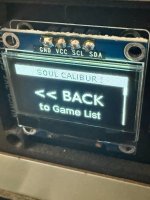
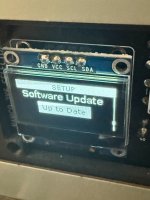
  • Common design patterns on the OLED - a quick tap on up or down goes up or done once. a long hold (1s) on up takes you all the way to the top of the current menu, and a long hold on the down button takes you to the bottom. if you are in a submenu - BACK is always at the top, and is denoted by a bar on the left side of the OLED. SETUP is located at the bottom of the top level menu (more on these options further down). On the right side is a scrollbar that shows the current menu and your position in it.
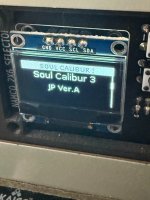
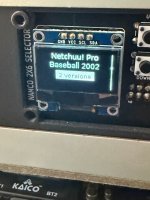
  • OLED panel now has games grouped by name - you hit the select button to navigate into the submenu (noted by a left bar on the oled) - and you can select the variant from there.
  • to get out of a submenu - go to the top of the current menu and select "Back"
  • the game list will be very specific to what ISO/HDD images you have on your usb stick, it won't list any game where the ISO/HDD isn't there
  • In the webui, under filters, you can select/deselect controls - so for example, if you wanted to hide all games that need touchscreen hardware you can just deselect that option. It defaults initially to all selected
  • After first boot is complete, it will hold system in reset with a message that says "Choose game"
  • When game is loading, the up/down/select buttons are disabled
  • The Gundam games are in their own collection now
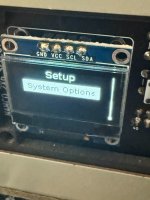
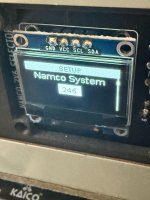
  • SETUP menu at the very bottom of the top level menu - this shows you what version you are on, ability to change back to hotspot mode (if you are in home wifi mode), if in home wifi mode, you can see the ip address, reboot, shutdown options, and the ability now to change the 246/256 setting. For this reason - there is just one image now - and it defaults to 246. If you are deploying this to a 256, go to the setup menu (or the webui) and change the system type to 256.
  • For anything in the setup menu, when you select, as an example, to reboot - the first screen will be "cancel" in case you accidentally hit that - select will then take you back a level. If you do want to actually perform a reboot, just hit the down button, and select "yeah, i really want to do this".
  • This image will be the last image (I think) that you will need to pull your SD card out and reimage. From this point forward all updates will happen OTA - to enable this, you will need to join your Namco246/256 to an SSID that has internet access. Once its up and running on a SSID that has internet access, go to the webui and go to Options -> Software Update, and it will check to see if a newer version exists - if it does, you can just ugprade from that menu and reboot the system. I would HIGHLY RECOMMEND you don't keep this system connected to the internet, after this upgrade I would recommend flipping it back to hotspot mode.
  • Graphics in the webui were created by "Stuartc49" over at emumovies.com (https://emumovies.com/files/file/5521-namco-arcade-25d-custom-box-fronts/). I pulled them down and didn't modify/change them at all - I assume they are public domain, but if not - someone can just tell me and I will remove them.

Version 2.9
  • Taiko games are grouped into a sub menu.
Version 2.10
  • Added the ability to check for an OTA update and apply from the OLED panel.
Version 2.13
  • Added the feature of saving the last successful home wifi SSID joined - after that, you can switch between hotspot mode, and joining that wifi SSID from the panel with just a push. There is also the option to just turn wi-fi off as well - some folks might just want to leave wi-fi off if they don't use the webUI and only turn on wi-fi when looking for udpates. This means that you only ever really have to go into the webUI once to join your home network (as trying to enter a SSID password on the little oled panel would be way too difficult).
Version 2.14
  • A bunch of webUI changes - should look good on anything now (computer, ipad, iphone) - also under options is dark/light mode, better help page.
Version 2.15
  • Rebuilt the WiFi webUI and all the scan functions - should be much more functional - changing wifi modes/SSID's, turning wifi on/off - none of that triggers a reboot anymore.
Version 2.16
  • Changed the way you can tell if you are in a sub menu - now, the top bar shows what the submenu is. The top bar also shows you if the network connectivity is off, or if an update is available.
  • You can now select to view just your favorites from the OLED - the banner at the top changes to show "Favoirtes"

Please continue to do testing and give me feedback on bugs.

Attached are some pictures of the new interface look and some of the setup options on the OLED screen.
 

Attachments
  • IMG_0361.jpeg
    IMG_0361.jpeg
    129.1 KB · Views: 13
  • IMG_0362.jpeg
    IMG_0362.jpeg
    135.6 KB · Views: 12
  • IMG_0363.jpeg
    IMG_0363.jpeg
    125.5 KB · Views: 11
  • IMG_0364.jpeg
    IMG_0364.jpeg
    118.4 KB · Views: 12
  • IMG_0365.jpeg
    IMG_0365.jpeg
    123.7 KB · Views: 8
  • IMG_0366.jpeg
    IMG_0366.jpeg
    129.6 KB · Views: 11
Last edited:
I updated the 246/256 images late last night - mostly all behind the scene things to shore up some loose ends. Also rewrite the help page on the webUI to be more specific to this version.

I don't foresee making any more changes unless to fix bugs at this point.

Matt
 
Hey Matt,

thanks for all the work you put into this!

I started my 2x6 journey somewhen 2 years ago where i bought all the fancy stuff (ODE, 2SPX, Frontpanel...) but had to wait for the current solution. In the last couple of days i upgraded/put everything together and somewhen started testing. Have still to figure some stuff out since i am not familiar what it should or shouldn't do (thats why i haven't posted anything to this topic yet, but i am really really grateful that you, @El_isra and others put time and knowledge into this!)

Right now i own a 246 and 256, Both run with ODE3 (Firmware 509), and SD2PX (latest firmware), with latest image on the pi (with Dongle and Games from the mentioned packages on the first post).

Currently i run 31khz output through a ossc to see if i get an output.

- Automatically - selecting the Dongle on "SD2PX" works
- Loading image works.

After the Screen shows the game title most the time i get either a blank screen (with a resolution showing on the OSSC) or some loading stuff which "hangs". I got some games loaded on the 246 (not all) but 99% games dont load on my 256.

- How long should a game load and what are the indicators for a finished load?
- Is there a way to live debug a game loading (i am familiar with linux and pis ... and guess i can ssh into the pi and check a log?)
- i will test more and not sure what my current problems is (can be even hardware fault)

... anyhow just wanted to say 1000 thanks to you and all who worked on that stuff and didn't want to wait any longer, even if i am not there yet with my setup to fully test everything

thanks!

IMG_1399.JPG
 
Last edited:
For troubleshooting - its important to always rule out the multi and make sure your system boots the game on its own with as few variables as possible.

I would pick soul calibur 3 because it loads pretty quick, and I know that it supports 31khz (not all games support that btw - and will start in 15khz). In fact, if you can run at 15khz during testing, you will get more feedback on your TV since alot of the bootup sequence, etc. is @ 15khz RGBS. Also - upon bootup - you should also hear a series of bells - I think 4 or 5 and usually the initial boot screen is a solid blue.

Since you have the SD2PSX - pull it out, and hook it up to usb-c power and make sure its selected card 9, channel 3, and you will see the name "NM00031 SC31002-NA-A, Ver.A10 a026201337751a" scroll by at the bottom. Once you confirm that - put it back into the 246/256 and leave the usb-c cable unplugged.

Get another usb thumb drive and JUST put this file on it - NM00031_SC31001-NA-DVD0-B.iso. Then plug that into the ODEv3 (when the ODE boots up and has a thumb drive with just a single file on it - it auto loads it).

unplug the power from the rpi, and unplug the reset cable. If you are testing the 256 - make sure you put the jumper in the 246/256 position appropriately.

Then - boot up your system - and see if it works - this tests the base system with no multi involved. Let me know your findings. You can do this with any other games you want to test just straight up.

To answer your other questions - game load times vary - but no game should take more than 5 minutes to load. The easeist way to debug a load (although error conditions SHOULD be caught and displayed) is to go to the webui->options, and download the debug file and go through it - you can also send me the file and I can look through it.

Matt
 
Thanks for the write up!

First thing to to do is hook up a monitor which handels 15/31khz native to elimate a possible issue with the OSSC

I can and will follow the single iso/security dongle route, (small) but: I got an oled display on the ODE3 and watched the display on the SD2PSX - both are selected correctly. - I guess that will not change anything, but i will test it.

Regarding the jumper an the 256. - Maybe i did something wrong here: The 256 has a jumper on its motherboard for 256/246 itself (or was it a pinheader output.. not sure anymore) where i connected the Jumper pins of the I/O too. Was that a mistake? (have to look at it to check what i have done there)
 
The 246 just has a reset wire, the 256 has the same reset wire, but also the 3 pin header for 246/256 selection - this is normally a jumper you move back and forth depending on the game you are playing on the 256.

If the ODE has the right image, and the dongle is correct - its likely an issue with the reset wire, or a hardware issue on the 246/256. But - testing w/o the multi in the mix will settle that.
 
I connected a 3 pin wire between the "mode" Pins of the Multiselector and the "256/246+"-Pins of the 256-Motherboard. Is this not correct? Do i still need to set a jumper?

You will need to solder on a wire to your reset location on your Namco 246 or 256 as well as make a 3 wire jumper to connect to the 246+/256 mode on the Namco to the multi pcb. - Source
 
I connected a 3 pin wire between the "mode" Pins of the Multiselector and the "256/246+"-Pins of the 256-Motherboard. Is this not correct? Do i still need to set a jumper?
That is correct - make sure its oriented correctly (246 side, 256 side).

when you do the test WITHOUT the rpi - you will need to drop a jumper there so you can do the selection manually.

Matt
 
another quick question - I see your thumb drives are labeled "246" and "256" - the images on both are exactly the same right? There really isn't a difference for the thumb drive, its just everything.
 
This took me a couple of hours to figure out: the USB drive was in exFat, reformatted it to FAT32 and everything started working *facepalm

Not sure if exfat ist the issue here or blocksize, or whatever ... formatting it to FAT32 seems to solve the issues but have to run some more tests in the next days.

With exfat:

- the 256 booted to the "Start Program". Loaded all 9 dots and crashed
- After removing the reset wire it crashed right after finishing the JVS check
- The 246 booted just fine into the game, but crashed after a couple of minutes (5-10 min)
- Crash : Black screen and the red light on the ODE V3 is permanent

- side note: flashing the ODE with a new firmware: remove the reset wire, otherwise the update will hang.

- i couldnt narrow it down to the usb drive since i tested an older USB2 drive already formatted with FAT32, which caused the same symptoms (guess that usb drive was just nocht compatible). All symptoms were 100% reproduceable and exact the same everytime.

- All drives were tested showed up on the ODE and images could be selected and started loading

another quick question - I see your thumb drives are labeled "246" and "256" - the images on both are exactly the same right? There really isn't a difference for the thumb drive, its just everything.

i know :) - It is just something to keep me insane with multiple usb drives floating around and for testing purpose like today. this way i know which usb drive is which in case of hardware malfunction etc

Edit:

If i use FAT32 i can not copy the files larger than 4GB on it so that cant be right either. Is this a clustersize problem? Do i need to use a different usb drive? - have to test this.

Edit2:

This is what AI told me about the issue. Maybe the bot is correct. Will test this:

The crashes and read errors with exFAT on the Tattiebogle IDE Simulator are primarily caused by two issues:

  1. Cluster Size Exhaustion: exFAT defaults to large allocation unit sizes (often 128KB or more on large drives). The Cortex-M3 microcontroller in the emulator has limited RAM and cannot buffer these large clusters, leading to read failures.
  2. File Fragmentation: The embedded exFAT driver in the firmware requires files to be perfectly contiguous. If a >4GB game file is fragmented across the storage blocks, the emulator fails to read the cluster chain and crashes.
Solution:

  • Reformat the USB drive to exFAT, but manually force the allocation unit size to 32KB.
  • Copy the game files to the freshly formatted drive one at a time to ensure they are written entirely contiguously.
 
Last edited:
I just checked my thumbdrives - they are formatted exFAT - because some of the HDD images are well over 4GB - one is 22GB I think.

I am wondering if maybe you should try another thumbrive? For what it's worth, I am using this one: https://www.amazon.com/dp/B07857Y17V?ref_=ppx_hzsearch_conn_dt_b_fed_asin_title_39&th=1

Remember that when the 245/256 first "boots" - its booting and loading code off of the memory card - after a bit - it will hit the dvdrom/hdd for content, etc. So if you are getting something loading up initially, you can at least know that the memory card piece is working.

Also - my ODEv3 firmware version is .506 - you are running a later one that me - if you link that over to me, I can test with that.

Matt
 
I will run more tests later tonight, shall i write the outcome here or use one of the other threads? (since we are kind of offtopic here)

- i tested with same USB Drive with 32kbit exfat - the crashes are different (but repeatable and 100% always the same crash) so it has something to do with either
- yesterday i swapped between 508 and 509 FW multiple times didnt change anything in the behaviour. The Crash on the 256 was the same, crash on 246 took a bit longer
- It is the combination of USB Drive and ODE V3 Firmware/Behaviour - The ODEs work both fine since i did a swap between systems and the exact problem was persistent (or both ODEs have the same fault? :D)
- I really took a lot of time yesterday (like 4-5hrs) and swapped a lot of things around and narrowed it down to the USB drive (in combination with the ODE3)
- i even switch to an original Soul calibur 3 Security Dongle.
- I booted the 2x6 like 50 times. The error behaviour was always 100% the same.

- I will test with exfat and test different USB Drives and cluster sizes.
- i will write a bug report at tattiebogle.net
- i will test FW 508 again.
- i will hook up a laptop to the ode and see if it outputs any information on the crash

- my guess? the controller of the USB Drive is not 100% compatible to the ODE (or other way around)

Regarding the website on the pi:

- it needs a bit of reformating since the menu floats into the content (on an old ipad mini), but that is really a minor issue
- i will look for cover / logo images since i know those are out there (f.e. the 2x6 emulator has box art.. so artworks exists for those games)

thanks again for all your support
 
I think the discussion here is fine - if you are having issues, other folks will be as well - so good to troubleshoot in public.

I would definitely stay on .508 for now - as I had issues with .509 - just to rule that out.

when you say "crash" - you mean the ODE just halts, and you can't serial into it anymore? If so - yes, opening a bug report is the right path. I would also try a different usb thumb drive as well, or a few - if you have them. and of course you have also tried plugging the usb thumbdrive directly into the ODE - ruling out the cable and usb passthrough port?

Thanks on the cover art - appreciate anything you can send me way there to make it look better!

If you can send me a screenshot of the web UI issue (dm it to me) - I can work on fixing that.

When i formatted my usb thumb drive - it was nothing special, in windows - just format - exfat, thats it - all defaults.

Thanks!

Matt
 
I ran some more tests today :) - Sorry for the long text:

  • Cable or direct connection to the ODE does not solve my problem. Cables are fine
  • I bought two of the mentioned sandisk usb drives. (but after my testing i guess i wasted money :D - but no worries will use those in another project later on)
  • I tested with my samsung usb and the new sandisk usb drives
  • I only tested on my 256 for now (since that has the most problems, if those are narrowed down i will test the 246)
  • I test with the original SC3 security dongle and only the SC3 image
  • the pi and reset line is diconnected
  • i did not set the jumper on the 256 since it seems to default to 246 anyway :) (otherwise i would get an error that i set it into the wrong mode)
  • all my errors and successes are 100% repeatable and behave always the same. but i havent found the root cause, yet (maybe later tonight, preparing more testing right now)
  • i used an windows 10 laptop with https://tabby.sh/ to connect to the serial over usb to the ODe. And start "monitor" on the connection to see the SCSI reading outputs (wich show some sector reads and stuff i dont know about, but nothing useable for me. So i just use it for pattern recoginition. Havent seen any "error messages" there.
  • i use tabby.sh since i can reconnect to the ode with a press on ENTER after i rebooted the 256
  • in all my cases i only had the soulcalibur ISO on the drive.
  • firmware 509 does not work. Output of "monitor" is very limited. My guess is that it fails right away. (not a freeze, just not really any output)
  • on firmware 508 ALL my usb drives started right away and i see a lot of monitor output). If numbers float by faster than you can read: ODE is working and reading stuff.
  • I flashed firmware 508 and 509 multiple times: 509 never worked, 508 always worked. sometimes the flashing of the firmware hang (i waited 5-10minutes and just rebooted ... to see nothing was updated, not sure what the cause here is) - maybe i should disconnect the IDE cable? :D
  • I reformated all usb drives multiple times with different cluster sizes (always exfat) and copied the same ISO file over. Game started always 100%
  • After about 20 successfull starts and no crashes (let the game run a couple of minutes) i lost my mind somehow, since i had that much trouble starting games (even under 508 yesterday. I repeated some starts to rule out false positives.
  • Only difference : Yesterday i copied and formatted the usb drives under windows 11. The Image/Iso files are the same. Copy method the same. I checked if microsoft changed anything with the exfat formating between windows 10 and 11: no.
  • I still had a card reader with an sdcard in it, which i didnt touch today, which crashed yesterday. - booted the 256 and had a "crash". By crash i mean nothing frooze, the ODE was still responsive, BUT monitor showed that it was in kind of seek loop where the ODE never got out of it. (will post it in an bugreport ticket later). Only difference ALL files were copied under windows 11 yesterday. ALL files... but my successfull runs were with only one file on the drive
  • I removed all images but the soulcalibur one and the error was gone. Game booted fine
  • At this point i am not sure what causes it and will run more tests:
    • Right now i copy all files on that drive again and see if i can reproduce that error again... after that i will delete one file, some files, etc to figure out what causes it.
      • Is it a bad image?
      • Is it the files number on the drive?
      • Is it the sector position of the image on the drive?
      • Is it how i wrote the image to the drive? (using totalcmd and windows 11)
      • Is it the USB3 Port my USB Drive is connected to (different drives cause different issues?)
      • is it a naming of a file?
      • will test with all usb drives i got (to rule out that it a hardware issue with different drives)
      • can hdd and iso images on the same drive, or those that cause trouble f.e. if the ode uses CDROM mode but sees a hdd image?
 
interesting - great troubleshooting steps. I can say that when I made my usb drive with the 78 image files on it - it was formatted default exfat in windows 11, and then the 78 files were copied over to it. I never tested making that usb-drive with any other version of windows or mac.

HDD and ISO images all should be on the same usb drive. Did you get the images from the links in the first message?

Matt
 
HDD and ISO images all should be on the same usb drive. Did you get the images from the links in the first message?

Yes. Even downloaded those again a couple of days ago. - Will run some tests to hopefully reproduce the problem. Would be really annoying if everything works now :)
 
Oh boy, i think i figured it out (but will run some tests with fresh formated and copied usb drives again)

I used an USB3 hub which sits on my desk to copy the files. For some reasons copying this way the ODE cant read the files correctly and "crashes". The file does not get corrupted since i can copy it of the drive and copy it back onto on a different direct USB connection or different computer and the game will start.

My wildest guess is that the USB Hub driver send the file stream in a way that the file does gets written in a weird sector order which causes trouble with the ODE. But that is something for smarter people :)

Test run:

- connected the usb reader with the sd card to a direct USB port on my windows 11 pc. Copied all files to the stick.
- Started some games .. all were starting / working.
- Connected the usb reader to the hub, copied only soulcalibur 3
- Alle games started, but SC3 crashed.

This has nothing to do with the FW 509 - That Firmware does not work for me. Complety different error (with similiar behaviour = game does not start)

What helped me debugging this stuff:

- connecting the 2x6 to a Multisync Monitor (i think even 15khz helps) to see the normal boot logic and understanding/ learning it. Toying around with it what happens if i disconnect something (dongle, jvs cable, etc)
- connecting the serial monitor to see if the ODE reads
- the red light on the ODE to see if it loads or loops (=permanent light for a long time)
- understanding and running the simplified setup methew mentioned

I will do some tests (to be sure i really found the issue) and open a support ticket for the ODE3. - Guess i finally can start testing the image itself and post some wishes :D

One wish would be:
Add some improvements to the OLED Display selector, f.e. :

- Fast scroll through the file list if a button is pressed for 0,5sec or so
- Group same games together - maybe select first the game and then the version. I even would group all those gundam games :)
- only show games which are on the SD Card
 
I was thinking about the grouping games - and how that would work with the selector. like maybe a long hold on the select button would allow you to move "into" a stack, and doing it again would move you OUT of the stack.... that would clean up the root level a little bit and make it easier to navigate. I will play around with this idea.

Only showing games that are on the usb thumb drive - this is a fantastic idea - I just assumed that everyone would want them all, but you are right - they might just want a few, I will implement that feature.

Matt
 
Back
Top