
You are using an out of date browser. It may not display this or other websites correctly.
You should upgrade or use an alternative browser.
You should upgrade or use an alternative browser.
DARKSOFT Darksoft's MultiMVS Latest Firmware, Menu and Instructions
- Thread starter Darksoft
- Start date

I always thought the Firmware for AES and MVS is different?FW and menu are universal to both MVS and AES. Only top file changes.
Hi there - finally getting around to setting my Darksoft MVS [from last order] - which is the best link or instructions I need to use as not 100% sure - read a few pages and got lost - I have formatted the my 32GB to FAT -can anyone advise on what is simpliest way to get it working please - any help or links appreciated - thank in advance RS1
I check that so all I do is set a folder called /games and then add the roms and plug and go ?It should be formatted FAT32 and should be SDHC, not SDXC. Just copy the games that you want to try inside a folder called /games in your root and that should be it.

Use the roll-up pack. Each game will have its own folder inside the games folder and will be in the DS multi format. MAME roms will not work.
Could you show me what my SD card should look like in folders (what I should mirror so to speak) also where do I find the link to the rom roll up pack - thanksUse the roll-up pack. Each game will have its own folder inside the games folder and will be in the DS multi format. MAME roms will not work.

Thank you, @Darksoft I appreciate you helping out.
Correct, 4 GB.
Here are images of the folder structure.


Per your recommendation, I removed the update folder.
It should look like this one.
Where do I copy and paste or download these base files on to my SD card - newbie in to the cart so literally zero knowledge - bear with me - thanks in advanceIt should look like this one.
Last edited:

Mrhide
Legendary
try googling roll up pack for MVS darksoftroll up pack for MVS DS
Mrhide
Legendary
so the menu works great, even If everytime I touch one of these microsd card, I'm expecting it to fail.
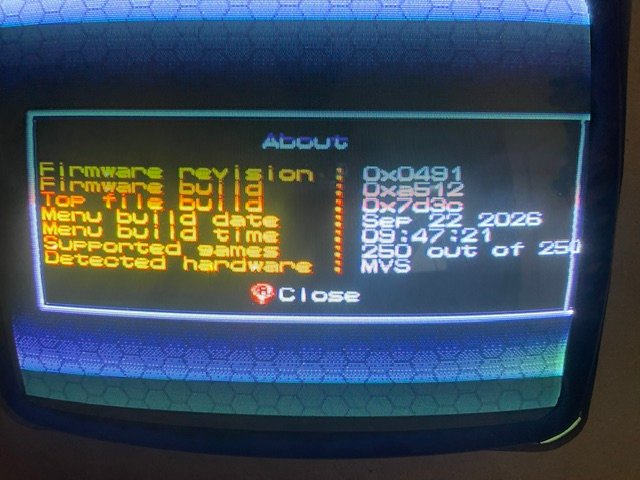
also, this endless-breeze hack is pretty darn fun
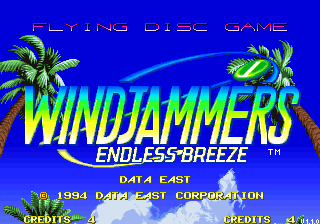
also, this endless-breeze hack is pretty darn fun
List of Changes
Gameplay
- The round duration can be configured to 30, 45, 60, 75, or 90 seconds, or set to infinite.
- The number of points required to win a round can be configured to 12, 15, 20, 30, 50, 75, or 99.
Others
- Dog Distance and Flying Disc Bowling are instantly playable from the main menu. Please note that they can only be played by Player 1.
- EXPERT difficulty is unlocked by default if you're looking for a high-flying challenge.
- The awful, eye-straining flashing background shown before a match has been removed.
- The left and right black bars have been removed, giving you a glorious 16-pixel wider picture!
- All menu and minigame timers have been disabled.
- The "Add +2 to difficulty" logic, applied when the system is in MVS mode and the region is not set to Japan, has been disabled.
NEW MENU: September 30th 2026. It comes with 8 completely new tunes, some additional fixes on the homebrew.
Also Monitor Test folder should be "monitest" if you want it to show as "Monitor Test" in the game selection.
Also Monitor Test folder should be "monitest" if you want it to show as "Monitor Test" in the game selection.
PatricioRey
New User
Wow, these are some great jobs, they surprise me!.
che que buenos laburos estos, me sorprenden!
che que buenos laburos estos, me sorprenden!