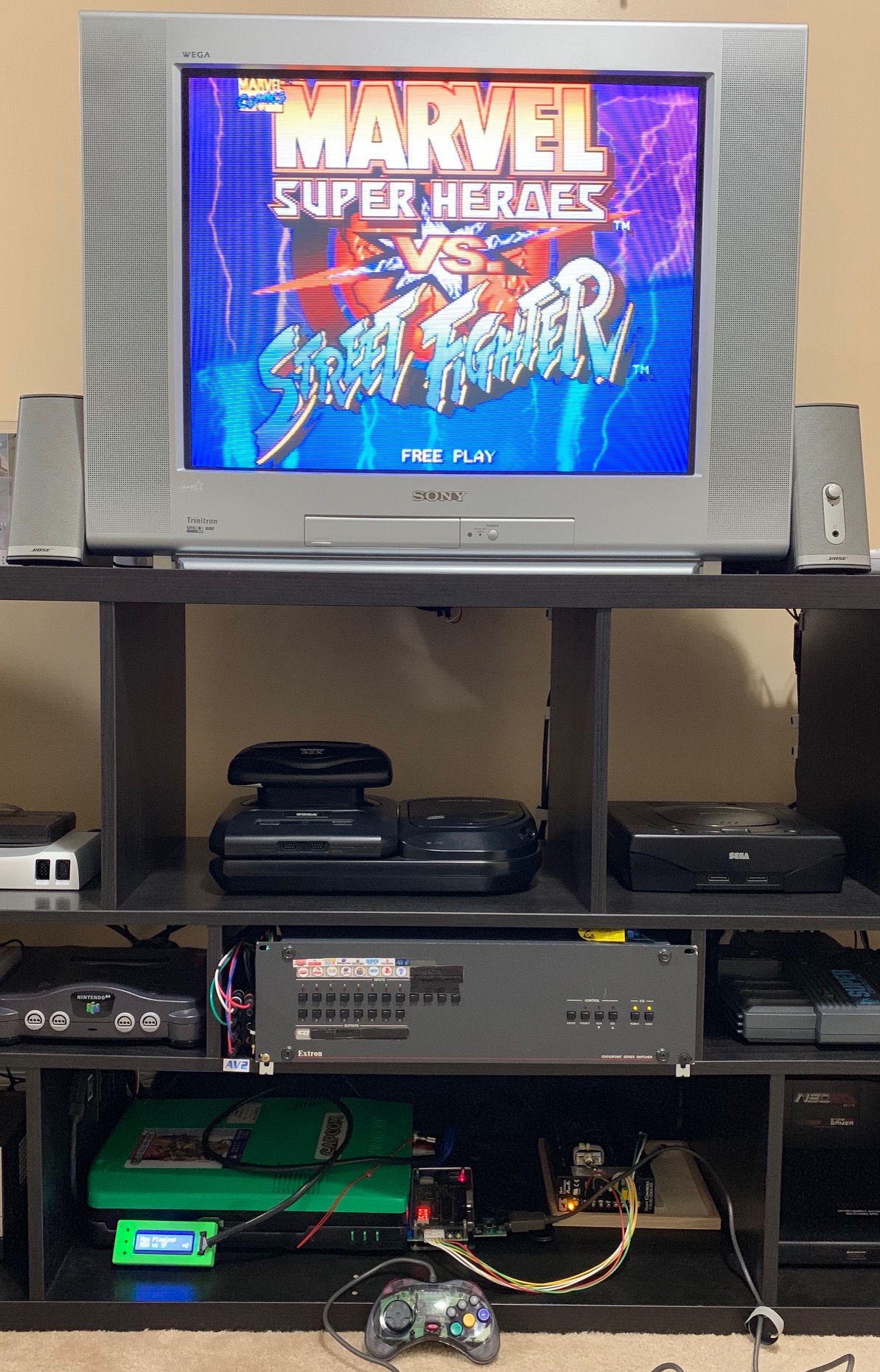
Home Arcade System

The wait was worth it,works great!
E6562A78-63E2-4CBC-8804-82EF4C599D4E.jpeg
 
From my experience, the diagonal interference usually (but not always) comes from the PSU.
THIS little piece of information should be noted and noted well! I probably wasted 6 months of upscaler development because some boards had scrolling horizontal jailbar thingies - I may do a proper post or video on it, but it turned out to be the PSU. Replace the PSU and rock solid crisp image, so issue was totally unrelated to my upscaler.
 
From my experience, the diagonal interference usually (but not always) comes from the PSU.
THIS little piece of information should be noted and noted well! I probably wasted 6 months of upscaler development because some boards had scrolling horizontal jailbar thingies - I may do a proper post or video on it, but it turned out to be the PSU. Replace the PSU and rock solid crisp image, so issue was totally unrelated to my upscaler.
* Consider RGB's warning in the next post before following my example

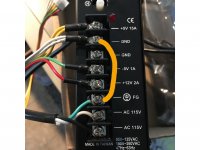
This can be remedied with an easy fix, at least in the case of the SUZO Happ Power Pro (see image below). Here's an excerpt from my recent troubleshooting post detailing the issue and fix:

Rolling Diagonal Video Interference

With the CPS2 side of the equation working as expected I was now going to tackle the slight video interference I noticed both when playing on my PVM and via OSSC. I double checked that my video and power lines were separated. I re-examined all of my PSU wiring. Eventually I hit Google and discovered a solution. Other arcade users had noted that the Suzo Happ PSUs (or at least the ones they had access too) didn't bridge Earth Ground and AC Ground within the case. Suspecting the same was true for mine, I crimped a new wire across the two ground points on my PSU and was delighted to see that it completely eliminated the interference I had witnessed. bridge_ground.jpg

Original thread: My Experience Troubleshooting Darksoft CPS2, HAS 3.2, and Suzo Happ PSU
 
Last edited:
  • Like
Reactions: RGB
It's a more complicated topic:


He talks about the oscilloscope, but the rules apply to all equipment really.

If bridging Earth Ground with COM works, that's fine, but you really need to understand what you are doing.
 
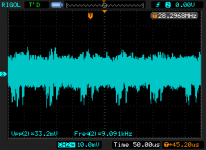
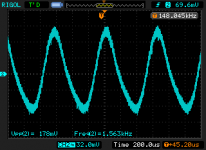
I checked the 5V rail on my scope by soldering an SMA connector to a jammafier (coax connection all the way..). The root of the issue was ripple on the 5V line, earthing stuff may fix it - but AC outlet power stuff is a bit above my pay-grade. The PSU in question that I used was properly earthed, and my apartments electrical system was rebuild from scratch in 2014, so i don't think that's the core of the issue. The problematic power showed a VPP ripple of 178mV (video looked terrible), my lab PSU in exact same setup had 33mV ripple.

Executive summary: it's was not 'interference'.

Good:
2018-12-31 moon patrol DP831 ac couipled 5v.png
Bad:
2018-12-31 moon patrol atx power ac couipled 5v.png


Now I don't expect people to have linear expensive lab supplies laying about, or solder coax connectors to their system and hook it up to oscilloscopes to trouble shoot video issues - but if you have video issues, it may be worth the trouble to check with a different supply.
 
Last edited:
Just to make sure I dont screw up my neo geo 2 slot, how does the HAS handle the stereo output? I had a supergun in the past that you have to switch from jamma mono or jamma stereo. I dont see such a switch on the HAS.
 
The HAS is mono only via JAMMA, so I suggest to remove jumpers from the JP1 on the HAS, and use the line level stereo output directly from the MV2.
 
Got a question for the group. What capabilities am I losing from getting a V3 and not waiting for the V3.2?


Thanks,

Kelly
 
The V3 uses a potentiometer to adjust CSync for Taito F3 connected to XRGB mini (in order to fix the upper part of the screen), in V3.1-2 it's done automatically. The V3.2 allows to disable buttons 4-6 on the JAMMA connector, the V3 lacks this functionality.
 
Back
Top