Home Arcade System

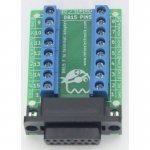
Is the DB15 controller connector pinout on the HAS standard or has it been modified? I'm picking up a couple of these terminal block adaptors for a custom control panel I'm building and I'm wondering if I'll have to worry about mixing the wires around if they don't match up (no big deal if I need to.) Unfortunately I can't find a pinout of the terminal block connector to see if this matches up...
 

Attachments

  • nintendo-snes-to-neo-geo-and-supergun-adaptater-autofire.jpg
    nintendo-snes-to-neo-geo-and-supergun-adaptater-autofire.jpg
    88 KB · Views: 273
The HAS uses NeoGeo AES pinout + buttons 5 and 6. Please refer to the HAS manual for detailed info.
 
If you happen to have a spare retro-access cable I'd definitely be interested. Don't really wanna mess with the etim one.
It’s an etim but I can assemble it if you want.
That's OK. With all the isolation time I think I'm gonna try to re-pin my current cable.

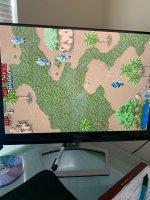
Finally got around to fixing the cable ...
Success! Now I've just got to finish the controller I was making!
 

Attachments

  • Commando.jpg
    Commando.jpg
    597.7 KB · Views: 248
  • Like
Reactions: RGB
Right on man. Can you do a comparison shot between the ps1 and ps2 hd retrovision cables?
 
the blue pot you were looking at is for audio. Check and see if you dont have pb, pr switched or check it out with the retrotink2x. If not try switching from component to another input amd back
 
the blue pot you were looking at is for audio. Check and see if you dont have pb, pr switched or check it out with the retrotink2x. If not try switching from component to another input amd back
The AV multi does have switches on it but they only control component and composite. Going through my OSSC it looks fine with no color issues I am showing in that video.
 
my bad i was meaning the tv inputs. Thats odd that the ossc see it fine but the tv has color issues
 
Last edited:
@zionfarm Could you please show the underside of the adapter to see which traces were cut?

I get pink tint on my PVM when I use RGBS but the monitor is set to YPbPr (BNC connectors are shared in this model), perhaps it's similar in your PVM?
 
These are the correct traces cut (please check using a multimeter if they're properly cut and there's no short with GND). Honestly, I'll need to think about this one. Is it bad on the PVM 14M4U, too?

Edit: What's your CSync type and level setting on the HAS?
 
Last edited:
Buttons aren't important here. Is the CSync buffered or regenerated? Might be worth checking other displays (PVM), too.
 
Buttons aren't important here. Is the CSync buffered or regenerated? Might be worth checking other displays (PVM), too.
I am not familiar with your question I'm sorry. I have tried it on a LCD monitor that has no issues that excepts other HD Retrovision cables (SNES). I will check using a volt meter to ensure the traces were cut and there's no short with GND on Monday.
 
There's a switch on the HAS that allows you to use buffered or regenerated CSync, please refer to the instruction manual.
 
My bad brother I did look at the manual. The current manual only displays the V4.0 I have the V3.2. I was able to reference and line up the other switches with the photos in the manual. I was not able to determine the one next to the 3.5mm jack and the PSU socket (SW1)?
 
Back
Top