Vewlix stock monitor - IPS replacement (Vewlix L)

Hi guys,

This is my first thread in arcadeprojects,I´ve looked up here for many useful information so I´d like to share how I did the Vewlix stock monitor replacement in my recently acquired Vewlix L for anyone interested in,hope this helps.

I´ve done a lot of research to get ideas on how replace it on internet,including the UMB VESA 100X100 at Hadouken Arcade option,but well...it is not precisely cheap and also I live in Europe,so it wasn't an option since the beginning,the info on the net is also unclear so instead I did some inverse engineering doing tests and measurements and with patience is finally done!

MATERIAL:

1x Monitor --> https://iiyama.com/gl_en/products/g-master-gb3271qsu-b1/

1x VESA 100x100 adapter: https://www.amazon.es/dp/B0026UVVPK?psc=1&ref=ppx_yo2ov_dt_b_product_details

2x VESA 50x50 to 200x200 adapter: https://www.amazon.es/dp/B008KL72F2?psc=1&ref=ppx_yo2ov_dt_b_product_details

4x M8x30 Hexagonal nuts: https://www.amazon.es/dp/B086JN4VSQ?ref=ppx_yo2ov_dt_b_product_details&th=1

4x M8x70 Allen screws

4x M8 Wing nuts

4x VESA regular screws

4 x VESA 4x50 screws

STEPS:

The VESA 100x100 hump format is key on this project,it provides an empty space to drill two kind of VESA screws.
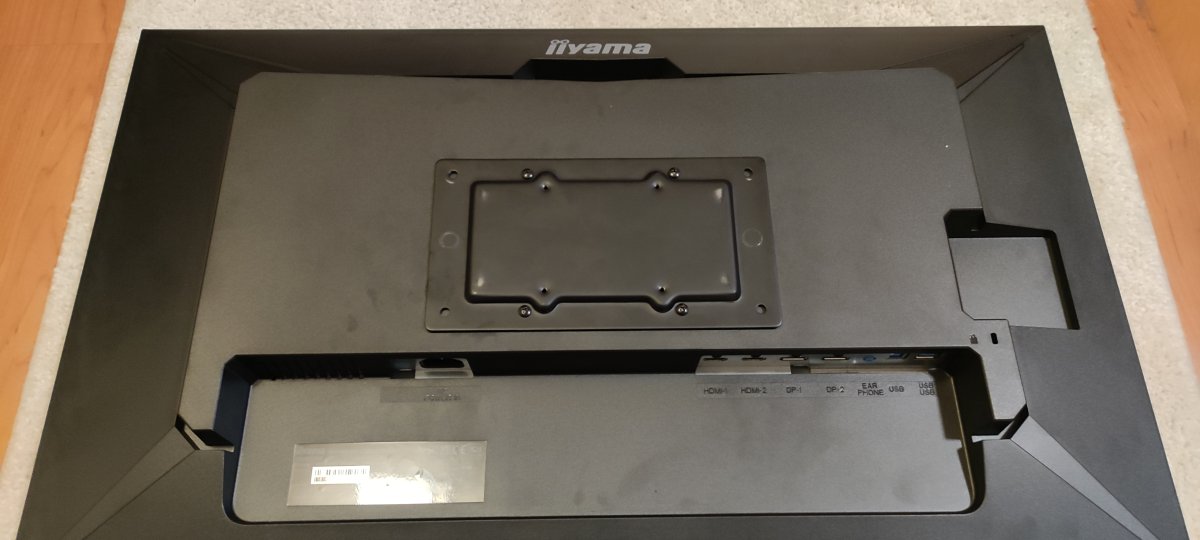
1.jpg


This image is just for reference about how the Allen screws position:
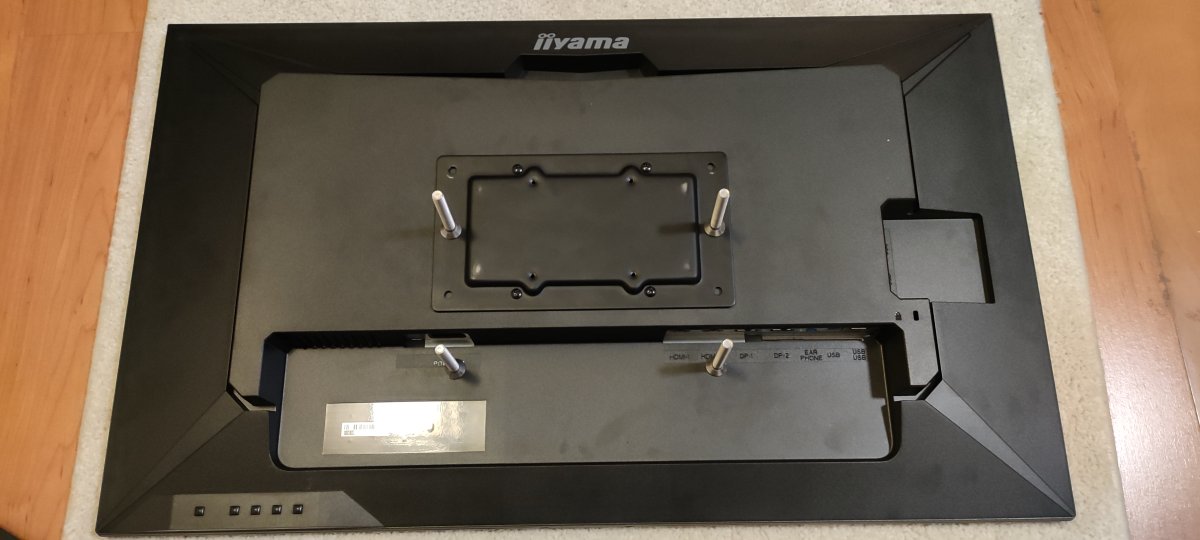
2 (2).jpg


I did two additional holes (the original has not) in the two big VESA plates to fit the measures (200x200&100x100) in the existant cabinet holes and created a 2x VESA mount squeezing the screws and hexagonal nuts firmly,as you see the mount has the same measures as the hump in the stock monitor:
5.jpg

6.jpg

It is set in the cabinet using the two existent holes (just for position reference):

8.jpg


I set it in the monitor with the 4x VESA additional screws in the 75x75 holes: (Take care setting up the small screws to avoid damage in the plastic monitor!)

7.jpg

Hi,
I am looking to replace the monitor on my Vewlix F.
I wonder if your method is compatible with the LG 32GN50R which is compatible with Vesa 100x100 wall mount?

Screenshot 2024-10-11 123306.png


Did anyone try it? Or could indicating a good guide to fit it? Tx
I am dismantling and cleaning the cab at the moment, so I don't know yet if the cab has the right mounting holes to install it like in yours.
 
Hi guys,

This is my first thread in arcadeprojects,I´ve looked up here for many useful information so I´d like to share how I did the Vewlix stock monitor replacement in my recently acquired Vewlix L for anyone interested in,hope this helps.

I´ve done a lot of research to get ideas on how replace it on internet,including the UMB VESA 100X100 at Hadouken Arcade option,but well...it is not precisely cheap and also I live in Europe,so it wasn't an option since the beginning,the info on the net is also unclear so instead I did some inverse engineering doing tests and measurements and with patience is finally done!

MATERIAL:

1x Monitor --> https://iiyama.com/gl_en/products/g-master-gb3271qsu-b1/

1x VESA 100x100 adapter: https://www.amazon.es/dp/B0026UVVPK?psc=1&ref=ppx_yo2ov_dt_b_product_details

2x VESA 50x50 to 200x200 adapter: https://www.amazon.es/dp/B008KL72F2?psc=1&ref=ppx_yo2ov_dt_b_product_details

4x M8x30 Hexagonal nuts: https://www.amazon.es/dp/B086JN4VSQ?ref=ppx_yo2ov_dt_b_product_details&th=1

4x M8x70 Allen screws

4x M8 Wing nuts

4x VESA regular screws

4 x VESA 4x50 screws

STEPS:

The VESA 100x100 hump format is key on this project,it provides an empty space to drill two kind of VESA screws.

1.jpg


This image is just for reference about how the Allen screws position:

2 (2).jpg


I did two additional holes (the original has not) in the two big VESA plates to fit the measures (200x200&100x100) in the existant cabinet holes and created a 2x VESA mount squeezing the screws and hexagonal nuts firmly,as you see the mount has the same measures as the hump in the stock monitor:
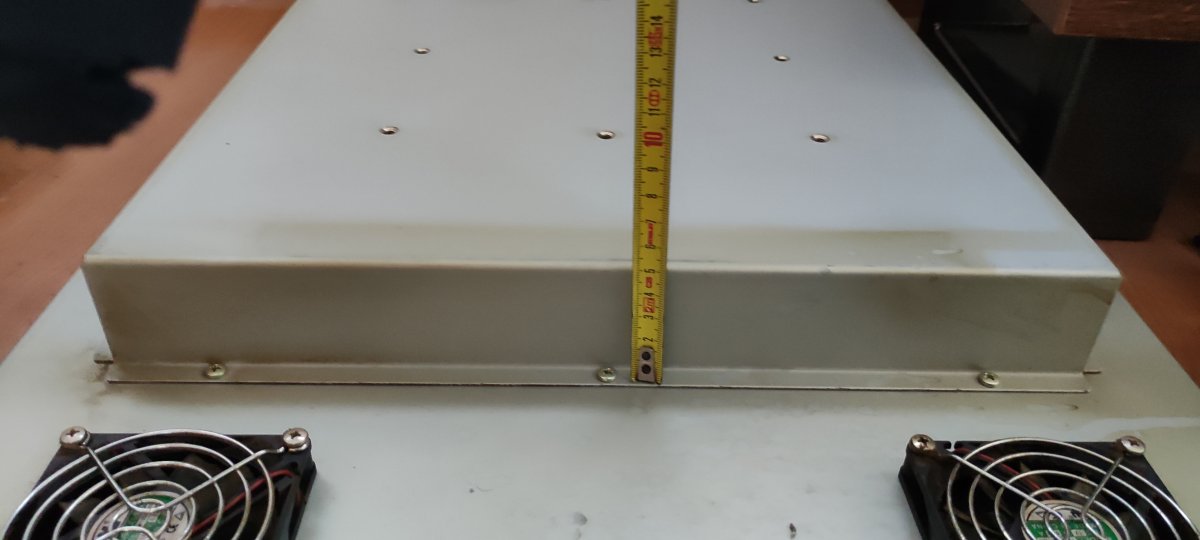
5.jpg

6.jpg

It is set in the cabinet using the two existent holes (just for position reference):
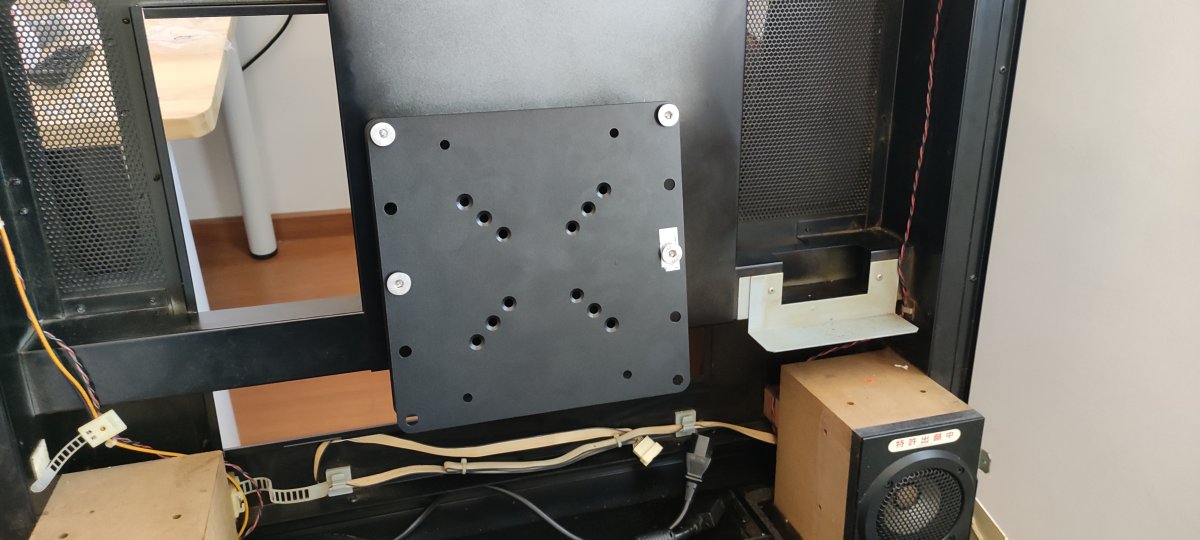
8.jpg


I set it in the monitor with the 4x VESA additional screws in the 75x75 holes: (Take care setting up the small screws to avoid damage in the plastic monitor!)
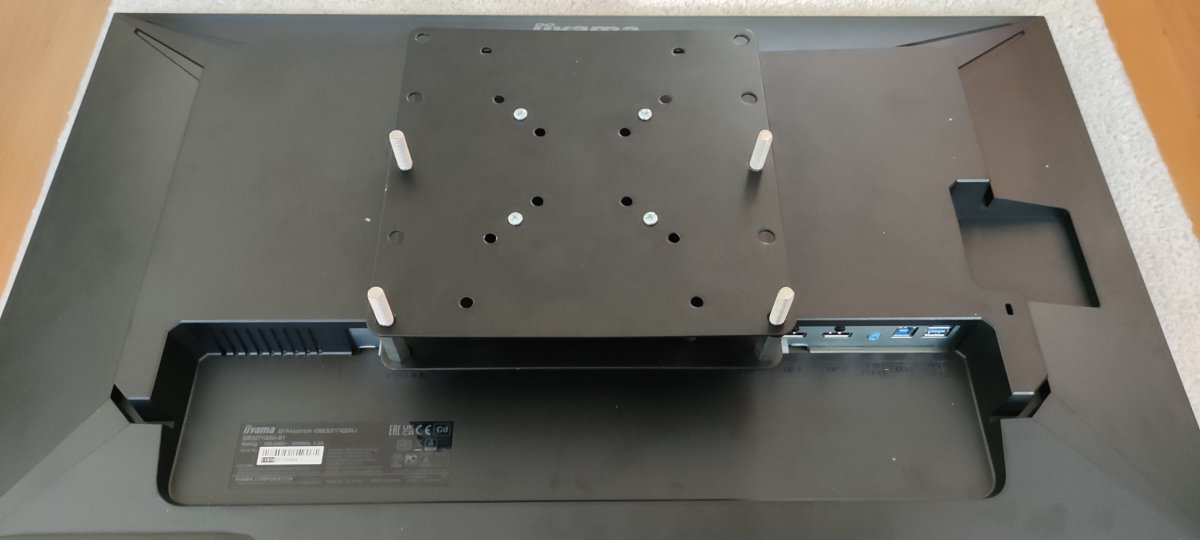
7.jpg
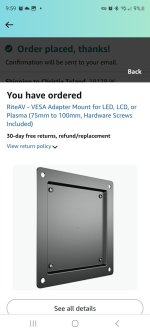
Hi, I am not sure what the 75x75 to 100 adaptor is used for yet. I am not quite understanding that part but figured when i open up the vewlix, it will make sense. However, the one you purchased seems to be rectangular. The closest I could find is this square one. Would it still work?
 

Attachments

  • Screenshot_20250621_095910_Amazon Shopping.jpg
    Screenshot_20250621_095910_Amazon Shopping.jpg
    54.7 KB · Views: 61
I ran a few batches of the mounts but I'm currently sold out with no plans to make any more at the moment. Sorry I can't help.
 
Hey @FrancoB,

I know your not making anymore of the universal mount, is it possible for you to share the information on the prototype mount you had originally designed with the plastic mount? Its on page 2 you show it with the capability of mounting an LG monitor both vertically and horizontally.
 
Sure. What do you need? I can output .dxf/.stp/.stl of those plates. Would one of those file types suit or....? Bear in mind everything was theoretical at that point but it should work....
 
Could you post the. dxf and .stp file. I'm going to try cutting and printing to see which one makes more sense. Thanks @FrancoB
 
If you can work with .stp then that will make things easier all round. I've exported the whole assembly including the LG32N550 monitor and Vewlix frame so you have them for reference.

Let me know if this works for you or if you need further help.
 

Attachments

Update. @FrancoB I printed your design for the mount but used @Aurich spacer design for the monitor. Everything worked almost perfectly. Very small adjustment was required. I drilled a hole to allow the monitor clip on the back of the monitor to pass through the mount and allow it to sit flush. Other than that it worked quite well. Thank you. Ended up also putting a pc inside my vewlix with a brooks board and am now playing fightcade online.
 
Back
Top