FS Egret 2/Windy 2/NNC/Q25 (Repair refund)

For Sale
I don’t know what to tell you. I have many games where the E2 PSU can’t be adjusted down to 5V under load. Even with this NOS one, I’m only using it until I get another better PSU, and then this one is going back in storage. Maybe it belongs in the trash or a shredder or something.
 
I don’t know what to tell you. I have many games where the E2 PSU can’t be adjusted down to 5V under load. Even with this NOS one, I’m only using it until I get another better PSU, and then this one is going back in storage. Maybe it belongs in the trash or a shredder or something.
Isn't the stock E2 PSU from Wei-Ya?
 
I don’t know what to tell you. I have many games where the E2 PSU can’t be adjusted down to 5V under load. Even with this NOS one, I’m only using it until I get another better PSU, and then this one is going back in storage. Maybe it belongs in the trash or a shredder or something.
Odd, mine is NOS and it def goes under 5v. My only problem with the E2 psu is it doesn’t have a strong 12v for older boards. Which is weird as I have some e29/canary ones and they have a very strong 12v. If you mainly play single boards it’s fine; stuff like salamander or splatterhouse I have to adjust the 5v up some, but it still works.
I don’t know what to tell you. I have many games where the E2 PSU can’t be adjusted down to 5V under load. Even with this NOS one, I’m only using it until I get another better PSU, and then this one is going back in storage. Maybe it belongs in the trash or a shredder or something.
Isn't the stock E2 PSU from Wei-Ya?
E3 later became stock weiya but taito made their own psu for E2.
 
How is the rotate mech on the Q25 @rewrite?
We'll find out today. I closed off my little game room, put on a fan and opened the window after spraying mold killer stuff yesterday.

The rest of my free time went to mucking about with the Domy, but I didn't get anywhere with it.
 
Alrighty then, I guess the next question is what connectors are needed if one was to replace the stock E2 PSU with a better one. The intent of course is to keep everything else all stock and unmodified.
 
Alrighty then, I guess the next question is what connectors are needed if one was to replace the stock E2 PSU with a better one. The intent of course is to keep everything else all stock and unmodified.
There’s no reason to change it unless you can’t repair or replace it. What do you plan to run that you’d need so much extra power?
 
If the E2 stock PSU works for my games, I won't do anything other than tuning it up with a cap kit. Asking this question and just throwing it out there as there are those in this hobby that want perfection. It will get asked sooner or later.
 
So since mine is actually dead:

What connectors need to be ordered to build an adapter?

Remaining stock isn't worth a few hundred bucks to me.
 
When I had my E2, I recapped my PSU. Out of the 30+ PCBs I own, they all worked. However, I'm not gonna lie. There are some boards out their that draw more than it can handle. To be fair that number is pretty damn low.

If you are looking at powering more than the stock E2 and its optional amp + your pcbs tapping off the PSU. Then yes, you should upgrade your PSU.

Lets get practical here, many hobbyists replace the stock speakers and get an aftermarket amp that draws more than that small Taito amp. So plan accordingly and don't just toss everything in expecting it to work.
 
Hate to hear about the issue you guys are having, but great to see people come together to try and resolve issues like this. Will certainly report once the eastern Canadian container arrives.
 
I love the comment above, if it works I’ll recap it, if it doesn’t I’ll replace it :lol:
That's not what I said at all.
I know what you mean. Those caps will eventually fail, so now that you are at setting it up is a good moment to replace some parts that are bound to fail. I do it only on PCBs or PSU that I know that will fail, otherwise, it's good if it works.
 
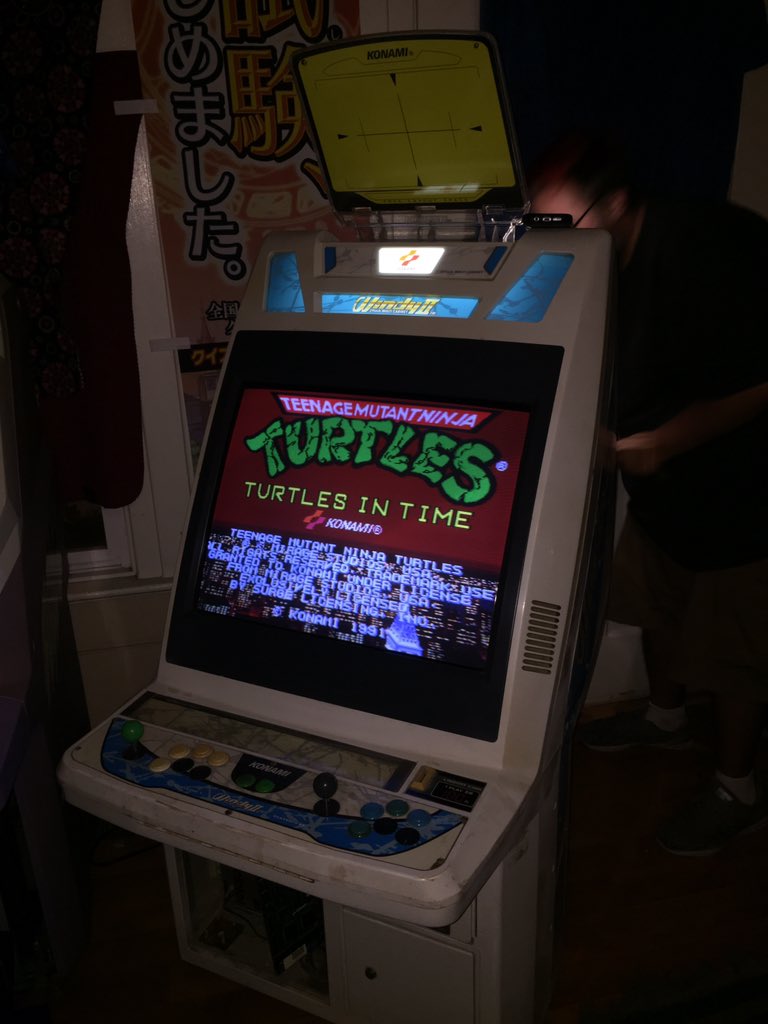
I'm loving this pic from @Cereth on Twitter. In my mind Turtles in Time was the first game I'll be putting in my Windy 2 when it arrives (after testing on a cheap PCB of course).

Du5EUFIUUAAJakO.jpg


The illuminated blue with the Windy II logo looks so dope!
 
Egret II Update:
  1. Yellow touch-up spots just laughed at Goof-off and paint thinner.
    • Will mix up a batch of retrobright and if that doesn't work, I am probably going to tear it down and repaint the sucker anyway.
  2. I am definitely having issues with the E2 PSU.
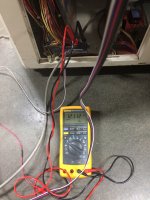
    • Furthest I can turn down the voltage without load is 5.7vdc-5.9vdc. 12vdc and -5vdc are ok.
IMG_2798.JPG
IMG_2800.JPG

I have extra CPS2 and NAOMI boards, so what the heck, I plugged them in. SFA in attract mode doesn't show the character sprites. All the backgrounds, overlays, SFX are there. MvC2 gets just past the Capcom logo as the music starts to wind up and gets stuck in an infinite loops. I am going to re-cap it and see if that helps. If not, looks like Peter Chou to the rescue once I get this bad boy home next month. @radiantsvgun, please PM me those connectors. Hope those boards aren't toasted.

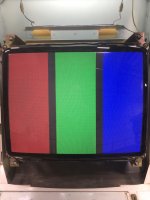
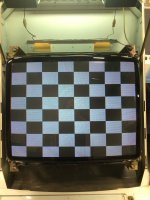
Good news is the marquee light works and the monitor looks pretty good. Below are some snaps with the TPG driving the monitor. I am getting some wavy crawlies across the screen. I guess the MS9 doesn't like Crafty Mech 15khz. I didn't see those in the CPS2 or NAOMI screens. A tiny bit of convergence issues as well:

IMG_2793.JPG
IMG_2796.JPG

IMG_2795.JPG

Windy II Update:
  1. Outside, the Windy II looks pretty good. Inside it pretty grimey. Matter of fact, the Windy looks worse than the E2 from the inside
    • Lots of oxidation everywhere too
  2. Monitor looks like it is about to die
    • Does a chirp, collapses on itself horizontally, then springs the image back into form
    • What do you guys think that is? Filter cap? EDIT: Looks like it is a HOT that is going out at best, flyback at worst
  3. Oh, stupid me, I forgot to bring a laptop with a VGA connector to test with external video, because..........
  4. While voltages tested good off the PSU
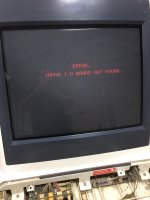
  5. Plugging in the NAOMI brought me to a JVS I/O error
  6. Looking at the JVS I/O board, there is oxidation everywhere
  7. I think I see a cap leaking
  8. I ran a separate USB cable to the from the I/O to the NAOMI, still no luck
IMG_2801.JPG
 

Attachments

  • IMG_2799.JPG
    IMG_2799.JPG
    465.7 KB · Views: 108
  • IMG_2797.JPG
    IMG_2797.JPG
    433.6 KB · Views: 107
  • IMG_2794.JPG
    IMG_2794.JPG
    450 KB · Views: 114
Last edited:
Here is what the I/O looks like. I am hoping it is just that leaky cap.

EDIT: RTFM!!! Looks like I forgot to set the jumper settings for 2L12B. Sadly, won't be able to see these cabs again till the New Year.

KonamiIO.JPG
 
Last edited:
I'm loving this pic from @Cereth on Twitter. In my mind Turtles in Time was the first game I'll be putting in my Windy 2 when it arrives (after testing on a cheap PCB of course).

Du5EUFIUUAAJakO.jpg


The illuminated blue with the Windy II logo looks so dope!
My partner has guts to go straight to that. Using my CyberLead JAMMA adapter for it for now. It's almost exclusively running this, Simpsons, Sunset Riders, Parodius, and Gradius games. He jokingly wants to bring his Gradius Bubble System over and put it in, I don't even want that in my house :|
 
Back
Top