Home Arcade System

Just remember that you need a kick harness for the CPS1/2/3/ST-V and other systems that take buttons 4-6 via auxiliary connector instead of JAMMA, that's it.
Ok; so I don't need a kick harness if I want to connect to a Neo Geo MVS board?

Also, regarding the LPF on the latest HAS; can you disable it? My understanding is that you'd only really want it if hooking up to a modern, flatscreen? Otherwise it can soften an image (in theory).
 
Also, regarding the LPF on the latest HAS; can you disable it? My understanding is that you'd only really want it if hooking up to a modern, flatscreen? Otherwise it can soften an image (in theory).
I believe the changes to the LPF is the addition of an On/Off switch. Previous versions simply disabled the LPF altogether.
 
Ok; so I don't need a kick harness if I want to connect to a Neo Geo MVS board?
No, you don't. Additionally I advise to read the MVS instruction manual (as well as for other games you plan to use with the HAS). You'll see that it doesn't even have the connector for the "kicks".


Also, regarding the LPF on the latest HAS; can you disable it? My understanding is that you'd only really want it if hooking up to a modern, flatscreen? Otherwise it can soften an image (in theory).
I believe the changes to the LPF is the addition of an On/Off switch. Previous versions simply disabled the LPF altogether.
Correct, there's a switch for the LPF.
 
Ah ok thanks. I actually put myself on the pre-order list a few months back but only for the adapter and harness. I guess pre-order list is only for new HAS owners?

Edit: I see the pre-order page accounts for existing owners, but I can't remember if I put that in the comments when I preordered, lol X/ .
 
I haven't shipped anything yet, so if you're on the list I will definitely contact you.
 
I didn’t get a confirmation email now that I checked. Did I do something wrong or something?
 
but for some it's not
Na it still is, get a Raspberry Pi 4 (approx 50$) the official case (5$) and the latest beta build of Retropie (free).
You are using a emulation box anyway, might as well get a good emulation box for cheap.

e3456730d91130567a2f79670ee9750b122de0c7_copy-of-pi4_case_angle2.jpg


If your fancy with money to burn, get a FPGA simulation box like Mister.
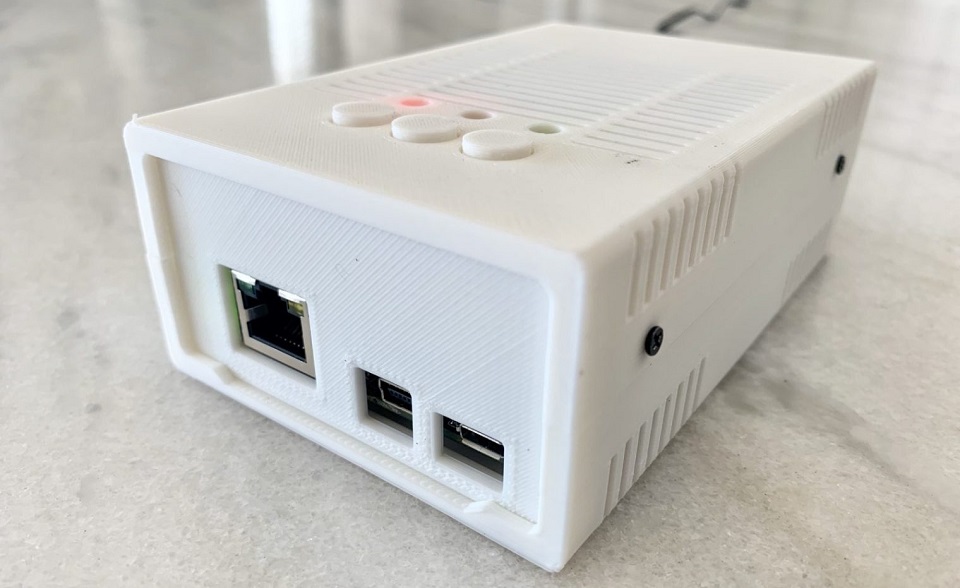
MiSTer3dCase.jpeg
 
Last edited by a moderator:
but for some it's not
Na it still is, get a Raspberry Pi 4 (approx 50$) the official case (5$) and the latest beta build of Retropie (free).You are using a emulation box anyway, might as well get a good still shit, but better shit emulation box for cheap.

e3456730d91130567a2f79670ee9750b122de0c7_copy-of-pi4_case_angle2.jpg


If your fancy with money to burn, get a FPGA simulation box like Mister.
MiSTer3dCase.jpeg
 
Just a quick question for those who use the 3P/4P adapter. Do you have to really jam the connector into the adapter's port for it to stay?
 
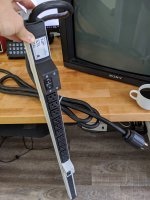
Thanks, that's just a big cut of butcher block that I poured resin on and added legs to. I just need to swap the plug on this strip and then I'll be organized.
15628905537651.jpg
 
Last edited:
Just a quick question for those who use the 3P/4P adapter. Do you have to really jam the connector into the adapter's port for it to stay?
I haven't needed to.
Just an update on this, I was able to get to sit properly in the connector. Just had to make sure the align the pins to the holes more strictly, and apply a bit more force. But once it's in, it's snug like a bug in a rug.
 
Back
Top