You are using an out of date browser. It may not display this or other websites correctly.
You should upgrade or use an alternative browser.
You should upgrade or use an alternative browser.
Home Arcade System
- Thread starter RGB
- Start date

J
jassin000
The 3.5mm jack on the HAS would be audio output from (mono) JAMMA harness.The 3.5mm jack is just output right?
For something like CPS2 you would want a RCA to 3.5mm stereo cable, and use it directly connecting the CPS2 audio to the OSSC.

Same for a stereo modded MVS.The 3.5mm jack on the HAS would be audio output from (mono) JAMMA harness.For something like CPS2 you would want a RCA to 3.5mm stereo cable, and use it directly connecting the CPS2 audio to the OSSC.The 3.5mm jack is just output right?
Regards.
Locutus73
J
jassin000
Could depend on the mod, so I was intentionally silent on this point.Same for a stereo modded MVS.
I run my Neo-Geo in mono via JAMMA edge only so meh... CPS2/3 are RCA stereo all the way!


THX. Sound from scart to HDMI direct. No need other connection.So if you have a OSSC that can encode audio, you should only need the 8pin mini-din to SCART cable for connecting the HAS to the OSSC.However if that "special" OSSC demands audio be supplied via 3.5mm audio input only (and not over SCART head)...I Have a special version, a 1.5 with digital audio chip add on via HDMI. uptodate.
You'll then need to add a 3.5mm to 3.5mm audio cable to the mix, it will connect directly to the HAS and OSSC in addition to the SCART cable.

ShootTheCore
Legendary
I have the same OSSC - 1.5 with the HDMI digital audio mod. I use the Retro Access NES SCART cable with 8 pin DIN and stereo audio 3.5 plug with my HAS and it works great.So if you have a OSSC that can encode audio, you should only need the 8pin mini-din to SCART cable for connecting the HAS to the OSSC.However if that "special" OSSC demands audio be supplied via 3.5mm audio input only (and not over SCART head)...I Have a special version, a 1.5 with digital audio chip add on via HDMI. uptodate.
You'll then need to add a 3.5mm to 3.5mm audio cable to the mix, it will connect directly to the HAS and OSSC in addition to the SCART cable.
https://retro-access.com/collection...-stereo-rgb-scart-lead-for-rgb-upgrade-boards
You’re right, so let me rephrase my sentence: same for a line-out level stereo modded MVS.Could depend on the mod, so I was intentionally silent on this point.I run my Neo-Geo in mono via JAMMA edge only so meh... CPS2/3 are RCA stereo all the way!Same for a stereo modded MVS.

Anyway my point is that HAS Supergun gets mono audio from the Jamma edge and outputs mono line-out level sound on the 8 pin mini DIN connector and/or 3.5mm audio jack. So if you want stereo sound on your OSSC (or CRT TV or whatever) you have:
- Get somehow line-out level stereo sound from the arcade board
- Route that line-out stereo sound into the SCART connector plugged in the OSSC, completely bypassing HAS Supergun, i.e. using something like this

Regards.
Locutus73
J
jassin000
You don't need to feed the OSSC 1.6 audio over SCART... So I doubt you need to do that with the 1.5+audio.
You see it has a 3.5mm input, so yea bypass the HAS but no need to reinsert audio into a SCART chain. Just take it directly from the arcade PCB.
You see it has a 3.5mm input, so yea bypass the HAS but no need to reinsert audio into a SCART chain. Just take it directly from the arcade PCB.
I might be wrong, but I recall reading that you must feed audio through SCART (if you use AV1 SCART input); the 3.5mm input is for other inputs (VGA and component).You don't need to feed the OSSC 1.6 audio over SCART... So I doubt you need to do that with the 1.5+audio.
You see it has a 3.5mm input, so yea bypass the HAS but no need to reinsert audio into a SCART chain. Just take it directly from the arcade PCB.
[EDIT]
From the Quick Start Guide:
When using OSSC 1.5 or earlier with an audio expansion board, any audio fed in via AV1 or the3.5mm audio connector will be digitised no matter which video input is selected. For OSSC 1.6, the appropriate audio input will be used depending on the active video input.
So it seems you’re right (using 3.5mm instead of SCART) if we’re talking about OSSC 1.5 or earlier, while I’m right (you must use SCART for audio) with 1.6.
Regards.
Locutus73
Last edited:
J
jassin000
Interesting, I have a 1.5 pure (no audio add-on) and a 1.6... I just assumed they were the same in this respect.if we’re talking about OSSC 1.5 or earlier, while I’m right (you must use SCART for audio) with 1.6.
But I've never actually fed the 1.6 audio via 3.5mm jack, so I would have been surprised to see it NOT work.


Coyo5050
Professional
I bought this like 6 months ago and with life being crazy I just finally got a chance to hook this up. My other toy the OSSC 1.6 I used for the first time too. Hook both of them up to a couple games and everything looked amazing!

Ok, so who is making these? Need like 4Its pretty straight forward.
Get the blue cable and label the wires 1A to 6A. Cut the CPS2 side plug off.
For the white wires Label the CPS2 end as 1B to 6B and the HAS end 1C to 6C
The switch is wired like this picture.
Im lazy and only labelled one side but you get the idea.

When cutting the white cable only cut 1 wire at a time, so the cable lengths are staggered.
This way you end up with a nice tight bunch of wires that have an unaltered length compared to the ones we didn't cut.
Ill let you guys figure out how to get the heatshrink over it


SelfDeniedHoarderz
Professional
@RGBany chance for update with save more map button (For exemple: 1) mvs, 2) cps 3) shinobi)
Great idea. Would be nice to have a dedicated button to toggle between different button mappings which would save you time to manually remap buttons.

Can you explain what you mean ?any chance for update with save more map button (For exemple: 1) mvs, 2) cps 3) shinobi)
The HAS already has remapping built in.
It will work with MVS out of the box because 1 slot MVS motherboards are standard JAMMA
In addition if you use Undamned's USB decoders they can also remap

I think he means saving different button mapping presets, with an easy way to toggle between them, without having to redo the mapping from scratch.Can you explain what you mean ?any chance for update with save more map button (For exemple: 1) mvs, 2) cps 3) shinobi)
The HAS already has remapping built in.
It will work with MVS out of the box because 1 slot MVS motherboards are standard JAMMA
In addition if you use Undamned's USB decoders they can also remap
Regards.
Locutus73
J
jassin000
It would also be awesome if it cooked me breakfast in the morning... But that's not going to happen either.Map one time for all system and jump on right map when you connect a cystem.

How many mappings would really be necessary?
For a 6 button joystick / controller I could see the practicality of 2 presets:
Preset 1:
Preset 2:
Perhaps even:
Remapping mode -> Hold down 3 buttons and Start, Select Mode 1, 2 or 3?
I guess user configurable saves would be a whole other issue though...
For a 6 button joystick / controller I could see the practicality of 2 presets:
Preset 1:
4 5 61 2 3Preset 2:
1 2 34 5 6Perhaps even:
2 3 41 5 6Remapping mode -> Hold down 3 buttons and Start, Select Mode 1, 2 or 3?
I guess user configurable saves would be a whole other issue though...
THXHow many mappings would really be necessary?
For a 6 button joystick / controller I could see the practicality of 2 presets:
Preset 1:
4 5 6
1 2 3
Preset 2:
1 2 3
4 5 6
Perhaps even:
2 3 4
1 5 6
Remapping mode -> Hold down 3 buttons and Start, Select Mode 1, 2 or 3?
I guess user configurable saves would be a whole other issue though...
I am newbie, what's preset needed for CPS1,2,3? In your exemple 1 or 2. I assume that it's possibleto make a preset compatible CPS1,2,3 & common game with 3 button like shinobie (a=shoot, b= jump, c=bomb) & shmup (a=shoot, b= bomb, c=autofire).
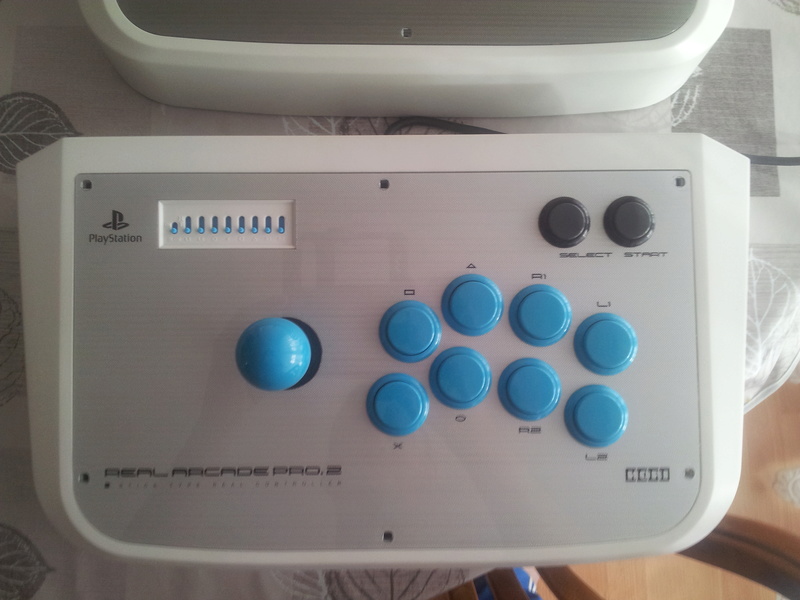
The problem is MVS game 4 button. I lke aligned button, note that I use PS2 HRAP.
how do it?
I can buy Neo Geo stick....But I dont like it. or mod it in sanwa...