DARKSOFT New Namco System 2 Multi

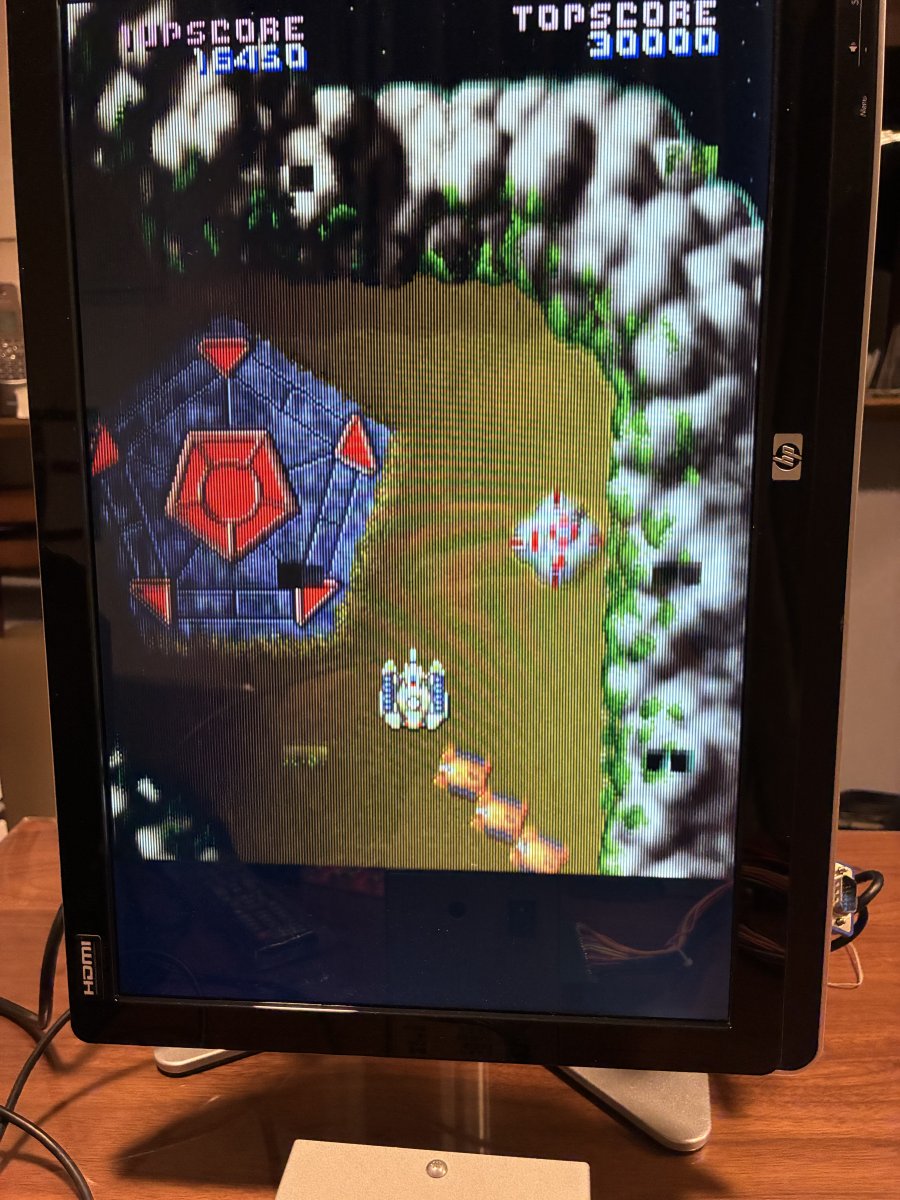
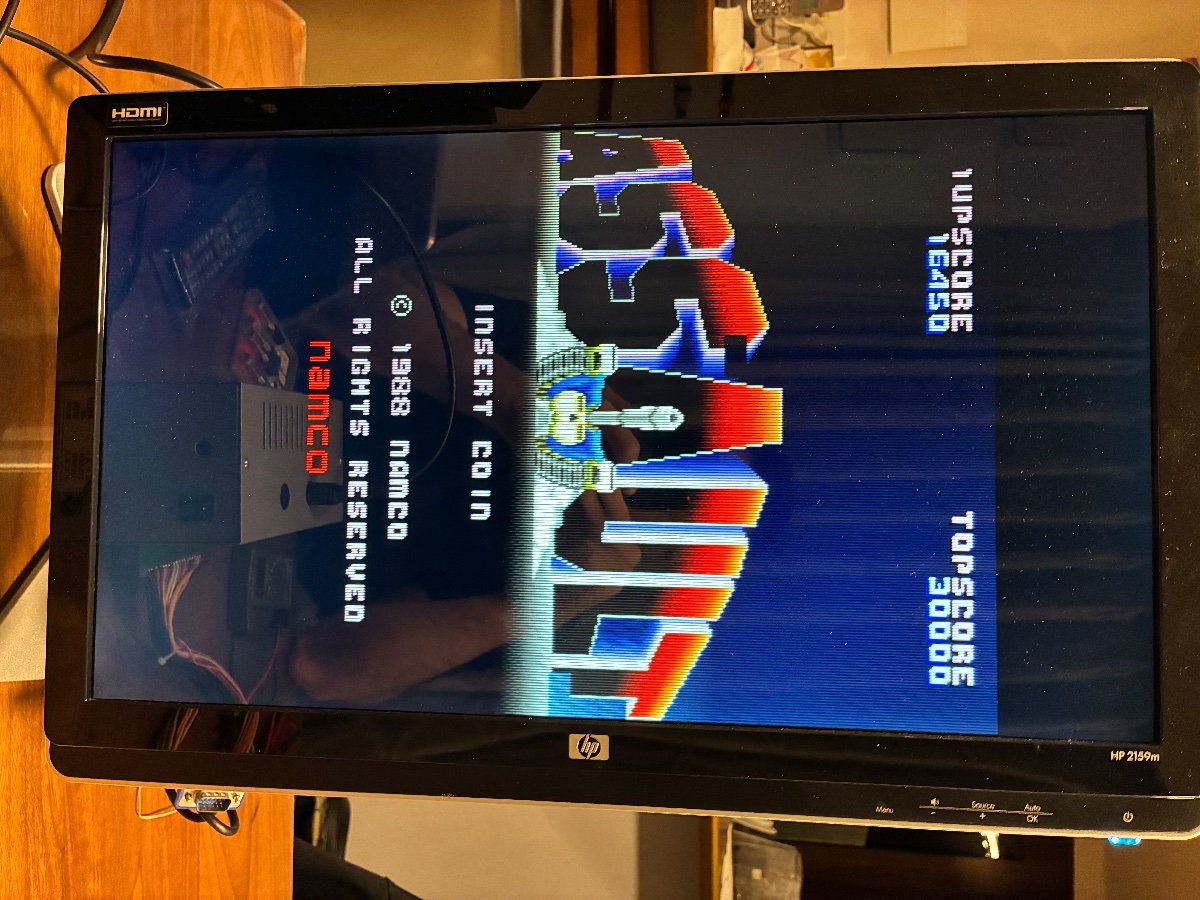
I have some graphics errors on the original game. I will first clean up the board with isopropanol
1761067392901.jpeg


...and what type of graphics errors? post a picture please.
 
psx stuff runs on a different processor, so someone would need knowledge of that one (mips i think) and 68k (arcade) to make use of that version. if it's emulated on the psx and the raw 68k binary is somewhere there, which is totally possible, then the data would be more easily useful. either way there is still plenty of work to do unless for some reason the psx version uses an emulated rom, and that rom boots on arcade hardware without any other changes (doubtful).

it really shouldn't be too hard, I just look at it and think it could be a lot of actual work. There's a world where you can adjust a few values and it all works 100%, and there's another world where you have to check and adjust every single speech bubble by hand.

idk if any romhackers are following along but I figured I would put my money where my mouth was. If it was indeed the world where I could adjust a few values and it would all work 100%, well then I'd certainly have the time to do that, right?

0246CA starts the routine that writes data values into the video ram.
0246CA: lea $404000.l, A0 # putting the address 404000 into address register 0

0246E4: lea ($184,A0), A0 # shortly thereafter setting a primary offset of 404184 (a useful watchpoint), otherwise known as the upper right corner of the dialogue window

the game proceeds to write one character to video ram every time it reaches 024720 (a handy break-point if you need it)
024720: move.w D2, (A0,D0.w) # moving the word at register d2 (the character it wants to print) to the address space home + offset at D0.

D0 increments a little each loop, to write the next letter.

When it needs a new line, it adds another offset of #$100 to bump D0 left to a new row.
024740: addi.w #$100, D0

and continues writing new characters using the updated D0 offset...
024720: move.w D2, (A0,D0.w)

So this whole routine could be adjusted. You can get the first row to start on the right hand side pretty easily,
0246E4: lea ($484,A0), A0 # I just added 400
1761103135242.png


But the next trick, having the rows subtract by 100 each time a new row is needed, fails.
024740: subi.w #$100, D0 # for example, subtracting 100

this fails because D0 starts at 0000, so after the first loop subtraction will roll back to 0F00, and that will still be added to the address A0 at 024720.

.... fun eh?

(and this is just this particular text draw call, I do hope it's re-used a lot of places but I really don't know).

So anyway if I were to pick this back up at some point, I think the course of action would be to find some open work ram, and adjust code in two places:
0246E4: instead of setting an offset of $184, I'd probably set up a small table somewhere with a set of hard coded offsets starting at 404484, and then
024740: I'd use this spot to jump out and adjust whatever pointer I need so that 0246E4 picks the next successive offset location, 404384, 404284, 404184

... then find the dialogue clearing routine so I can use it to also reset this little subroutine for the next set of words.

(And hope the game never needs more than 4 rows for this version of dialogue :P)
 
Just to follow up on this.
I was able to fix my donor by swapping the cpu board with a cheap mint final lap.
So as a data point, if there's bad ram on your cpu board, or very bodged traces & caps, that can cause random crashing with the multi.
I have yet to recap the final lap which likely needs it and it works fine.
 
Just receive mine today and install it, it seems to work fine with a Cosmo Gang donor...
I have not try everythings, but I managed to play Phelios, Ordyne, Finest Hour and Marvel Land a cup of minutes.
I dont know why but a cup of games reboot or dont boot at all only freez on the black screen whith the first instructions...
Anyway will try later, but I really enjoy this multi, I already own 3 Namco System 2 and I can now apreciate the others games, and it 's very easy to switch games.

Anyone knows If all the games have a stereo mode ?
On the main board There 's a pin to switch between mono and stereo.
I have a Namco Consolette cabinet, and there 's a wire for stereo to plug on the Namco System 2,but I have never try it, too afraid to make a mistake...

Is there someone who already try a Namco System 2 board into a Namco Consolette with the special stereo wire ?

Thx a lot and enjoy 🤗
 

Attachments

  • IMG_20251022_172120695.jpg
    IMG_20251022_172120695.jpg
    156.5 KB · Views: 41
I got my multi all setup without any major issues! Time to play!!

After seeing @Jinyong Kim with a shorted flash module, I decided to check all of mine before flashing and also found a short. I was able to easily fix it, but it is something to keep an eye out for.
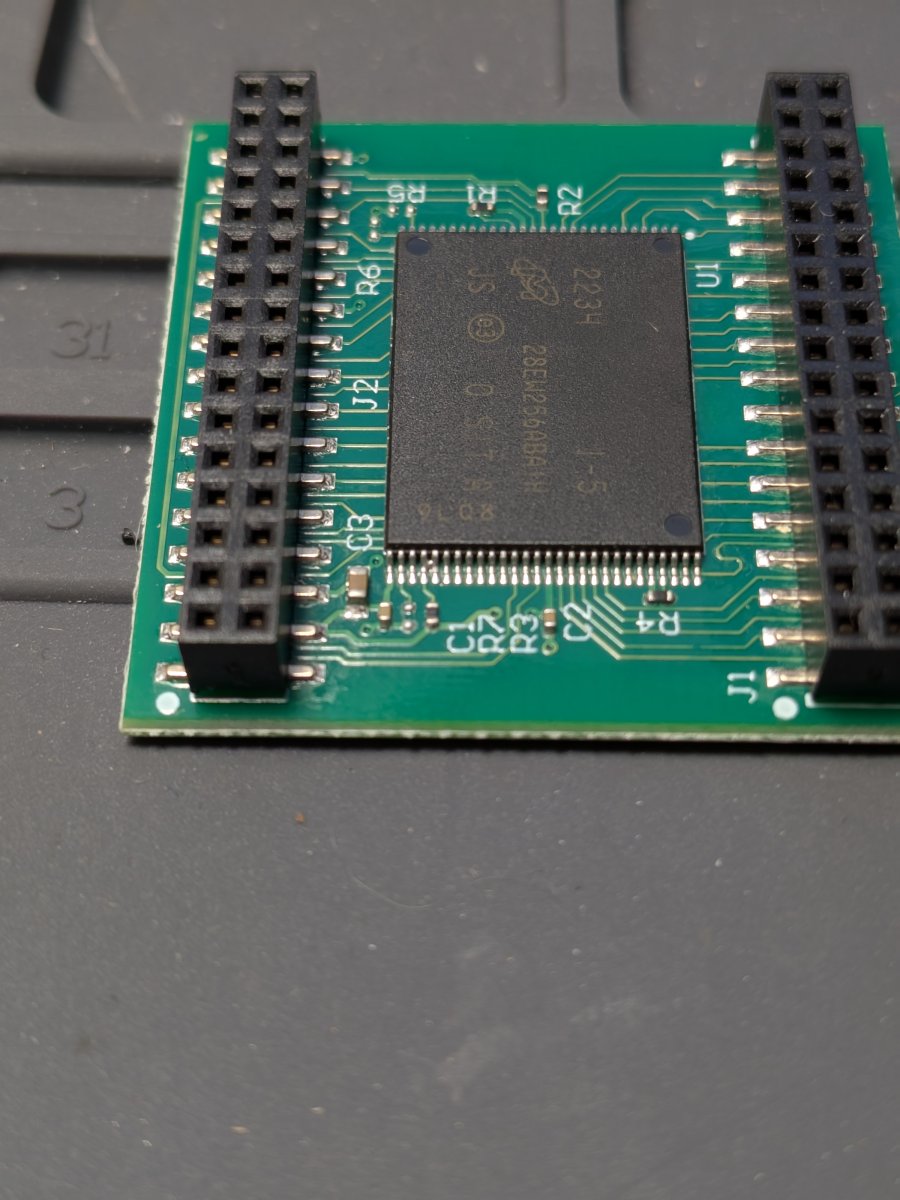
NS2_Flash_Short.jpg


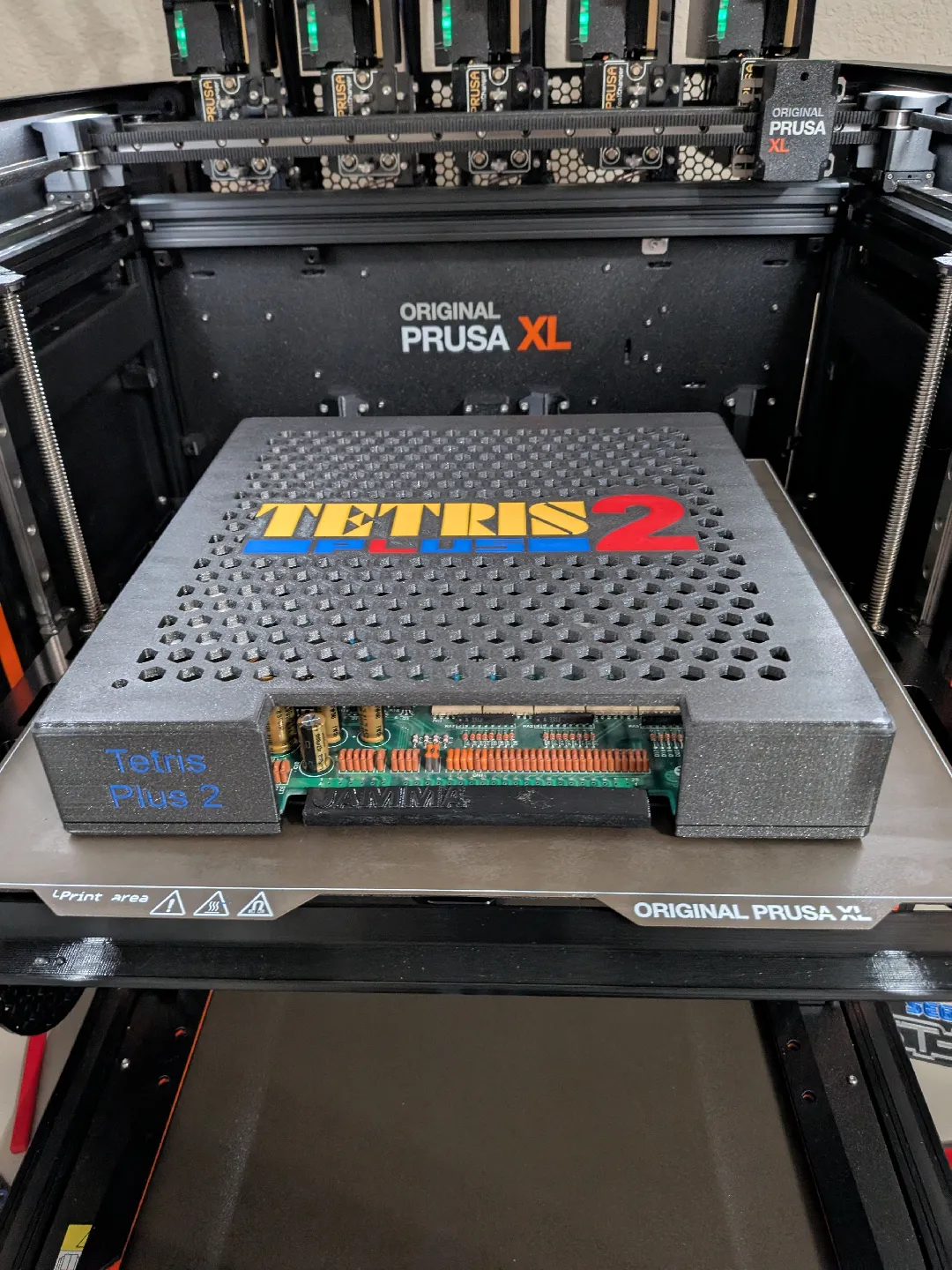
If anyone is interested, I'll be designing a 3d printable case for this multi so keep an eye out on this thread :)
It'll probably be a couple of weeks till I get to it though.
 
Last edited:
Just receive mine today and install it, it seems to work fine with a Cosmo Gang donor...
I have not try everythings, but I managed to play Phelios, Ordyne, Finest Hour and Marvel Land a cup of minutes.
I dont know why but a cup of games reboot or dont boot at all only freez on the black screen whith the first instructions...
Anyway will try later, but I really enjoy this multi, I already own 3 Namco System 2 and I can now apreciate the others games, and it 's very easy to switch games.

Anyone knows If all the games have a stereo mode ?
On the main board There 's a pin to switch between mono and stereo.
I have a Namco Consolette cabinet, and there 's a wire for stereo to plug on the Namco System 2,but I have never try it, too afraid to make a mistake...

Is there someone who already try a Namco System 2 board into a Namco Consolette with the special stereo wire ?

Thx a lot and enjoy 🤗
Expansion connector is where stereo goes.
If you can solder a headphone jack onto a larger connector you are set.
Also your socketed ram is bad.
 
Last edited:
I got my multi all setup without any major issues! Time to play!!

After seeing @Jinyong Kim with a shorted flash module, I decided to check all of mine before flashing and also found a short. I was able to easily fix it, but it is something to keep an eye out for.
NS2_Flash_Short.jpg


If anyone is interested, I'll be designing a 3d printable case for this multi so keep an eye out on this thread :)
It'll probably be a couple of weeks till I get to it though.

100% this guy makes great cases.
Recommend.
 
Just receive mine today and install it, it seems to work fine with a Cosmo Gang donor...
I have not try everythings, but I managed to play Phelios, Ordyne, Finest Hour and Marvel Land a cup of minutes.
I dont know why but a cup of games reboot or dont boot at all only freez on the black screen whith the first instructions...
Anyway will try later, but I really enjoy this multi, I already own 3 Namco System 2 and I can now apreciate the others games, and it 's very easy to switch games.

Anyone knows If all the games have a stereo mode ?
On the main board There 's a pin to switch between mono and stereo.
I have a Namco Consolette cabinet, and there 's a wire for stereo to plug on the Namco System 2,but I have never try it, too afraid to make a mistake...

Is there someone who already try a Namco System 2 board into a Namco Consolette with the special stereo wire ?

Thx a lot and enjoy 🤗

Check the voltage level for the +5V line at the JAMMA connector. System 2 is a power hungry board and if it isn't getting a steady +5V then that could be the cause of your crashes.
 
Does anyone have the list of games in numbered order for the multipack?
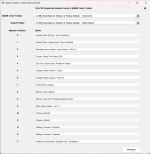
0 - Assault (Rev 2)
1 - Assault Plus (Japan)
2 - Burning Force (Japan, New Version, Rev C)
3 - Cosmo Gang The Video (US)
4 - Dirt Fox (Japan) [unplayable without Paddle & Pedal controls]
5 - Dragon Saber (World)
6 - Dragon Saber (Japan - Rev B)
7 - Finest Hour (Japan)
8 - Marvel Land (Japan)
9 - Marvel Land (US Prototype) [bad sound]
A - Mirai Ninja (Japan - set 1)
B - Ordyne (World)
C - Phelios (World)
D - Rolling Thunder 2 (World)
E - Rolling Thunder 2 (Japan)
F - Valkyrie No Densetsu (English Fan Translation)

Also, my Rollup Builder tool is very, very close to release - we're just completing some testing on the baseball games. This tool will let you roll your own custom Rollup Pack for your System 2 Multi.

Screenshot 2025-10-21 001559.pngUntitled.png
 
Last edited:
I got this hooked up today, after it sitting on my bench for 2 weeks... :). SUPER easy install - Thanks for the great documentation @Darksoft! I fired up every game, and they all booted and looked good, and had sound - I will get some more serious gaming in this weekend, but super happy with this multi!

Did I see mention or hear a rumor of an OLED selector coming out?

Matt
 
Check the voltage level for the +5V line at the JAMMA connector. System 2 is a power hungry board and if it isn't getting a steady +5V then that could be the cause of your crashes.
I can tell, precedly this cab have the System 18 multi plugged on it, and I have to increase the voltage, + 0,2 V.
My voltage is steady, the power supply is not old, I changed the original one for a modern brand new Sanwa, the famous one.
Well, i tried Yesterday night another games and it 's works fine, I have to try RT2 and Cosmo Gang.

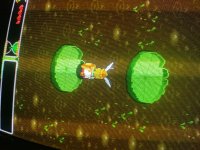
One another thing, I have a little white Line on the sprite of Valkyrie, on top of the left, a kind of glitch.
More I push action button and more ut 's visible.

Does anyone have this glitch too ?
You can sée it a little bit on the pic attached...


Thx guys
 

Attachments

  • IMG_20251022_211433745.jpg
    IMG_20251022_211433745.jpg
    440.8 KB · Views: 58
  • IMG_20251022_211444235.jpg
    IMG_20251022_211444235.jpg
    373.7 KB · Views: 57
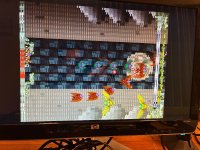
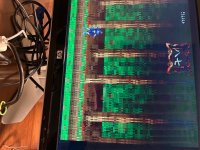
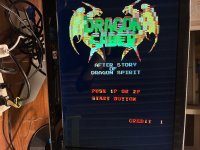
Hi I could install the multi but I have some pixel mess
 

Attachments

  • IMG_4631.jpeg
    IMG_4631.jpeg
    540.4 KB · Views: 56
  • IMG_4630.jpeg
    IMG_4630.jpeg
    244.8 KB · Views: 50
  • IMG_4629.jpeg
    IMG_4629.jpeg
    216.3 KB · Views: 55
Did the original game work properly before installing the multi?
Are you sure that all pins of the multi go fully inside and make good contact?
And last check, are you sure that you wrote all modules correctly and they are in the right place?
 
Did the original game work properly before installing the multi?
Are you sure that all pins of the multi go fully inside and make good contact?
And last check, are you sure that you wrote all modules correctly and they are in the right place?
The original game, didn’t worked properly as i showed upper , some squared glitched appeared. I thought it was minor but apparently its serious. I will first rechecked everything again. Reseat chips etc
 
The original game, didn’t worked properly as i showed upper , some squared glitched appeared. I thought it was minor but apparently its serious. I will first rechecked everything again. Reseat chips etc
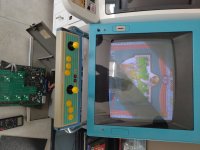
As a general rule - the donor should be 100% working before you drop a multi on. It stresses the board a little over the “stock” so you need perfectly working. Hopefully it’s just an issue that reseating a few times will resolve.
 
The original game, didn’t worked properly as i showed upper , some squared glitched appeared. I thought it was minor but apparently its serious. I will first rechecked everything again. Reseat chips etc
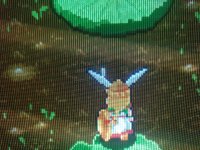
Hopefully it will be the ram if it's not that, then most probably one of the 2 SMD custom video chips has gone bad and that is bad news.
 
Back
Top