DARKSOFT New Namco System 2 Multi

I set up my multi yesterday and I'm really happy with it! Thanks for another amazing multi @Darksoft!

I have some things to note during setup and testing:

- Some main boards do not have the SYS2C65 MCU chip as stock. Both of my original main boards do not have a chip here. I left this unpopulated and everything is working fine.

- There's a small mistake in the manual at Step 12 where it states to manually set 8MB for the 128Mbit modules. This should be 16MB as stated at all other points in the manual.

- All games are working perfectly for me, except Mirai Ninja randomly crashed once and Dragon Saber (World) is running at half speed gameplay and sound. Dragon Saber (Japan) is working perfectly.
 
Last edited:
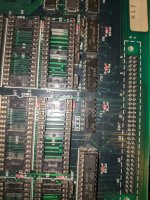
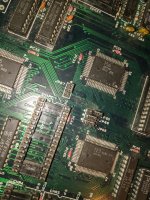
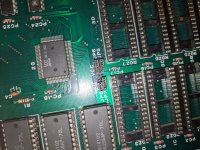
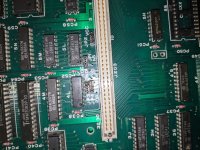
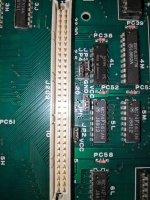
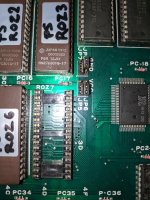
Make sure all the jumpers are set as per the manual. Also use a toothbrush with isoprop to clean the sockets on the board. When putting on the CPU multi board, start in the middle when pressing it down. Separate the video board from the cpu board when installing the multi boards, so you can hold your hand against the donor board when pressing down on the multi. Look through gap between the boards and make sure that you see the same portion of the pin on all of the sockets.
 

Attachments

  • IMG_20251008_123106.jpg
    IMG_20251008_123106.jpg
    309 KB · Views: 44
  • IMG_20251008_123118.jpg
    IMG_20251008_123118.jpg
    342.4 KB · Views: 37
  • IMG_20251008_123431.jpg
    IMG_20251008_123431.jpg
    291.8 KB · Views: 39
  • IMG_20251008_123444.jpg
    IMG_20251008_123444.jpg
    277 KB · Views: 41
I set up my multi yesterday and I'm really happy with it! Thanks for another amazing multi @Darksoft!

I have some things to note during setup and testing:

- Some main boards do not have the SYS2C65 MCU chip as stock. Both of my original main boards do not have a chip here. I left this unpopulated and everything is working fine.

- There's a small mistake in the manual at Step 12 where it states to manually set 8MB for the 128Mbit modules. This should be 16MB as stated at all other points in the manual.

- All games are working perfectly for me, except Mirai Ninja randomly crashed once and Dragon Saber (World) is running at half speed gameplay and sound. Dragon Saber (Japan) is working perfectly.
Glad that you have it up and running and thanks for the info on the manual. We'll update it very soon.
 
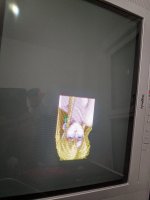
just tried, just blue and yellow screen flashing on a loop, no music, sound or game
I had something similar when I first assembled mine, it was due to poor contact on some of the pin headers. removing the main multi board from the top board and re-installing it ensuring all of the pin headers (especially the ones towards the center of the board) were fully seated. For whatever reason I couldn't get them to seat all the way without separating the boards first.
 
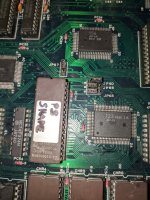
@Darksoft … big thanks . the Namco System 2 multi is perfect working . Not any issues here , is super easy to install the kit (i did it hy looking in your almost perfect instruction manual installation notes) , perfect fit in sockets on both boards . Also is lovely to use Proman 🫶🏻

Only when update the manual , on my donor (on motherboard) , on the back of 2E logic ic (HD74LS244P), we have JP18 - is set on GND not on VCC . ive seen this mentioned by @Mrhide too . I did namco sys 2 conversions on both motherboards models and i forgot mine had this jumper 🤷🏻

IMG_1616.jpeg
 
Last edited:
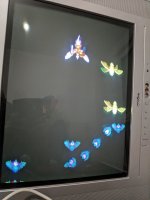
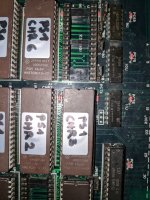
well...I went back to square one, removed the multi, removed every chip from every socket and clean the whole pcb with iso 99% alcohol and wd-40 "contact", set it back to the converted Phelios it was before, but I only gets sprites, bullets, sound and music, no background or text 😢 (made sure chips and boards are well seated together)
 

Attachments

  • IMG_20251009_191440.jpg
    IMG_20251009_191440.jpg
    271.9 KB · Views: 31
  • IMG_20251009_191504.jpg
    IMG_20251009_191504.jpg
    286 KB · Views: 32
  • IMG_20251009_191553.jpg
    IMG_20251009_191553.jpg
    226.8 KB · Views: 28
  • IMG_20251009_191609.jpg
    IMG_20251009_191609.jpg
    245.6 KB · Views: 27
  • IMG_20251009_191537.jpg
    IMG_20251009_191537.jpg
    307.1 KB · Views: 34
  • IMG_20251009_191512.jpg
    IMG_20251009_191512.jpg
    356.5 KB · Views: 32
  • IMG_20251009_194140.jpg
    IMG_20251009_194140.jpg
    171.1 KB · Views: 32
  • IMG_20251009_194006.jpg
    IMG_20251009_194006.jpg
    123.7 KB · Views: 32
Last edited:
Can anyone confirm is the pack on that .org site is working correctly? I’ve been seeing some people on here with problems.
 
Got the multi all put together, and I'm really close to having everything working. Pretty much all games on boot show "33 Tip" after the RAM test, and a few others say 34 or 35. Everything sounds and plays great, but some effects and graphics are missing (Large vehicle in Rolling Thunder 2 first stage is completely absent).

My donor was a working Ordyne. Jumpers are all set right, and I've reseated the pcbs twice. Going to try cleaning the sockets next. Is there a particular area to focus on for 33 Tip error?
 
Adding to knowledge base here. But these are the issues I’m seeing on my Marvel Land donor (not multi), in case anyone else sees the same.

IMG_1253.jpeg
IMG_1255.jpeg
 
Adding to knowledge base here. But these are the issues I’m seeing on my Marvel Land donor (not multi), in case anyone else sees the same.

IMG_1253.jpeg
IMG_1255.jpeg
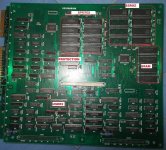
Your error is in the area C9xxxx which is also ROZRAM. You also need to check those 4 SRAM chips and find which one is BAD.
 

Attachments

  • NamcoSystem2_VideoPCB_low.jpg
    NamcoSystem2_VideoPCB_low.jpg
    251.4 KB · Views: 33
If I have random freezing what should I check @Darksoft
Tends to happen when screen gets busy with objects.
Also what value for the diode?
 
Got the multi all put together, and I'm really close to having everything working. Pretty much all games on boot show "33 Tip" after the RAM test, and a few others say 34 or 35. Everything sounds and plays great, but some effects and graphics are missing (Large vehicle in Rolling Thunder 2 first stage is completely absent).

My donor was a working Ordyne. Jumpers are all set right, and I've reseated the pcbs twice. Going to try cleaning the sockets next. Is there a particular area to focus on for 33 Tip error?
I also have the tip issue.
 
Last edited:
Back
Top